Table of contents
- TL;DR
- The Policy That Protected No One
- Why This Episode, Why October
- Meet Merill, and Why Maester Exists
- What’s New in Maester 3.0
- Affected Objects: The View to Use First
- MaesterCloud: What Happens After the Test Runs
- What to Do Monday
- Test the Controls You Think Are Working
- Frequently Asked Questions
- Keep Every Client Tenant Secure with Syncro
- Listen and Get Involved
TL;DR
- Maester is a free, open-source PowerShell tool that runs about 700 automated security checks against a Microsoft 365 tenant and flags what fails
- Maester 3.0 replaces Pester with its own test engine, adds drift tracking between runs, skips tests the tenant isn’t licensed for, and maps tests to frameworks like NIST and CIS
- If you run Maester on a schedule, 3.0 will break that automation until you update it, so test the preview on a non-production tenant first
- MaesterCloud, the paid layer, tracks findings across every tenant you manage and records who owns each fix and when it’s due
- Start with the affected objects view: it shows which users and policies fail the most tests, and those are your first fixes
The Policy That Protected No One
A customer set guest sessions to expire after eight hours. Guests sign in from unmanaged devices, and long-lived tokens are what attackers steal. The policy looked right in the portal.
Then someone edited the dynamic group the policy targeted. The group matched zero users. For a full year, guests stayed signed in, nobody complained, and nobody noticed.
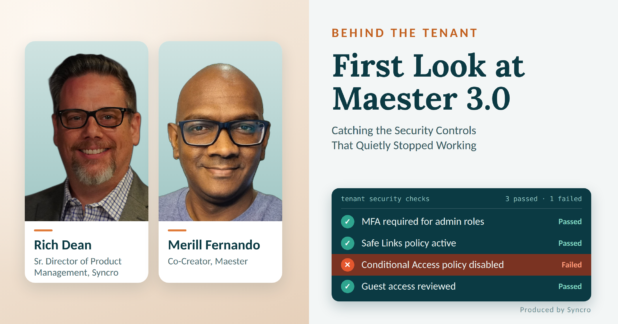
That story is why Maester exists. Maester is a free, open-source PowerShell tool that runs hundreds of automated security checks against a Microsoft 365 tenant and reports what passes and what fails. Its co-creator, Merill Fernando, joined me for the first episode of Behind the Tenant and gave us the first public look at Maester 3.0.
Why This Episode, Why October
This year’s Cybersecurity Awareness Month theme is Don’t Make It Easy for Them. That means getting the basics locked down: MFA, password managers, and patching. Microsoft’s 2026 Digital Defense Report makes the same point: “The fundamentals still shape the outcome”.
The fundamentals tend to fail quietly. A control can look enabled and still do nothing. On October 1, 2026, Microsoft retired the legacy user risk and sign-in risk policies in Entra ID Protection, the settings that force a password reset or MFA when a sign-in looks suspicious. Microsoft had asked admins to move them to Conditional Access. Any tenant that never migrated now has risk policies that no longer do anything.
MSPs have to catch problems like this across dozens of client tenants, and checking each policy by hand doesn’t scale. Maester automates the check.
Meet Merill, and Why Maester Exists
Merill Fernando spent five years as a product manager on Microsoft Entra ID. You’ve probably used his work already: cmd.ms for jumping to admin portals, and the weekly Entra.News newsletter. In July 2026 he left Microsoft to work on Maester full time from Melbourne.
Maester treats tenant configuration the way developers treat code: every change gets tested. Merill built it with Fabian Bader and Thomas Naunheim. You write a test that describes what a policy should do, it runs every day, and it fails the moment someone breaks the policy.
Merill expects this to matter more as AI agents start changing tenant settings. The tests record what each policy is supposed to do, so the next agent, or the next technician, knows what not to break.
The community took it further. Maester now ships about 700 tests, including a large new set of Active Directory checks. It has passed 624,000 downloads on the PowerShell Gallery, and Merill says it has run against more than 63,000 tenants. Xbox security uses it to grade 70+ Entra tenants every night.
The project’s manifesto states the mission plainly: “Security should not become another place where the gap between well-funded organizations and everyone else gets wider”.
What’s New in Maester 3.0
Maester 3.0 replaces Pester, the PowerShell testing framework earlier versions were built on, with Maester’s own test engine. That one change drives everything else in the release. It also breaks scheduled automation, so read the upgrade note below before you update.
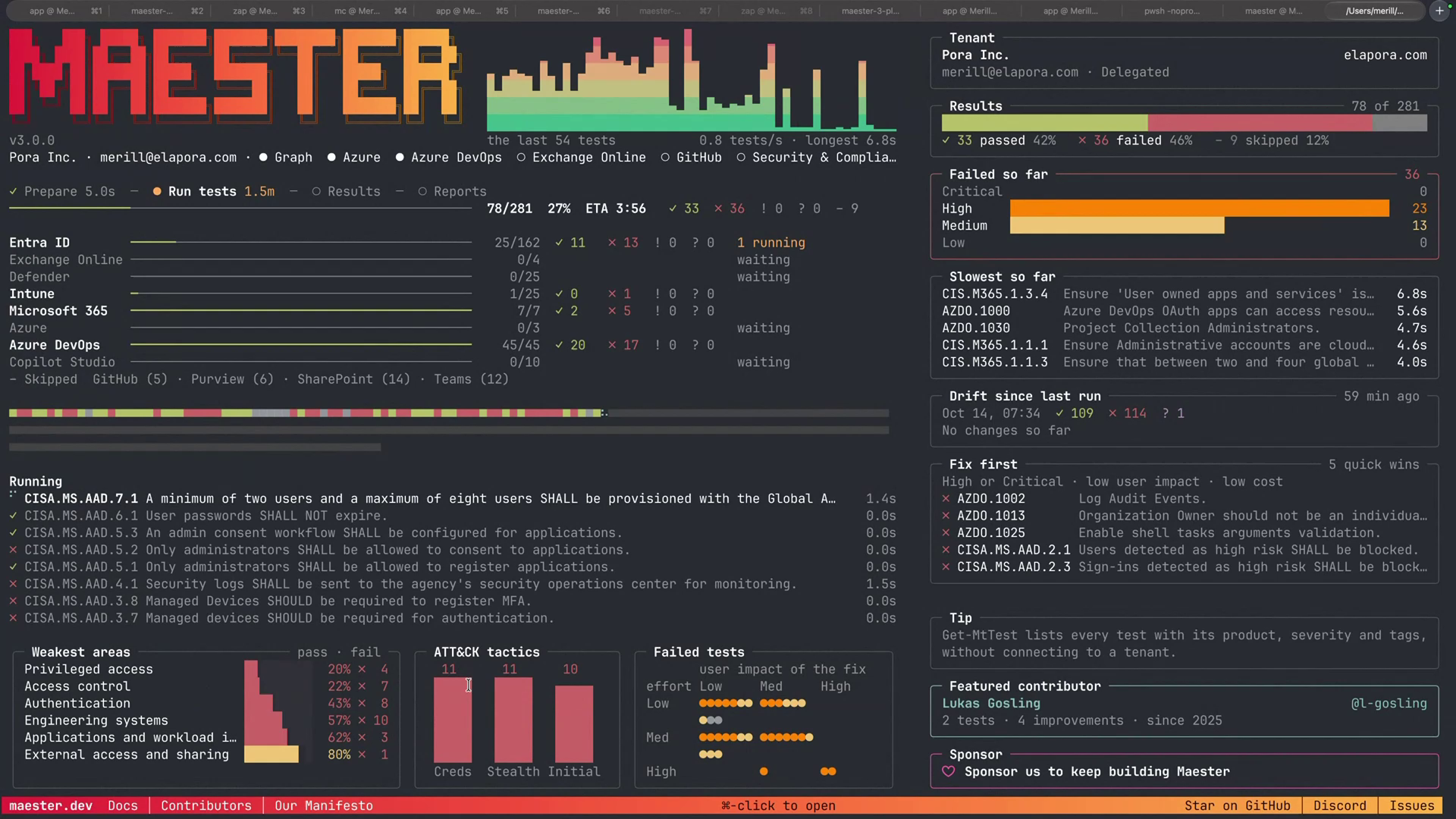
- A purpose-built engine. Every test used to repeat the same housekeeping: checking licenses, checking the connection, and handling errors. The engine now does that once, and it sets up running tests in parallel for faster scans.
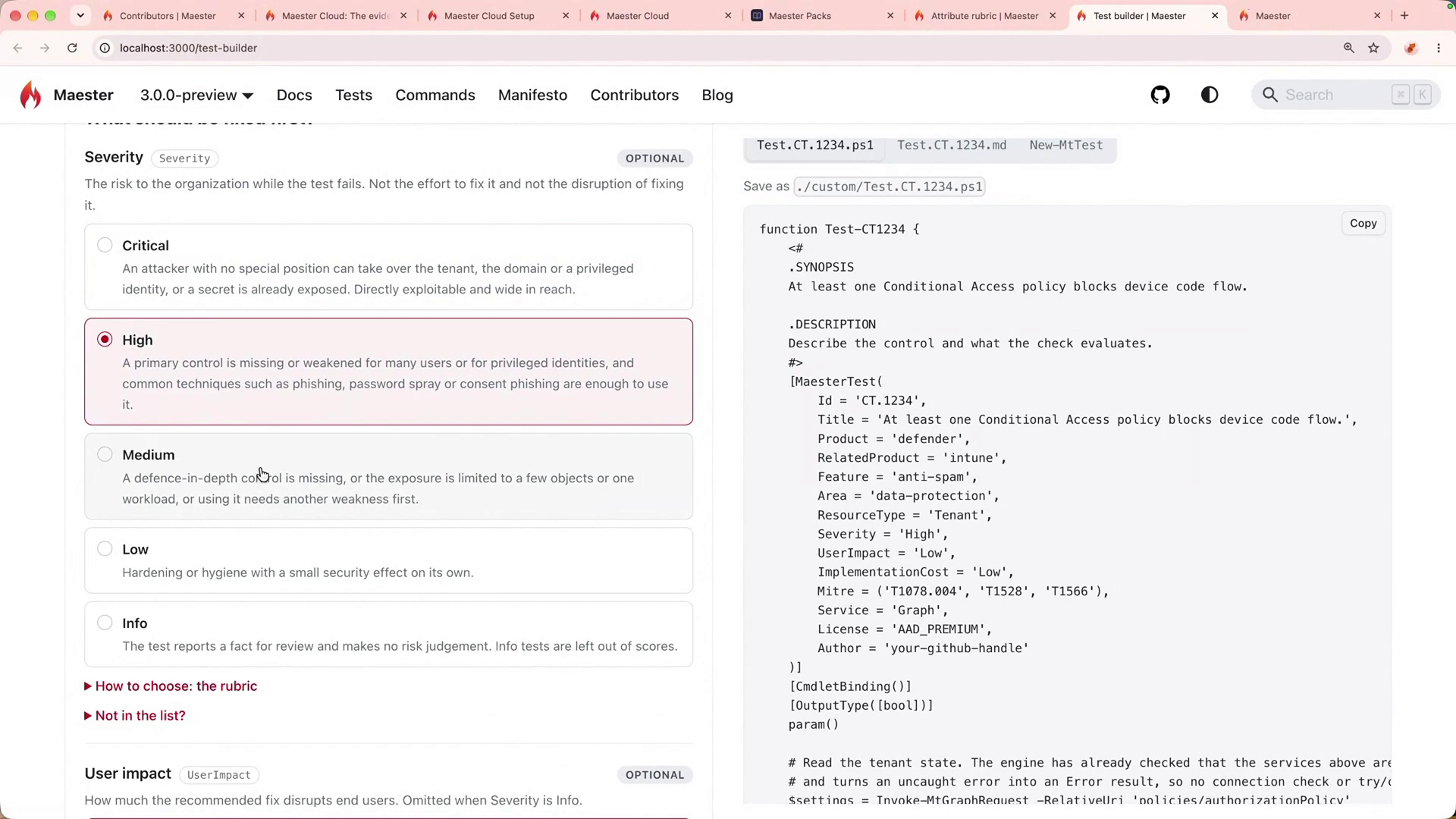
- Simpler custom tests. If you write your own tests, each one is now two files: a short list of what the test needs, and a plain-language explanation of what it checks and why.
- Licensing handled for you. Maester checks which Microsoft licenses the tenant owns. If a test needs a feature the tenant doesn’t have, such as Entra ID P2, Maester skips it instead of reporting a failure.
- Framework mapping. Each test can be tagged to security frameworks such as NIST, MITRE ATT&CK, CIS, and CISA. That helps when a client asks how their tenant measures up to a standard.
- Drift since last run. Maester compares each run to the previous one and shows what changed, so a setting someone altered overnight stands out.
The new documentation site adds a Test Builder, a form that fills in a new test’s setup for you, and a License Explorer for looking up which Microsoft license includes which feature. A live dashboard shows progress while tests run.
Running it takes two PowerShell commands: Connect-Maester signs in to the tenant, and Invoke-Maester runs the tests. The tests now come bundled with Maester, so there’s no separate download step.
Upgrade note: if you run Maester on a schedule, for example through GitHub Actions or Azure DevOps, 3.0 will break that automation until you update it. Manual one-off runs work as-is. Custom tests you’ve already written still run, and Maester includes instructions an AI coding assistant can follow to convert them to the new format.
Maester Packs
Today the Maester team reviews every test before it ships, which makes them the bottleneck. Maester Packs, being designed with the community on the Maester Discord, change that. Anyone will be able to publish a bundle of tests, and others will install it with one command.
Packs also cover checks Maester can’t ship itself. Maester only uses Microsoft’s officially published APIs, and parts of Defender have none, so community authors built their own workarounds. Those can ship as packs, commercial authors can sell premium packs, and large organizations like Xbox can package their internal standards for their own teams.
Merill also credits CyberDrain founder Kelvin Tegelaar as a mentor and the inspiration for going independent, and the two are exploring ways to share checks and results between their projects.
Affected Objects: The View to Use First
I asked Merill the First Five, a scenario I put to every guest. A friend runs a 50-seat company, the IT provider just got fired, and there’s no documentation. You have one day. What five changes do you make?
His answer: run Maester, then use the affected objects view. It arrived in the 2.3 release, and you turn it on with Invoke-Maester -IncludeAffectedObjects. Instead of reading hundreds of results one test at a time, you pick a user or a policy and see every test that flagged it.
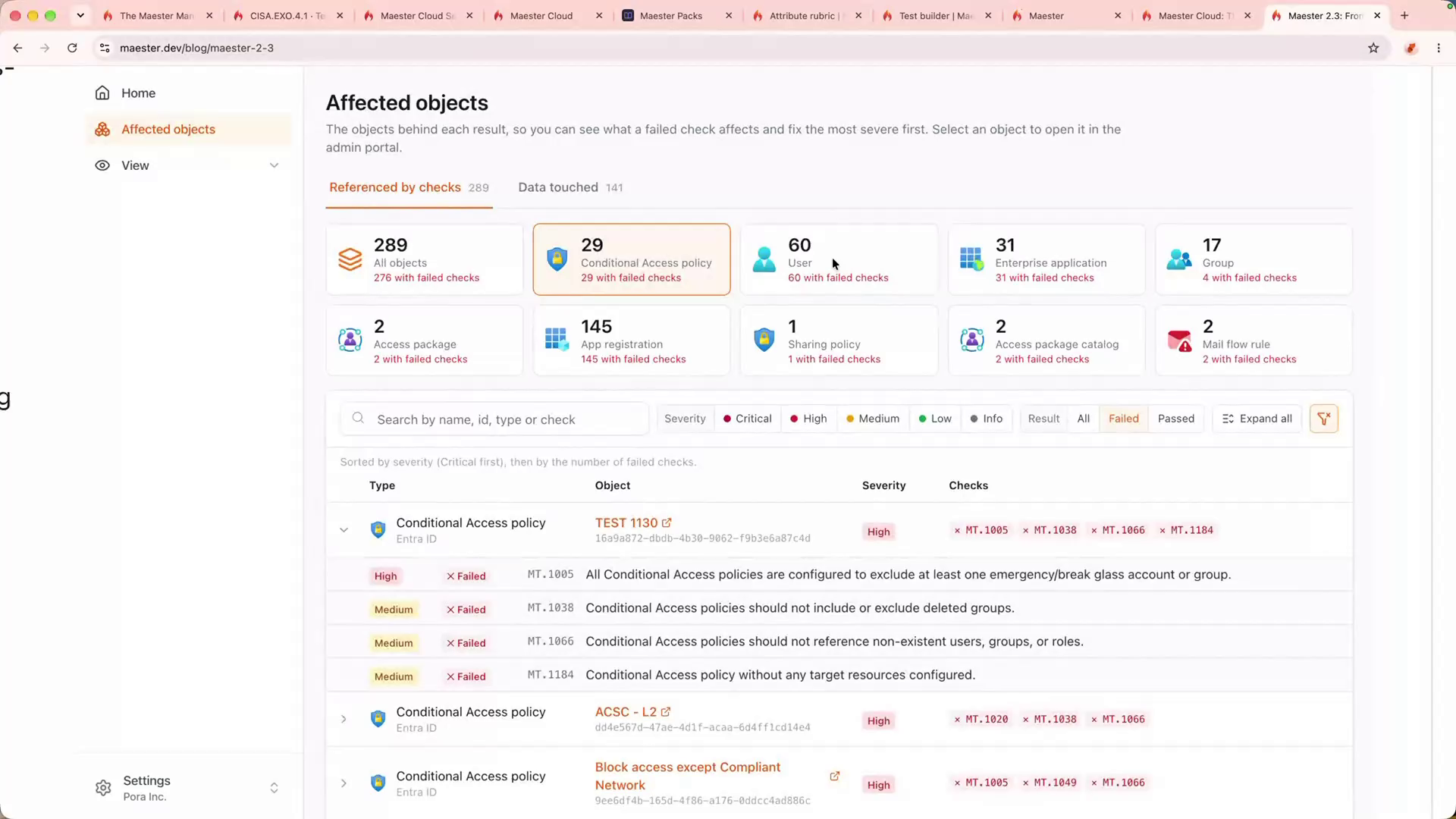
In his demo tenant, one account stood out. It held a permanent admin role instead of activating it only when needed through Privileged Identity Management (PIM). It had no phishing-resistant sign-in method, such as a passkey, and it was excluded from every Conditional Access policy. Each problem showed up in a different test, and selecting that one user put them all on one screen.
That’s your top five. Fix the objects that fail the most tests, then track the work to closure. Merill’s caveat is fair: priorities shift with context. A tenant facing an active password spray, where attackers try common passwords across many accounts, should roll out phishing-resistant MFA before anything else.
MaesterCloud: What Happens After the Test Runs
The tests stay free. MaesterCloud is the paid layer, and it funds Merill’s time on the open-source project. It answers the question most teams solve with a spreadsheet: who owns this failure, and when will it be fixed?
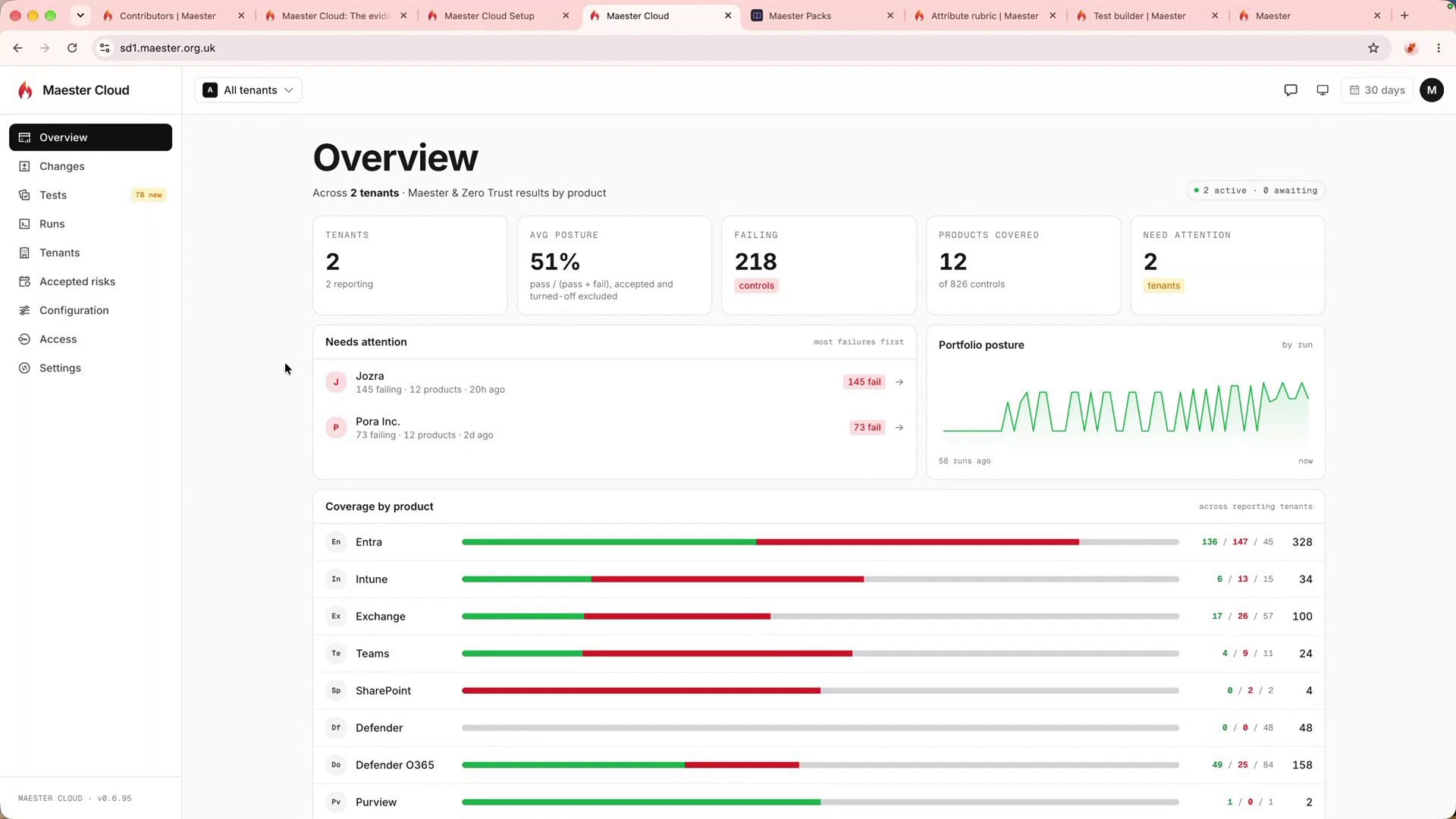
One subscription covers any number of tenants, and you can run the whole thing in your own Azure subscription instead of Merill’s hosted service.
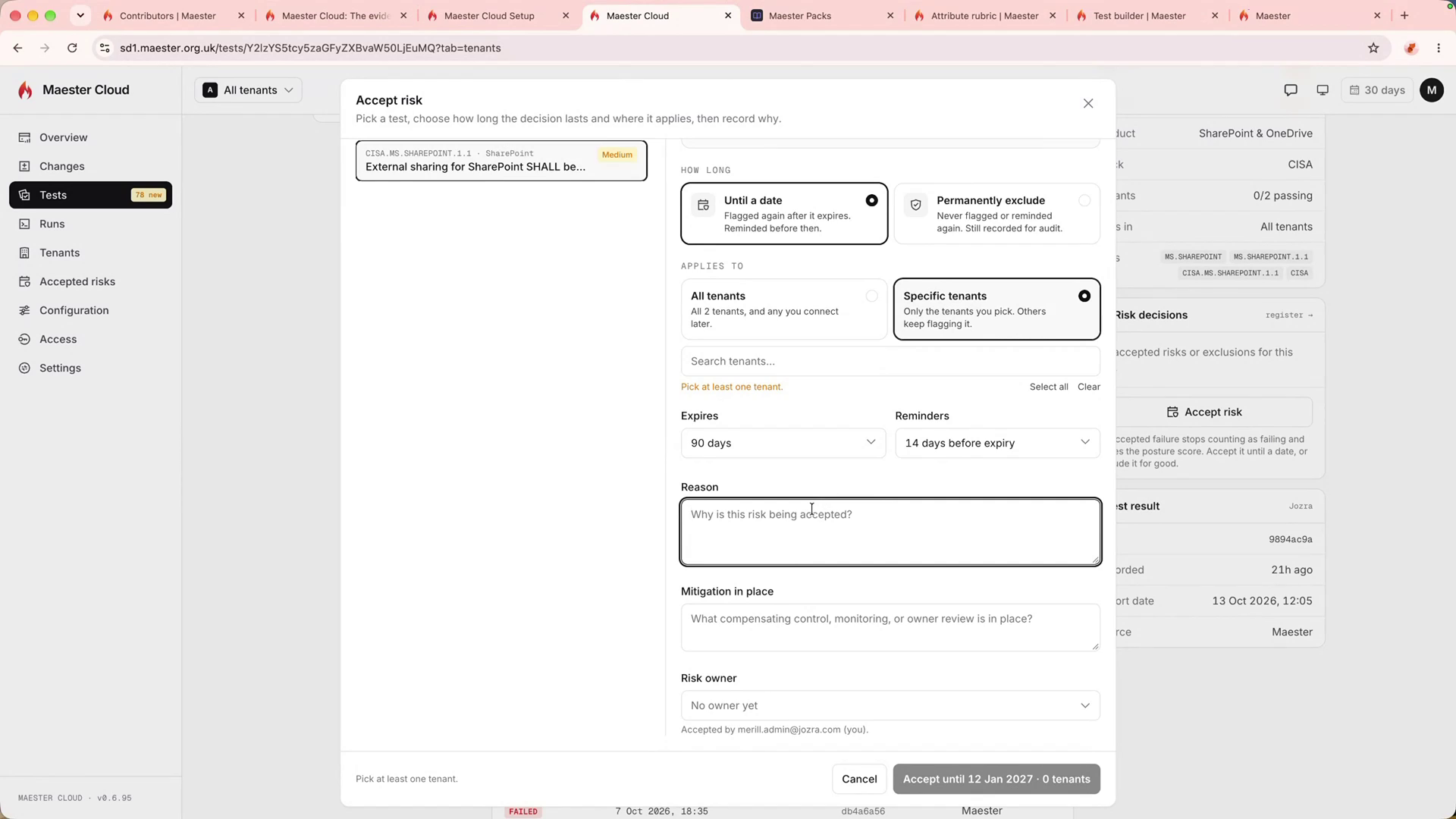
Available today. MaesterCloud tracks every tenant in one dashboard, shows new failures since the last run, keeps per-test history, lets you accept a risk with an expiry date and owner, and reruns a single test to confirm a fix. You can host it yourself in Azure.
On the roadmap. MaesterCloud is new, and Merill was clear about what’s still coming:
- AI assistant that explains fixes using your tenant’s data, with bring-your-own model for self-hosted installs
- MCP connector so your own AI tools can query results; Merill says it will be free
- Ticketing sync with Jira, ServiceNow, and other systems
- CSP import to pull client tenants from your Microsoft partner relationships
- Results-only feed for MSPs who show findings in their own client portals (requested, not committed)
On MaesterCloud, tests run in locked-down Azure virtual machines that can only send data to sites you approve. That matters once you start running packs written by third parties.
What to Do Monday
- Check your risk policies. Confirm every client tenant has moved its legacy Entra ID Protection risk policies to Conditional Access.
- Try the 3.0 preview on a test tenant. Run Install-Module Maester -AllowPrerelease, then Connect-Maester and Invoke-Maester. Keep any scheduled runs on 2.3 until you’ve tested.
- Use the affected objects view. Run with -IncludeAffectedObjects and find the users and policies that fail the most tests. Those are your first fixes.
- Write one custom test. Pick a policy that matters, like a guest session limit, and use the Test Builder to create a test that checks it daily.
- Track every finding to closure. Open a ticket for each failure in your PSA, with an owner and a due date, so fixes don’t stall in a spreadsheet.
Test the Controls You Think Are Working
The guest policy at the top of this post was configured correctly. A change somewhere else broke it, and nothing was watching. The retired Entra ID risk policies are the same problem at a larger scale: settings that still look fine in the portal but stopped working on October 1.
Maester 3.0 is built for this. The new engine makes tests easier to write and faster to run, drift tracking shows what changed since yesterday, and the affected objects view tells you where to start. MaesterCloud adds the part most teams handle badly today, which is making sure each failure has an owner and a date. For MSPs managing dozens of tenants, a daily test of every control that matters is the only reliable way to know those controls still work.
Frequently Asked Questions
Maester is a free, open-source PowerShell tool that runs about 700 automated security tests against Microsoft 365, Entra ID, and Active Directory, and reports which configurations pass and which fail.
Yes. The Maester tests and test engine are free and open source. MaesterCloud is an optional paid service for tracking findings across many tenants, and you can host it in your own Azure subscription.
Maester 3.0 replaces the Pester framework with its own test engine. It adds drift tracking between runs, license-aware test skipping, framework mapping to NIST, MITRE ATT&CK, CIS, and CISA, and a simpler two-file format for custom tests.
Scheduled runs through GitHub Actions or Azure DevOps will break until you update them. Manual runs work as-is, and existing custom tests still run.
Microsoft retired the legacy user risk and sign-in risk policies on October 1, 2026. Tenants need equivalent risk-based Conditional Access policies to keep forcing password resets or MFA on risky sign-ins.
Maester runs the same checks across every client tenant every day, so a policy that silently stops working shows up as a failed test instead of going unnoticed until an incident.
Keep Every Client Tenant Secure with Syncro
Maester tells you which controls failed. Syncro is a unified IT management and security platform that puts Microsoft 365 management, security baselines, and real-time drift detection for every client tenant in the same place as your RMM and PSA, so the fix gets assigned, tracked, and closed without switching tools. Start your free trial today to check it out.
Listen and Get Involved
- Watch the full episode
- Get Maester: maester.dev and the GitHub repo
- Join the Packs discussion: Maester Discord
- Support the project: Become a sponsor to Merill Fernando

Share
Related Resources