Table of contents
- TL;DR
- What is IT Management Software?
- Core Features Every IT Management Platform Needs
- Your Unified IT & Operations Center
- How to Compare IT Management Software Features
- Features That Separate Good IT Management Software from Great
- How to Evaluate IT Management Software for Your Team
- How Syncro Fits
- Frequently Asked Questions
TL;DR
- IT management software is a unified platform that combines endpoint monitoring, ticketing, patch management, remote access, scripting, and reporting in one system.
- The features that deliver the most value are the ones that connect natively, alerts feed tickets, tickets trigger automation, and automation closes the loop without manual handoffs.
- A Forrester Consulting study found that AIOps-driven IT management reduced incident noise by over 80% and saved 28,200 hours in ticket creation and routing over three years.
- The right IT management software for your team is the one that reduces the number of tools your technicians have open at any given moment, not the one with the longest feature list.
What is IT Management Software?
IT management software is a platform that centralizes the core operational functions of IT, endpoint monitoring, ticketing, patch management, remote access, and automation, into a single system. The features you choose determine whether your team operates proactively or stays stuck in reactive mode, triaging issues one at a time.
Most IT departments outgrow their tools before they outgrow their team. Disconnected systems for monitoring, ticketing, and patching create gaps where issues slip through, context gets lost between tools, and technicians waste time switching between dashboards. The right IT management platform closes those gaps by integrating core functions natively, so every alert, ticket, and remediation action shares the same data.
This guide covers the features that matter most for IT teams, how to evaluate them against your current pain points, and what separates IT management software that checks boxes from a platform that genuinely makes your operations faster.
Core Features Every IT Management Platform Needs
IT management software features fall into a few major categories: monitoring, ticketing, patching, remote access, automation, and reporting. The best platforms handle all of these in a single interface rather than requiring separate tools for each function.
Endpoint Monitoring and Alerting
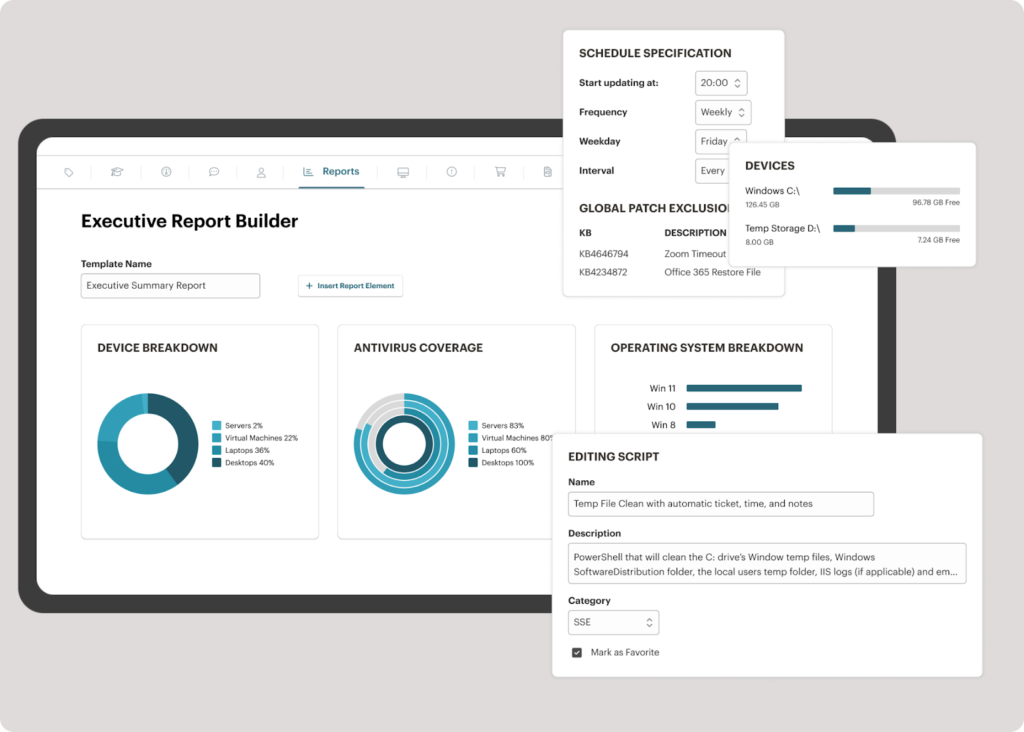
Endpoint monitoring is the feature that everything else depends on. It gives your team real-time visibility into the health, performance, and security posture of every device in your environment. A strong RMM platform tracks CPU and memory usage, disk health, running services, and system events across Windows, macOS, and Linux endpoints.
What to look for: Customizable alert thresholds, policy-based monitoring that scales across device groups, and the ability to trigger automated responses when an alert fires. If your monitoring tool generates alerts but requires you to manually create a ticket and assign it, you’re doing extra work that the platform should handle.
Ticketing and Service Desk Management
A ticketing system tracks every request, incident, and task from submission through resolution. IT management software with built-in ticketing eliminates the gap between device monitoring and service delivery by linking endpoint data directly to support workflows.
AI-powered ticket classification: Modern platforms use machine learning to read incoming tickets, assign categories and priorities, and route them to the right technician based on issue type. That removes the inconsistency of manual triage and gets problems in front of the right person faster.
SLA tracking and escalation: Look for automated SLA enforcement that escalates tickets when they approach breach thresholds. Combined with time-based automation rules, this keeps your team accountable without requiring a manager to watch the queue.
Automated Patch Management
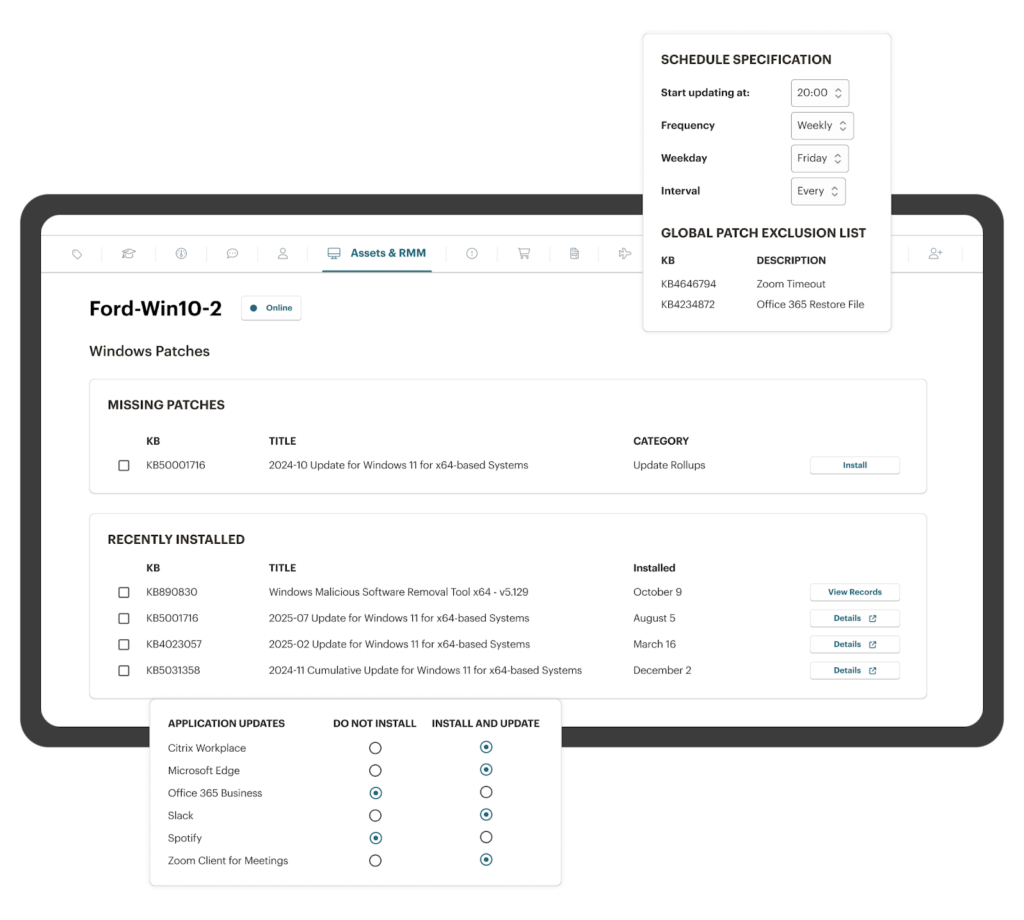
Automated patch management is one of the most time-consuming IT operations tasks and one of the most important for security. Patch management software should handle Windows OS updates and third-party application patches on customizable schedules, with granular controls for approval, exclusion, reboot timing, and compliance reporting.
Why automation matters here: Manual patching across a distributed fleet of laptops, desktops, and servers is slow and error-prone. Automated patch policies let you define rules once and apply them across your entire environment. When combined with monitoring, you can automatically verify patch success and flag endpoints that failed to update.
Remote Access and Troubleshooting
Remote access lets technicians connect to endpoints, view screens, transfer files, and run diagnostics without requiring the user to bring their device to a physical location. For distributed and hybrid workforces, remote access turns every support interaction from a potential site visit into a five-minute fix.
Integration with ticketing: The best IT management software platforms let technicians launch a remote session directly from an open ticket, with full device context already attached. That eliminates the back-and-forth of gathering system details before troubleshooting even starts.
Scripting and Task Automation
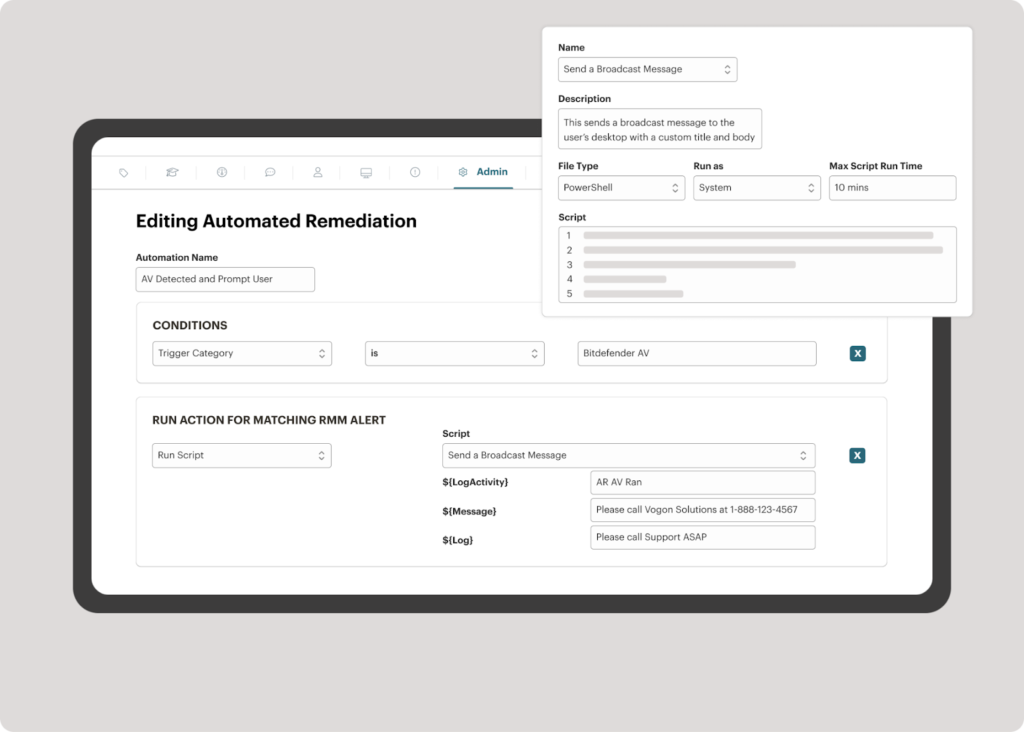
Scripting gives IT teams the flexibility to automate anything the platform doesn’t handle out of the box. PowerShell, Bash, and Python scripts can automate user onboarding, software deployment, registry changes, security hardening, and hundreds of other tasks that would otherwise require manual, repetitive effort.
Script libraries and execution: Look for IT management software that includes a curated, pre-tested script library alongside the ability to write and deploy your own. The ability to schedule scripts, trigger them based on alert conditions, and capture output in ticket notes turns scripting from a standalone tool into part of your automation workflow.
Your Unified IT & Operations Center
See how Syncro’s secure IT management platform helps IT teams unify monitoring, ticketing, patching, and remote access.

How to Compare IT Management Software Features
Not every feature carries the same weight for every team. Here’s how the core feature categories stack up in terms of daily impact and what to prioritize when evaluating IT management software.
| Feature | What it does | What to evaluate |
|---|---|---|
| Endpoint monitoring | Tracks device health, performance, and security in real time | Custom alert thresholds, policy inheritance, cross-platform support |
| Ticketing | Manages incidents and requests from submission to resolution | AI classification, SLA enforcement, automation triggers on ticket events |
| Patch management | Deploys OS and third-party updates on schedule | Granular scheduling, exclusion lists, reboot controls, compliance reporting |
| Remote access | Connects technicians to endpoints for troubleshooting | Session launch from tickets, file transfer, multi-platform support |
| Scripting | Automates custom tasks across endpoints | Script library, scheduling, trigger-based execution, output logging |
| Reporting | Tracks operational metrics and device status | Customizable dashboards, exportable reports, MTTR and SLA visibility |
| Integrations | Connects to directory services, security tools, and communication apps | Native integrations vs. API-only, depth of data sync, setup complexity |
Features That Separate Good IT Management Software from Great
Every IT management software vendor lists monitoring, ticketing, and patching in its feature set. The difference between a platform that saves your team time and one that adds to your workload comes down to how well those features connect to each other.
- Native integration between monitoring and ticketing: When an alert fires on an endpoint, the platform should automatically create a ticket, attach device context, classify the issue, and route it to the right person. If you have to copy alert details into a ticket manually, you’re losing time on every incident.
- Policy-based management at scale: Managing 50 endpoints is doable with manual processes. Managing 500 or 5,000 requires policy inheritance, where you define monitoring rules, patch schedules, and security baselines at the top level and cascade them down to device groups. IT management software that requires per-device configuration becomes unmanageable as your environment grows.
- AI-assisted operations: AI features like automatic ticket classification, smart search across historical tickets, and guided remediation suggestions reduce the knowledge gap between junior and senior technicians. They also cut the time your team spends on the repetitive triage work that eats into every shift.
- Unified reporting and dashboards: Your platform should provide a single view of device health, ticket volume, resolution times, patch compliance, and SLA performance. If you need to export data from three different tools and merge it in a spreadsheet to see how your team is performing, the platform is adding work instead of reducing it.
According to a Forrester Consulting study, AIOps-driven IT management reduced incident noise by over 80% and saved 28,200 hours in ticket creation and routing over three years. The savings come specifically from the integration between monitoring, ticketing, and automation, not from any single feature in isolation.
How to Evaluate IT Management Software for Your Team
Choosing IT management software based on a feature checklist alone misses the point. A platform with 200 features that your team never uses delivers less value than one with 20 features that fit tightly into your daily workflows.
Map features to your pain points: Start with the three to five operational tasks that consume the most technician time each week. If manual patching takes hours every Tuesday, automated patch management is your highest-priority feature. If ticket triage is the bottleneck, AI classification matters more than advanced reporting.
Test the workflow, not the feature list: Run a real scenario through the platform during a trial. Create an alert, watch it generate a ticket, trigger an automation, and verify the resolution. If that end-to-end workflow feels clunky or requires manual steps between stages, the tool will slow your team down once the trial ends.
Check the integration depth: Connecting to Active Directory, Microsoft 365, or your security stack should be native and well-documented. API-only integrations that require custom development create a maintenance burden your team will inherit forever.
IT management software should make your team faster, not give them more dashboards to check.
How Syncro Fits
Syncro is a unified secure IT management platform built specifically for IT teams that want one tool instead of five. Endpoint monitoring, smart ticketing, automated patch management, scripting, integrated remote access, and customizable reporting are all native to the platform, sharing the same data layer. When an alert fires, a ticket is created automatically. When a technician opens a ticket, device history is already attached. When a script runs, it logs against the ticket. The features connect natively, which is what makes the difference between IT management software that adds work and IT management software that reduces it.
Frequently Asked Questions
IT management software is a unified platform that centralizes endpoint monitoring, ticketing, patch management, remote access, scripting, and reporting in one system. It is the operational layer that lets IT teams monitor, support, and secure devices, and deliver service to employees, from a single console instead of multiple disconnected tools.
Endpoint monitoring with customizable alerting, ticketing with AI-powered classification and SLA tracking, automated patch management for OS and third-party applications, integrated remote access, a scripting engine for custom automation, unified reporting dashboards, and native integration with directory services like Active Directory and Microsoft 365.
The terms are often used interchangeably. “IT management software” typically refers to the broader category of tools that help IT teams manage operations. “IT management platform” implies a unified, integrated system where multiple capabilities (monitoring, ticketing, patching, remote access) operate as one product. In practice, modern IT management software is increasingly built as platforms.
Remote monitoring and management (RMM) is a subset of IT management software focused on endpoint monitoring, patching, scripting, and remote access. Full IT management software includes RMM capabilities plus ticketing, service desk management, and reporting. RMM is the operational layer for devices; IT management software is the operational layer for the entire IT function.
The best fit depends on team size, environment complexity, and existing tools. Smaller IT teams benefit from unified platforms that consolidate functions into one tool. Larger enterprises with dedicated specialty teams sometimes prefer best-of-breed tools per function. The right approach is to map features to your actual pain points, not to evaluate based on feature count.
For most mid-market IT teams, yes. A unified IT management platform typically replaces a separate RMM, ticketing system, patch manager, remote access tool, and basic reporting tool. The result is fewer vendors, fewer agents on endpoints, fewer logins, and a single data layer where alerts, tickets, and device data connect natively.
Cloud-based IT management software typically deploys in days to weeks. On-premise enterprise platforms often require 2-3 months for full deployment. The biggest factor is integration depth, native connections to AD, M365, and security tools deploy quickly; custom integrations or migrations from legacy tools add time.
Yes, when properly architected. Modern cloud IT management platforms use TLS encryption, multi-factor authentication, role-based access controls, and SOC 2 compliance to secure both the platform and the data flowing through it. For most IT environments, cloud-based platforms now exceed the security posture of self-managed on-premise alternatives.

Share
Related Resources