Table of contents
- Key Takeaways
- Best MSP Tools in 2026: RMM, PSA & All-In-One Platforms Compared
- MSPs: don’t waste money on multiple tools
- MSP software comparison: Features and pricing
- The 5 best MSP tools
- How to choose the right MSP tool for your business
- Methodology and disclosure
- Frequently Asked Questions About MSP Tools
Best MSP tools for managing endpoints: RMM monitoring, PSA ticketing, and more. Compare pricing models, integrations, and deployment speed by team size.
Key Takeaways
- The 5 platforms in this guide cover the full range of MSP needs, from full-platform consolidation (Syncro, ConnectWise) to fast-deploy RMM (NinjaOne), per-technician pricing for lean teams (Atera), and automated documentation (Scribe).
- Pricing model matters more than feature lists. Per-device pricing punishes growth. Per-technician pricing punishes specialization. Pick the model that matches your client structure, not the one with the lowest sticker price.
- Setup time ranges from minutes (Scribe) to 2-3 months (ConnectWise). Implementation effort is part of total cost.
- Syncro is our pick for MSPs managing multiple Microsoft 365 tenants or consolidating 3 or more separate tools into one platform.
- The right tool depends on client structure, M365 workload, and how much custom configuration the team can support.
Best MSP Tools in 2026: RMM, PSA & All-In-One Platforms Compared
When it comes to successfully running a managed service provider, few decisions matter more than the tools you use to run the business. Not all MSP tools are created equal. Standalone products focus on a single job (backups, billing, documentation). Unified MSP platforms bundle the core workflows into a single console. Both have a place. The question is which combination matches your client mix, your team size, and the kind of revenue you want to grow.
Periodically reviewing the tools running your business is one of the highest-leverage things an MSP owner can do. Margins compress when you pay for overlapping software. Onboarding slows when techs hunt across five logins to answer one client question. And every tool you can consolidate is a contract you stop renewing.
This guide compares 5 of the most-evaluated MSP tools across RMM, PSA, M365 management, integrations, pricing model, and setup time, so you can see where each platform fits and where the math breaks down.
MSPs: don’t waste money on multiple tools
Running an RMM for monitoring, a PSA for tickets, a separate backup solution, remote access software, and a documentation tool nobody updates. Each costs money. Each needs a separate login. Each has data that doesn’t talk to the others.
This falls apart when pulling a report on which clients are profitable requires copying numbers between three systems. Or during a support call when switching between four windows to see the full picture.
RMM platforms watch networks and automate fixes. PSA systems handle tickets and billing. Remote access tools let techs control client machines. Most operations run 5 to 10 separate products. Some platforms consolidate these functions. Others don’t.
Three things trigger tool changes: can’t onboard clients fast enough, per-client costs keep climbing, or competitors win deals by responding faster with fewer people.
For a deeper look at the broader MSP tool landscape and category leaders, G2’s MSP software category page tracks the most-reviewed platforms by category.
Methodology
How we evaluated these tools: We assessed each platform on RMM and PSA capabilities, Microsoft 365 management, pricing model fit for typical MSP team sizes, integration coverage, and setup effort. We reviewed G2 ratings and user feedback, checked vendor documentation for current feature coverage, and prioritized tools that show up most frequently in MSP buyer evaluations.
MSP software comparison: Features and pricing
| Feature | Syncro | NinjaOne | Atera | Scribe | ConnectWise |
| Pricing model | Per technician ($129+) | Per device | Per technician ($129+) | $29/user | Quote-based |
| RMM included | Yes | Yes | Yes | No | Yes |
| PSA included | Yes | Basic | Yes | No | Yes |
| M365 management | Yes | No | No | No | No |
| Remote access | Included | Paid add-on | Included | N/A | Included |
| Backup | Integration | Paid add-on | Integrated | N/A | Module |
| Documentation | Basic | Basic | Basic | Advanced | Basic |
| Patch management | Windows + third-party | Windows + third-party | Windows + third-party | N/A | Windows + third-party |
| Integrations | 50+ | 30+ | 20 | Chrome/Firefox | 100+ |
| Setup time | 2-3 weeks | 1-2 weeks | 1-2 weeks | Minutes | 2-3 months |
| Learning curve | Moderate | Easy | Easy | Minimal | Steep |
| Best for | M365-heavy MSPs and tool consolidation | Fast deployment | Lean teams (2-5 techs) | Documentation | Enterprise (50+ staff) |
| G2 rating | 4.5/5 | 4.7/5 | 4.6/5 | 4.8/5 | 4.3/5 |
The 5 best MSP tools
Disclosure: Syncro is our platform. We’ve included it on this list because we believe it genuinely fits the use cases covered here. We’ve applied the same evaluation criteria to Syncro as to every other tool.
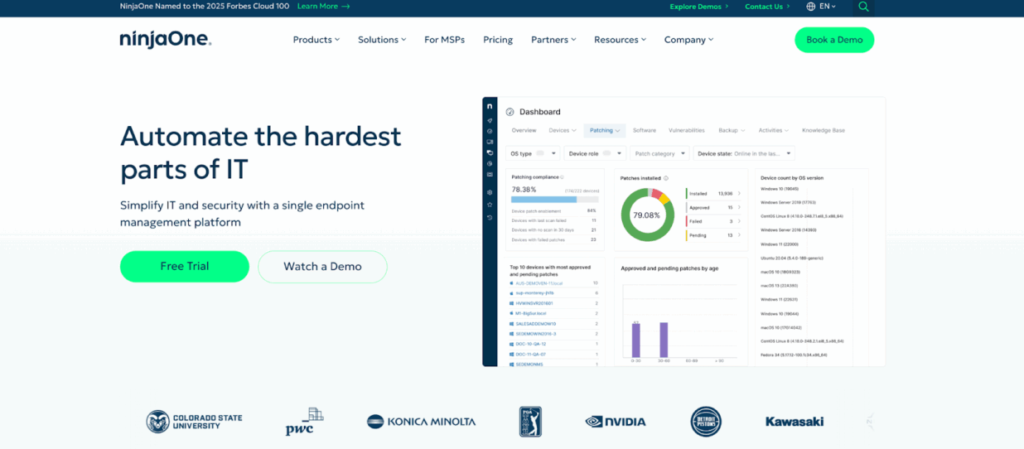
1. NinjaOne: Fast RMM deployment for MSPs
G2 rating: 4.7/5
NinjaOne does RMM and gets operational fast. Marketing says one-hour setup. Reality is 1-2 weeks with policies and client onboarding. Still faster than platforms taking 4-6 weeks.
The interface makes sense without documentation. New techs don’t spend two weeks hunting for buried functions. Monitoring and alerting work with defaults that cover most cases immediately. No hours of tuning thresholds before the system becomes useful.
- What we like: Setup speed and clean UI. Support responds under 2 hours for priority issues, which matters at 8 pm during a client emergency. Monthly billing instead of annual commitments gives flexibility.
- What we don’t like: Per-device pricing gets expensive fast when client endpoint counts fluctuate. Remote access and backup are paid add-ons, not included, so the sticker price isn’t the real cost. PSA functions exist but feel tacked on. Sophisticated billing scenarios (tiered pricing, project accounting, contract variations) need separate tools.
- Pricing: Per device. Contact NinjaOne for current rates.
- Best for: MSPs that want fast deployment, prioritize an intuitive interface for new techs, and have stable endpoint counts.
- Get NinjaOne if: Setup speed matters more than customization depth, endpoint counts stay relatively stable, or you’re hiring techs who need tools they can pick up without extensive training.
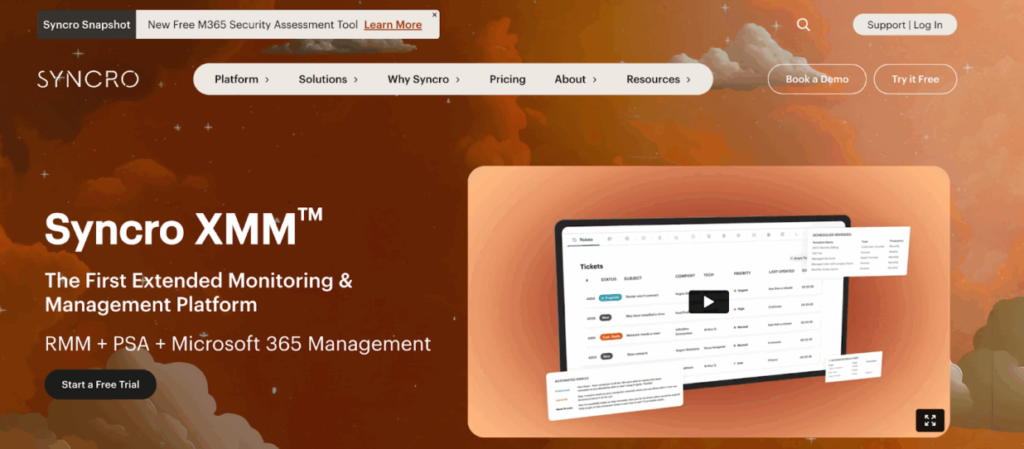
2. Syncro (Our Pick): Best for MSPs consolidating tools and managing M365 tenants
G2 rating: 4.5/5
Syncro combines RMM, PSA, and multi-tenant Microsoft 365 management in a single platform, sold per technician with unlimited endpoints. The platform is built for MSPs who want one console for endpoint monitoring, ticketing, billing, and M365 work, instead of stitching three to five products together.
M365 automation handles user creation, password resets, and license assignments in Entra ID. Security baselines get checked against standards. Alerts trigger when configurations drift. Security assessments pull Microsoft Secure Score for each tenant and flag what needs fixing before audits happen. This is the differentiator most of the surrounding tools don’t have.
How Syncro ticketing tracks unbilled work
Smart Ticket Management understands searches without exact keywords. Type “printer broken after update” and it surfaces tickets that said “print spooler crashed post-patch.” Auto-categorization routes tickets into specific automations. Setup takes time. The payoff is common issues routing to the right techs without manual triage.
Billing tracks unbilled work by counting assets, tracking ticket time, and generating invoices. Most MSPs lose revenue every month from work that happens but never gets invoiced. This closes that gap.
Contract management handles per-client pricing, product-specific rates, and automated SLA monitoring with breach notifications. No more spreadsheets tracking different client agreements.
Remote access, patching, and scripting
Remote access is one-click. Get registry editor, event viewer, file browser, service manager, and PowerShell. No separate license. No user-approval pop-up for unattended access. Necessary for after-hours maintenance windows.
Patching runs on schedules. Approve Windows updates and third-party apps (Adobe Reader, Chrome, Java) once. Deploy across all managed endpoints. Approval workflow prevents deploying problematic patches that break client systems.
The script library includes pre-built PowerShell and Bash scripts for common maintenance, so techs don’t have to write everything from scratch.
50+ integrations including QuickBooks, ConnectWise, Bitdefender, Google Workspace, Slack, and Office 365. API access for custom connections.
- What we like: Multi-tenant M365 management built into the same console as RMM and PSA, which closes a real gap for MSPs handling Microsoft-heavy clients. Per-technician pricing with unlimited endpoints means margin stays intact as clients add devices. Tickets, billing, and asset data live in one system, so client profitability reports don’t require manual reconciliation.
- What we don’t like: Reporting dashboards are functional but lack the visual depth of dedicated BI tools. The breadth of the platform means there’s a moderate learning curve for techs coming from a single-purpose RMM. Some advanced workflow customizations require API or scripting work.
- Pricing: Per technician with unlimited endpoints. Core plan starts at $129 per tech per month, billed annually. See the Syncro pricing page for current rates.
- Best for: MSPs managing multiple Microsoft 365 tenants, consolidating 3 or more separate tools, or scaling client endpoint counts without growing per-device costs.
- Get Syncro if: You’re managing multiple M365 tenants, per-device pricing elsewhere is becoming unsustainable, or consolidating 3+ tools matters more than transparent upfront pricing.
3. Atera: Per-technician pricing for lean MSP teams

G2 rating: 4.6/5
Atera charges per technician, not per device. One tech managing 500 endpoints costs the same as managing 50. Changes the economics entirely for small teams running large client bases.
The math flips for lean operations. Three techs managing 1,200 endpoints pay for three licenses, not 1,200. Competitors using per-device pricing charge for every single endpoint. For small MSPs scaling clients faster than headcount, this pricing model makes or breaks profitability.
Combined RMM and PSA
Combines RMM and PSA without integration complexity. Network discovery finds new devices automatically when clients add hardware. Ticketing connects to billing for automatic time tracking. No separate system needed for tracking hours against projects.
AI automation handles common workflows after initial setup. Standard monitoring, alerting, and patch deployment work without scripting. Custom processes (specific client workflows, unusual maintenance requirements) need manual configuration.
- What we like: Per-technician pricing scales beautifully for small teams managing large endpoint counts. RMM and PSA work natively together without an integration layer. AI-assisted ticket triage and scripting suggestions reduce time on routine work.
- What we don’t like: Only 20 integrations versus 50+ from competitors. Missing connections mean manual data transfer or tool switching. Reporting is basic compared to dedicated PSA platforms, with limited custom report building. Multi-tenant M365 management is not part of the core platform.
- Pricing: Per technician, starting at $129 per tech per month for the Pro plan.
- Best for: Lean MSP teams (2-5 technicians) managing hundreds to thousands of endpoints, with standard monitoring needs and minimal custom workflow requirements.
- Get Atera if: You’re running a lean team managing hundreds of endpoints, predictable per-tech costs matter more than per-device models, or your needs fit standard monitoring without extensive customization.
4. Scribe: Automated documentation for MSP workflows
G2 rating: 4.8/5
Scribe records screen activity and generates step-by-step documentation with automatic screenshots. Desktop app and browser extensions for Chrome and Firefox.
Execute a procedure once while recording. Get numbered guides with embedded screenshots. Eliminates the screenshot, paste, annotate cycle that consumes hours for documentation nobody wants to create.
Why documentation matters for MSPs
Documentation updates complete in minutes. When procedures change (new software versions, workflow modifications, policy updates), fixing guides requires five minutes versus two hours of manual editing. Outdated documentation teaches incorrect procedures. Current documentation actually gets used.
New technician onboarding transitions from “shadow someone for two weeks” to “complete these documented procedures.” Reduces onboarding time while capturing steps that shadowing misses because experienced techs forget to verbalize learned behaviors.
Browser extensions function inline during normal workflows. No switching to separate applications or remembering to initiate recording.
- What we like: Step-by-step procedure capture in real time, with auto-generated screenshots. Browser extension catches workflows where they happen. New-tech onboarding gets meaningfully faster. Updates take minutes instead of hours.
- What we don’t like: Scribe is exclusively a documentation tool. Still requires separate tools for monitoring, patching, remote access, and billing. Automatic recording captures extraneous clicks and navigation that need cleanup. Branching logic (if client uses X, do Y; if Z, do A) requires manual editing post-capture.
- Pricing: $29 per user per month for the Pro plan. Free tier available with limits.
- Best for: MSPs with chronic documentation debt, frequent technician onboarding, or workflows that need to be standardized across multiple techs and clients.
- Get Scribe if: Documentation lags current procedures or doesn’t exist, onboarding new technicians regularly, or documentation time competes directly with billable client work.
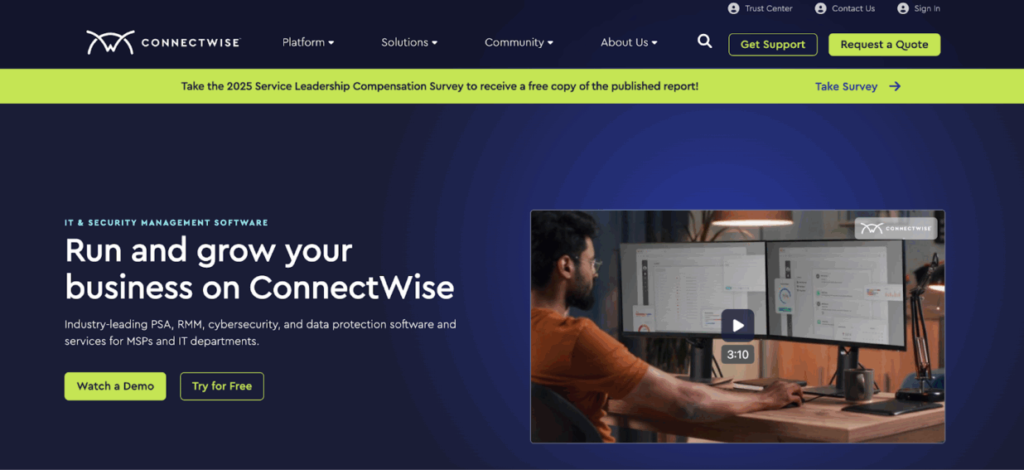
5. ConnectWise: Enterprise MSP platform for large teams
G2 rating: 4.3/5
ConnectWise launched in 1982. Built for MSPs with 50+ employees handling complicated service offerings across diverse client bases.
PSA includes quote generation with multi-tier pricing, project management with resource allocation, and contract management with client-specific terms. RMM manages endpoints across distributed networks. Machine learning through the Asio platform handles security threat detection and workflow optimization.
ConnectWise billing features for multi-tier MSP pricing
Manages billing scenarios that simpler tools can’t touch. Multi-tier pricing where different services have different rates for different client tiers. Project accounting that tracks labor and materials against quoted amounts. Contract variations that differ by client, service type, and term length.
The ecosystem includes modules for cybersecurity management, backup administration, and vendor management. Procurement integration streamlines hardware and software purchasing with preferred vendors. The large user community means most edge cases have documented solutions.
- What we like: Depth of billing and project accounting beyond what any other platform in this list offers. Mature ecosystem of modules and integrations (100+). A large community means edge cases usually have documented solutions. Built for MSPs with the scale and operational complexity to justify enterprise-grade tooling.
- What we don’t like: Implementation runs 2-3 months for full deployment. A steep learning curve requires dedicated training time. Quote-based pricing provides no transparency upfront. Remote sessions involve more steps than competitors, which adds up during high-volume support periods. Modules require separate licensing beyond base platform costs.
- Pricing: Quote-based. Contact ConnectWise for current rates.
- Best for: MSPs with 50+ employees managing diverse client bases with complex billing and project accounting requirements, and with dedicated staff to administer the platform.
- Skip ConnectWise unless: You employ 50+ people, your billing scenarios exceed what simple tools handle, or you have dedicated staff to manage the platform.
How to choose the right MSP tool for your business
The right tool depends on what your team actually sells and how your clients are structured. A short decision framework:
- Match tools to the work. Break-fix operations need ticketing and remote access. Managed security requires vulnerability scanning and compliance reporting. Multi-tenant M365 work needs identity management and Microsoft Secure Score tracking. Pick tools that match the services you bill, not the ones with the longest feature list.
- Run the pricing math with real numbers. Ten clients with 100 endpoints versus 100 clients with 10 endpoints creates very different economics under per-device versus per-tech pricing. Model both scenarios with your real client mix before committing.
- Account for setup and admin overhead. Complex platforms need administrators with time for configuration and optimization. Without that capacity, simpler tools with strong vendor support deliver better day-to-day results, even if advanced features sit idle.
- Map integration dependencies before evaluating replacements. Switching accounting software because a new MSP platform lacks QuickBooks integration creates more operational disruption than the new platform solves. List the tools you can’t replace, then check compatibility before signing anything.
- Decide where consolidation creates leverage. If your team is running 5 or more separate tools and copying data between them weekly, the operational tax is real. Consolidating onto a platform like Syncro can eliminate that friction without forcing an enterprise-grade implementation.
See how Syncro consolidates RMM, PSA, and M365 management into a single platform for MSPs.
Methodology and disclosure
How we evaluated these tools: We assessed each platform on RMM and PSA capabilities, Microsoft 365 management, pricing model fit for typical MSP team sizes, integration coverage, and setup effort. We reviewed G2 ratings and user feedback, checked vendor documentation for current feature coverage, and prioritized tools that show up most frequently in MSP buyer evaluations.
Disclosure: Syncro is our platform. We’ve included it on this list because we believe it genuinely fits the use cases covered here. We’ve applied the same evaluation criteria to Syncro as to every other tool.
Frequently Asked Questions About MSP Tools
MSP tools are the software platforms managed service providers use to monitor client networks, manage endpoints, handle support tickets, automate billing, and secure cloud environments. They reduce manual work, give technicians a consistent way to deliver service across clients, and create the operational visibility MSP owners need to track profitability per client.
For MSPs managing Microsoft 365 across multiple client tenants, look for a platform with native multi-tenant Entra ID management, automated user provisioning, Microsoft Secure Score monitoring, and security baseline enforcement built in. Syncro’s M365 management module is built for this use case and works alongside RMM and PSA in the same console.
It depends on team size and the cost of switching between systems. MSPs running 5+ separate products usually save time and money by consolidating onto a single platform, even if any individual feature isn’t best-in-class. MSPs with a stable single-purpose stack and strong integration discipline can run point tools effectively. The honest test: how often does your team copy data between systems? If the answer is “weekly or daily,” consolidation pays back fast.
XMM stands for Extended Monitoring and Management. It’s a unified approach to IT management that combines RMM, PSA, and multi-tenant Microsoft 365 management into one platform. Syncro XMM helps MSPs reduce tool sprawl, automate complex processes, and deliver stronger security and user management across environments from a single dashboard.
It varies widely. Documentation tools like Scribe can be operational in minutes. RMM platforms like NinjaOne typically reach full deployment in 1 to 2 weeks. All-in-one platforms like Syncro take 2 to 3 weeks for full RMM, PSA, and M365 configuration. Enterprise platforms like ConnectWise often take 2 to 3 months for a complete rollout. Factor implementation time into total cost of ownership.
Per-device pricing charges for every endpoint under management, so cost scales with your client base. Per-technician pricing charges per user (your team member) and typically includes unlimited endpoints, so cost scales with your team size. Per-device pricing punishes growth as clients add devices. Per-technician pricing punishes specialization (paying for techs who only handle a few high-touch clients). Choose the model that matches how you bill clients and how your team is structured.
At minimum: integrated ticketing and help desk, remote monitoring and management, workflow automation, customizable alerts, multi-endpoint management, patch management (Windows and third-party apps), cloud backup integration, billing and invoicing, and integrations with the tools you already use. For MSPs serving Microsoft-heavy clients, native M365 multi-tenant management is increasingly a must-have.
Run a trial against your real client mix, not a sandbox. Test the workflows your team actually does daily (ticket creation, patch deployment, billing reconciliation, M365 user changes). Talk to MSPs on G2 or Reddit who run the same business model. Validate pricing with real client endpoint counts. And confirm integration coverage with the tools you can’t replace (your accounting platform, your security stack, your documentation system) before signing a contract.

Share
Related Resources