
Table of contents
- NinjaOne vs Atera: Which RMM is right for your MSP?
- How NinjaOne and Atera compare for remote monitoring and patch management
- NinjaOne vs Atera pricing: Cost per technician and endpoint fees
- Which RMM has better usability: NinjaOne vs. Atera interface comparison
- NinjaOne vs. Atera: Which RMM should you choose?
- Frequently Asked Questions
For most MSPs, NinjaOne vs Atera comes down to whether you prioritize depth or affordability—NinjaOne delivers more sophisticated automation and enterprise-grade capabilities, while Atera‘s all-inclusive pricing model makes it easier to scale without surprise costs.
Both platforms handle the fundamentals well.
They’ll monitor your endpoints, push patches, and handle tickets alongside your RMM data. But the real differences emerge when you’re managing 500+ endpoints across multiple clients, or when you need your RMM to handle complex scripting workflows without constant workarounds.
The “better value” question isn’t straightforward.
- NinjaOne tends to appeal to MSPs who need the tool to grow with them. The automation engine handles sophisticated workflows, and the reporting infrastructure supports business decisions.
- Atera attracts teams who value pricing predictability, and for smaller operations, knowing your exact monthly cost often matters more than having every advanced feature.
The choice hinges on where you are now and where you’re headed.
If you need tooling that’ll support increasingly complex processes as you mature, NinjaOne provides that runway. If you need something operational quickly without extensive onboarding, Atera gets you there faster.
In this comparison, we’ll cover:
- How each platform approaches remote monitoring and whether their alerting actually reduces noise
- What you’ll pay at different scales and where the hidden costs show up
- Which one integrates more naturally with ConnectWise, Autotask, and other PSA tools
- How their patch management performs when you’re dealing with difficult endpoints
- Real workflow differences that affect your techs’ daily efficiency
NinjaOne vs Atera: Which RMM is right for your MSP?
The right RMM depends less on feature checklists and more on how your MSP actually operates.
NinjaOne: Overview
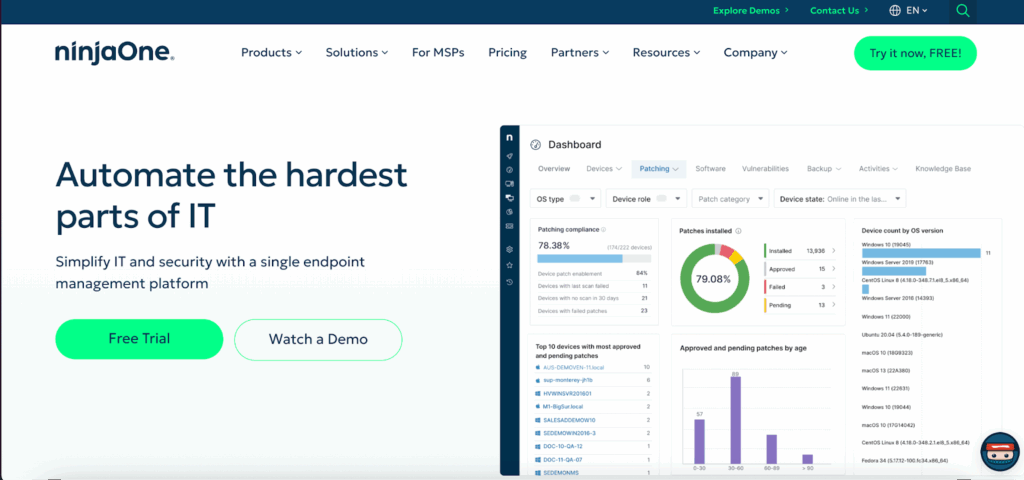
NinjaOne suits MSPs who’ve moved beyond break-fix and need an RMM that can handle standardized, repeatable processes across a growing client base. Atera works better for smaller teams that need full functionality without the overhead of per-device pricing eating into margins.
NinjaOne’s strength is in its execution layer.
The scripting environment is robust enough that you can build genuinely custom automation without hitting platform limitations. If you’re the type of MSP that documents everything, builds runbooks, and wants your RMM to enforce those processes consistently, NinjaOne gives you that control. The downside is complexity—your techs need to invest time learning the platform, and if you’re just using it as a remote access tool, you’re overpaying for capabilities you’re not using.
NinjaOne works best when you:
- Manage 200+ endpoints and need automation that scales without breaking
- Have standardized processes you want the RMM to enforce automatically
- Employ senior techs who can leverage advanced scripting capabilities
- Need granular reporting that supports business decisions, not just ticket metrics
Atera: Overview

Atera takes the opposite approach. The interface is simpler, the learning curve is gentler, and the pricing model means you can add technicians without recalculating your cost per endpoint. This matters for MSPs in growth mode who don’t want to worry about per-device costs cutting into profitability as they onboard new clients. But that simplicity comes with constraints—when you hit the edges of what Atera can do natively, you’re either living with workarounds or integrating third-party tools to fill gaps.
Atera makes more sense if you:
- Run a smaller operation where predictable monthly costs matter more than feature depth
- Need techs to be productive on day one without extensive platform training
- Want an all-in-one tool that includes helpdesk and billing in the base price
- Prefer simplicity over customization and can work within platform constraints
The practical difference shows up in day-to-day operations. With NinjaOne, experienced techs can build sophisticated automation that eliminates entire categories of reactive work. With Atera, newer techs can get productive immediately without extensive training. Neither approach is inherently better—it depends on whether your constraint is technical capability or operational overhead.
How NinjaOne and Atera compare for remote monitoring and patch management
Remote monitoring and patch management are table stakes for any RMM, but how each platform executes these fundamentals reveals their underlying philosophy.
NinjaOne treats monitoring as a customizable framework where you define thresholds, conditions, and automated responses. Atera gives you monitoring that works out of the box with sensible defaults but less room to fine-tune.
NinjaOne: Remote monitoring and patch management features
NinjaOne’s monitoring system is built for MSPs who want control over what triggers alerts and what happens when thresholds are breached. You can create conditions based on multiple data points, set different alert policies per client, and trigger automated remediation scripts when specific issues appear. This matters when you’re managing diverse client environments—a disk space alert threshold that makes sense for a file server doesn’t make sense for a workstation, and NinjaOne lets you reflect that nuance.
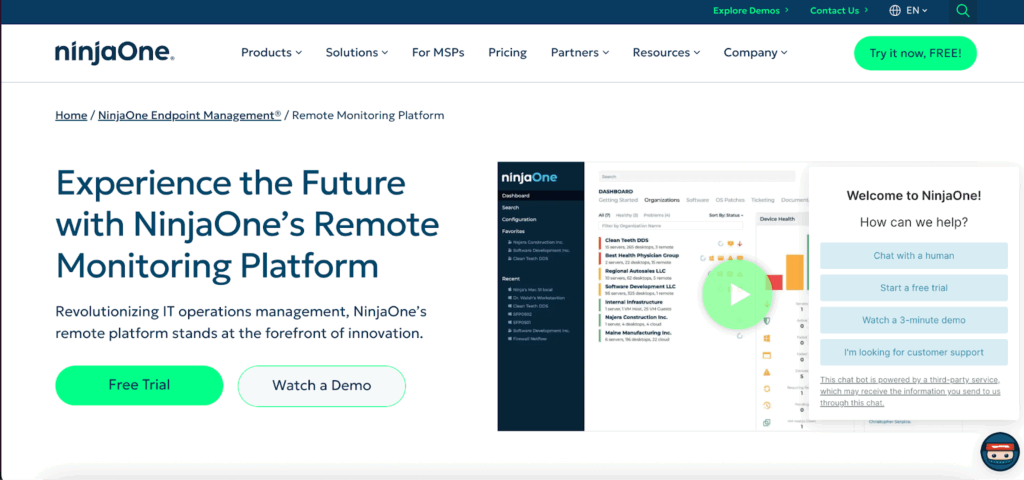
The challenge with this flexibility is setup time. Out of the box, NinjaOne’s monitoring requires configuration. You need to decide what matters, set your baselines, and build your alert policies. For MSPs with established processes, this is an advantage—you’re not fighting against someone else’s assumptions about what constitutes a critical alert. For newer MSPs still figuring out their monitoring strategy, it’s overhead.
NinjaOne’s monitoring strengths:
- Conditional logic that lets you build “if this, then that” responses to common issues
- Per-client policy customization without creating management complexity
- Integration between monitoring data and scripted remediation
- Historical data retention that supports trend analysis and capacity planning
Atera: Remote monitoring and patch management features
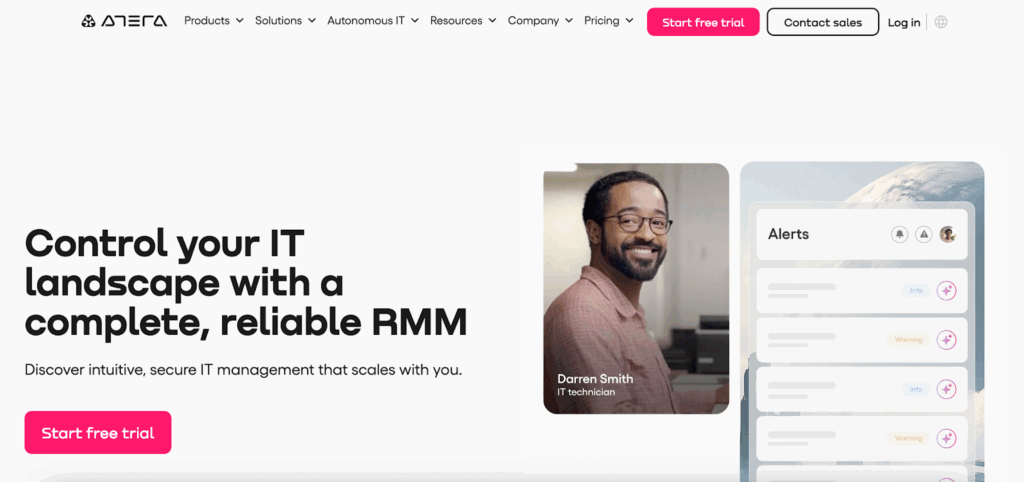
Atera’s monitoring approach prioritizes immediate usability. The platform ships with predefined monitors for common issues—disk space, CPU usage, service status, failed backups. You enable what you want, set basic thresholds, and you’re monitoring endpoints within minutes. For many MSPs, especially those transitioning from manual monitoring or basic tools, this speed to value matters more than deep customization.
Where Atera’s simplicity becomes a limitation is in alert management at scale. The platform doesn’t offer the same granular control over alert conditions or automated responses. You’ll get notified when something crosses a threshold, but building sophisticated “monitor this, but only alert if these other conditions are also true” logic isn’t part of the design. This means more alerts and more manual triage.
NinjaOne vs Atera pricing: Cost per technician and endpoint fees
Pricing models reveal a lot about who each RMM is built for.
NinjaOne charges per endpoint with tiered pricing based on feature sets, which means your costs scale directly with client growth. Atera flips this model—you pay per technician with unlimited endpoints, which fundamentally changes the economics of adding new clients.
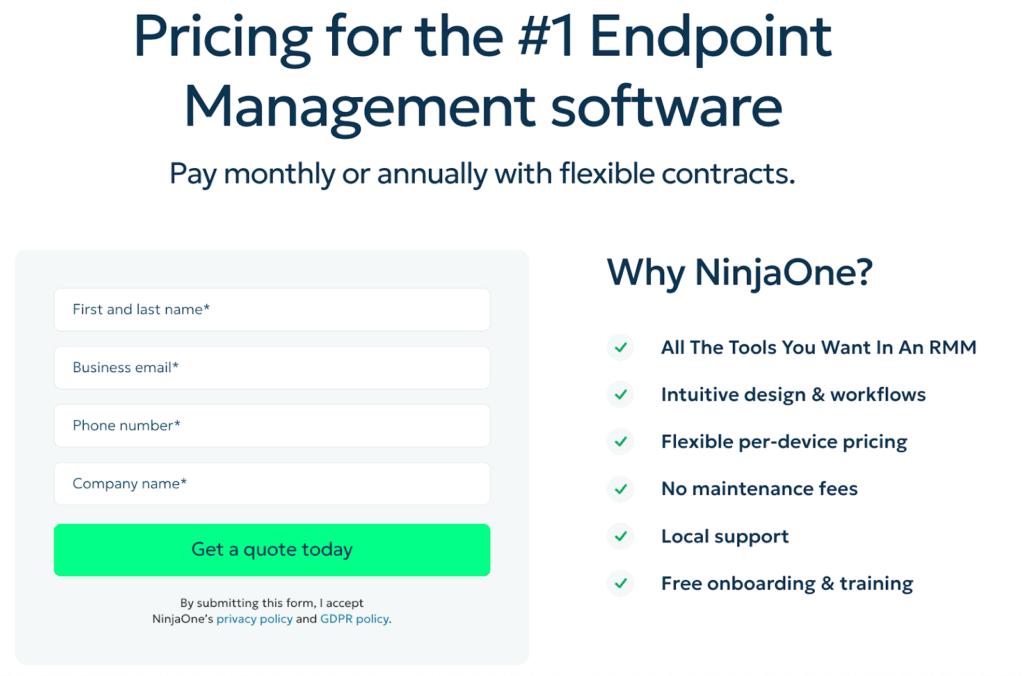
The per-endpoint model makes sense when you’re established and have predictable client retention. NinjaOne publishes a per-endpoint range from $3.75 per month at 50 or fewer endpoints down to $1.50 at 10,000, varying by region and products purchased. Rates in between are set by quote. The math is straightforward, but it means every new client directly increases your RMM expense.
NinjaOne’s pricing structure:
- Per-endpoint model that scales with your managed device count
- Volume discounts that kick in at higher endpoint counts
What the per-endpoint model obscures is opportunity cost. When you’re pricing new clients, you’re factoring in the RMM cost per device, which can make smaller clients less attractive or force you to set minimum device counts. If you’re focused on landing enterprise clients with large endpoint counts, this works. If you’re still growing and need flexibility to take on smaller opportunities, per-device pricing creates friction.
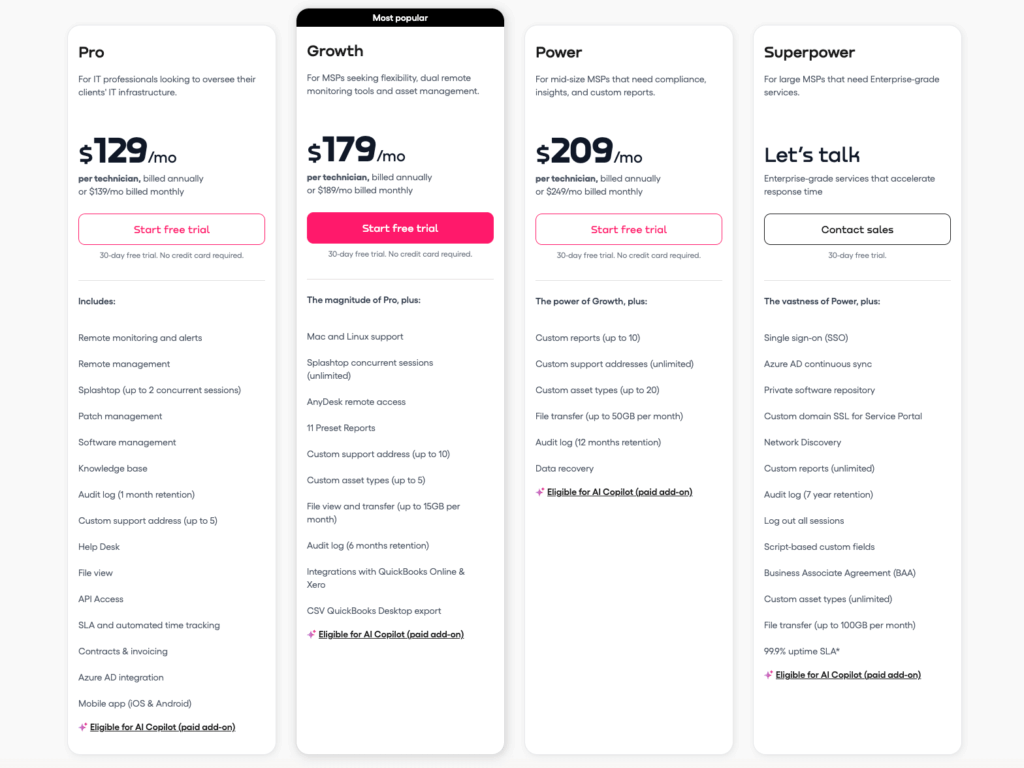
Atera approaches this differently. You pay per technician, from $129 to $209 per tech per month billed annually ($139 to $249 monthly) depending on the plan, and you can manage unlimited endpoints. The immediate advantage is predictability. Your RMM cost doesn’t change when you onboard a 50-seat client or a 500-seat client. This removes a variable from your pricing calculations and makes smaller clients economically viable.
Atera’s pricing model:
- Flat per-technician fee starting at $129 per month billed annually on the Pro plan
- Unlimited endpoint management regardless of total device count
- Includes helpdesk, remote access, and patch management in base pricing
- Contracts and invoicing included on every plan; QuickBooks Online and Xero integrations start on Growth
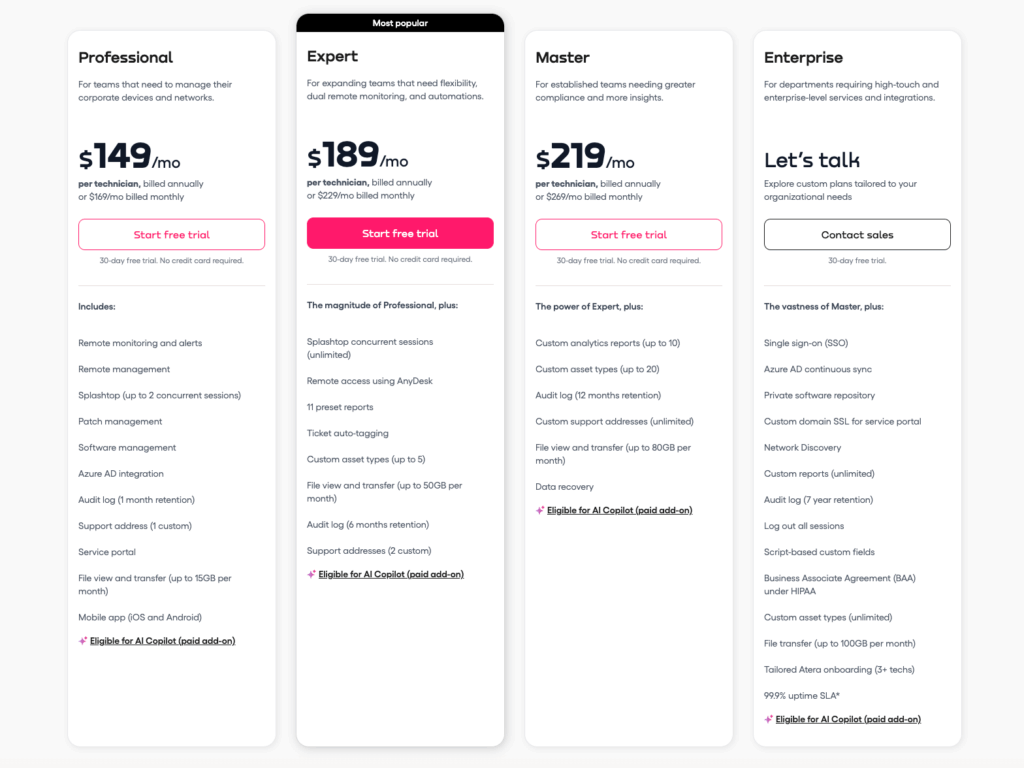
The per-technician model favors growth-stage MSPs.
If you’re aggressively pursuing new clients and your endpoint count is climbing faster than your headcount, Atera’s economics work in your favor. A five-person team managing 2,000 endpoints pays $645 to $1,245 a month at Atera list prices. Under NinjaOne’s model, those same 2,000 endpoints are priced per device, at a published rate between $1.50 and $3.75 depending on volume and quote.
But the math shifts as you mature. Larger MSPs with established client bases often have higher endpoint-to-technician ratios—one tech managing 200-300 endpoints isn’t unusual. At that scale, per-technician pricing becomes expensive relative to the value delivered. A 20-person technical team on Atera runs $2,580 to $4,980 monthly at list prices, even if they’re only managing 3,000 endpoints, while NinjaOne might cost less at high volumes with negotiated enterprise pricing.
Hidden costs worth considering:
- Atera includes more in the base price but has fewer native integrations, sometimes requiring third-party tools
- Both platforms have implementation costs—NinjaOne’s complexity means longer setup, Atera’s simplicity means faster time to value
- Training overhead differs significantly, with NinjaOne requiring more invested learning time
The pricing decision ultimately ties back to your growth trajectory. If you’re scaling client count faster than headcount and want predictable costs, Atera’s model removes a variable from your P&L. If you’ve reached steady state with consistent client retention and optimize for margin per endpoint, NinjaOne’s per-device pricing might deliver better unit economics at scale.
Which RMM has better usability: NinjaOne vs. Atera interface comparison
Atera wins on immediate usability
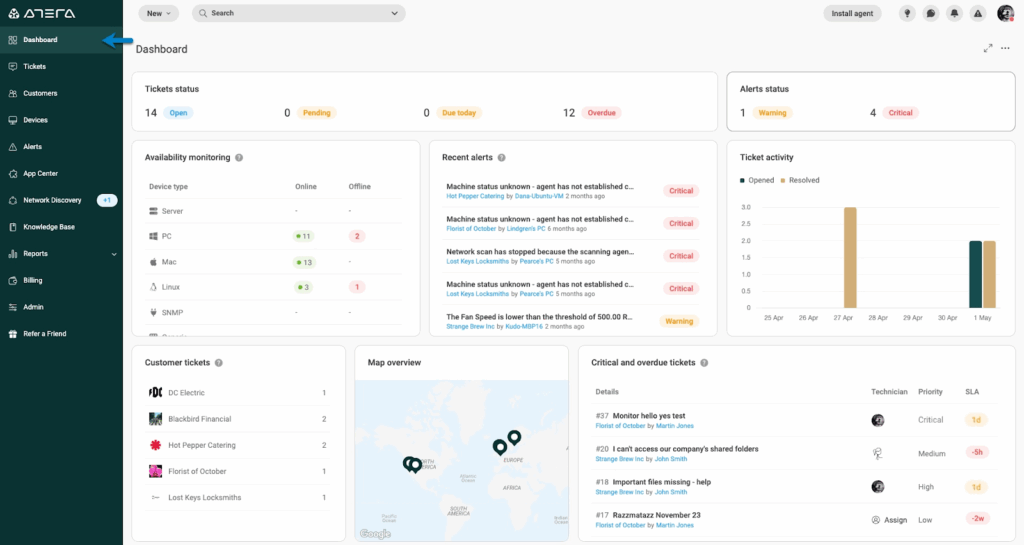
The interface is cleaner, the navigation makes sense without training, and new techs can start working on tickets within an hour of logging in. NinjaOne is more powerful but demands more from users—the interface assumes you know what you’re doing and doesn’t hold your hand.
When you open Atera, everything you need is visible. Client list, device status, open tickets, and remote access options are all accessible from the main dashboard without drilling through menus. The design philosophy is obvious: get techs to the tools they need with minimal clicks. This matters when you’re juggling multiple client emergencies and don’t want to navigate through nested menus to remote into a server.
Atera’s usability advantages:
- Dashboard shows critical information at a glance without customization
- Remote access launches in two clicks from any device view
- Mobile app is genuinely functional for monitoring and quick fixes
- Search actually works—type a device name or ticket number and you’re there immediately
NinjaOne’s interface feels like it was designed for power users
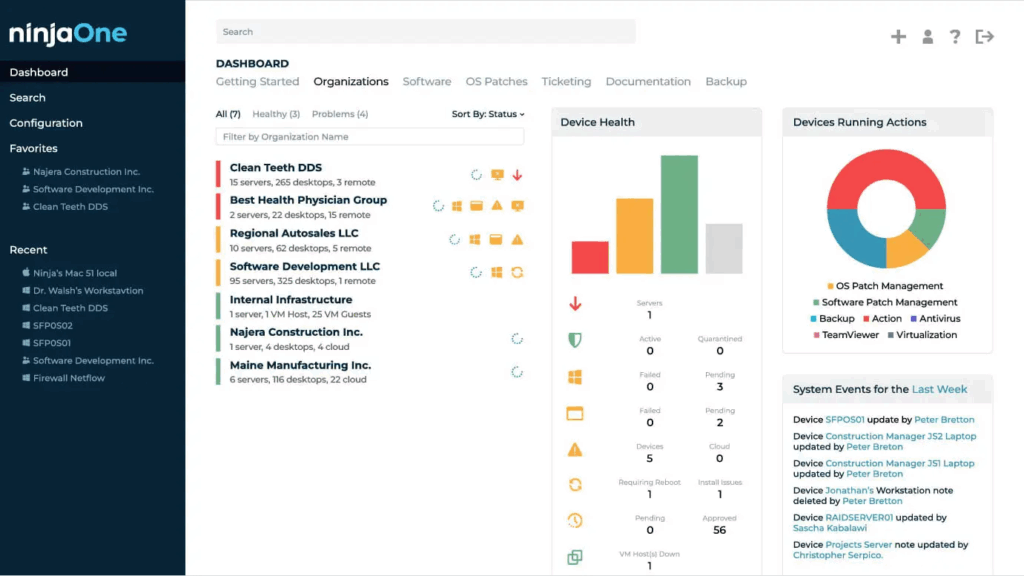
There’s more screen real estate dedicated to data, more customization options, and more ways to filter and segment information. This is excellent once you know the platform, but it creates friction during onboarding.
The difference shows up in how each platform handles common workflows. Need to remote into a device in Atera? Click the device, click remote access, and you’re in. In NinjaOne, you need to understand whether you’re using the built-in remote tools or an integrated third-party option, and the path to get there isn’t always obvious. This isn’t a flaw—it’s complexity serving flexibility—but it means training time.
Where NinjaOne’s interface pays off:
- Customizable dashboards let you surface exactly the data your team needs
- Advanced filtering across all modules supports sophisticated queries
- Policy management interface handles complex automation without feeling broken
- Reporting tools actually let you build custom reports instead of exporting CSV files
The mobile experience highlights their different priorities. Atera’s mobile app feels like it was designed for mobile first—you can monitor alerts, respond to tickets, and remote into devices from your phone without fighting with the interface.
For day-to-day ticket work, Atera’s integrated helpdesk is simpler. Tickets, devices, and remote access live in the same workflow. NinjaOne now has native ticketing and a native PSA, generally available since Q1 2026, so tickets no longer need a separate PSA, though its PSA is newer than Atera’s helpdesk.
The learning curve reality:
- Atera: Techs are productive within days, minimal training investment required
- NinjaOne: Plan more training time than Atera; the interface assumes more platform knowledge
- Atera’s simplicity means less to learn, but also less capability when you need it
- NinjaOne’s complexity pays dividends once your team masters it, but that mastery takes time
If your constraint is getting techs operational quickly or you have high technician turnover, Atera’s usability advantage is meaningful. If you have experienced techs who’ll invest time learning the platform and want an interface that supports sophisticated workflows, NinjaOne’s complexity becomes an asset rather than a liability.
NinjaOne vs. Atera: Which RMM should you choose?
If you’re choosing between NinjaOne and Atera, you’re really choosing between power and simplicity.
- NinjaOne delivers more capability for MSPs who’ve matured past reactive support and need automation that scales with complexity.
- Atera removes friction for smaller teams who need predictable costs and fast deployment without extensive training overhead.
But both platforms force tradeoffs that shouldn’t exist in 2026.
- NinjaOne makes you pay for sophistication you might not need yet.
- Atera caps your growth with constraints that become painful as you scale. You’re either overpaying for complexity or outgrowing simplicity faster than you’d like.
Syncro eliminates this headache.
It’s built specifically for MSPs who want NinjaOne’s depth without the learning curve, and Atera’s economic model without sacrificing capability.
The platform includes RMM, PSA, remote access, and billing in one system with per-technician pricing that stays predictable as you grow. You’re not integrating separate tools or managing multiple vendors—everything runs in a single interface.
Syncro includes RMM, PSA, ticketing, time tracking and invoicing on every plan, priced per technician with unlimited endpoints, and adds Microsoft 365 security and identity management on the Team plan.
Comparing Syncro too? See Syncro vs NinjaOne and Syncro vs Atera.
If you’re frustrated choosing between an RMM that’s too complex and one that’s too limited, Syncro is built to cover both. See how Syncro works for MSPs and teams who’ve outgrown the NinjaOne-versus-Atera debate.
Book a demo and compare what your stack could look like with everything unified.
Frequently Asked Questions
Both connect to ConnectWise PSA and Autotask. Integration depth varies by feature, so check each vendor’s integration documentation for ticket sync, time entries and contract mapping, and test the workflows your team relies on during a trial.
Both support third-party patching beyond Windows updates. Coverage and control vary, so compare each vendor’s supported-application list against the software your clients actually run.
Both offer an API. If you build custom integrations or reporting dashboards, review each vendor’s API documentation to confirm it exposes the data and actions you need.
Both support Mac and Linux endpoints alongside Windows, but feature depth differs by operating system. If you manage mixed environments, confirm monitoring, scripting and patching support for each OS during a trial.
Both include remote access in base pricing. Atera bundles Splashtop, with unlimited concurrent sessions from Growth up. NinjaOne includes its own native remote access and supports TeamViewer, though some MSPs supplement with preferred tools depending on client network configurations. Neither requires separate remote access licensing.
Neither vendor publishes a direct migration tool between the two. Expect to rebuild policies, scripts and monitoring thresholds, redeploy agents to every endpoint and recreate your automation. Device inventory can be exported, but trial the new platform thoroughly before you commit.
Atera’s economics strongly favor smaller MSPs. With 100 endpoints and two techs, you pay $258 to $498 a month at Atera list prices; NinjaOne prices per device and is quoted at that volume. More importantly, Atera’s simpler interface means faster productivity without extensive training. NinjaOne’s advanced capabilities provide less value at this scale.
NinjaOne’s reporting is significantly more robust for quarterly business reviews. You can create custom reports showing patch compliance trends, ticket resolution metrics, and system health over time with your branding. Atera covers basics—device status, ticket summaries, patch compliance—but lacks depth for sophisticated client presentations. If QBRs drive your client retention strategy, NinjaOne’s reporting justifies the investment.

Share
Related Resources