
Table of contents
- Key Takeaways
- Choosing the Right IT Ticketing System
- Quick Picks
- Comparison Table
- What Is IT Ticketing Software?
- Key Features to Look for in an IT Ticketing System
- Benefits of a Modern IT Ticketing System
- Challenges in Managing a Ticketing System
- 10 Best IT Ticketing Systems
- How to Choose the Right IT Ticketing System
- Frequently Asked Questions About IT Ticketing Systems
Key Takeaways
- Who this is for: IT managers and directors evaluating a new ticketing platform or replacing a legacy help desk in a 50-500 seat environment.
- What we compared: 10 platforms across ticket lifecycle, automation depth, AI ticketing capabilities, asset integration, and pricing model.
- The shortlist: NinjaOne for endpoint-heavy IT teams, Syncro (Our Pick) for IT teams that want ticketing and endpoint management in one platform, Freshservice and Jira Service Management for ITIL-aligned ITSM, ServiceNow for large enterprise.
- 2026 shift to watch: AI ticket classification and automated summarization have moved from differentiator to expected feature. Pricing models split sharply between per-agent and per-endpoint, and that choice drives total cost more than features do.
Choosing the Right IT Ticketing System
You already know what a ticketing system does. The question on the table is which one to commit to, knowing the platform you pick will shape how your team works for the next three to five years.
The 2026 ticketing market has split into three camps. On one side, traditional ITSM platforms like ServiceNow, Freshservice, and Jira Service Management compete on ITIL workflows and per-agent pricing. On another, IT management platforms like Syncro and NinjaOne combine ticketing with endpoint management, so your service desk sits inside the same console your technicians use to run scripts and push patches. And a third group, including Zendesk and Zoho Desk, serves multi-team support across IT, HR, and facilities.
Choosing well comes down to two questions. What does your team actually need the system to do? And what pricing model fits how your org will grow?
This guide breaks down the 10 leading IT ticketing platforms for 2026, compares them on the features that actually move the needle, and ends with a methodology section so you can see exactly how we scored them.
Quick Picks
Not every IT team has the same needs. Here’s where to start if you’re looking for a specific fit.
- Best for IT teams that want ticketing plus endpoint management in one place: Syncro
- Best for IT teams with heavy device fleets: NinjaOne
- Best for ITIL-aligned mid-market ITSM: Freshservice
- Best for engineering-led IT departments: Jira Service Management
- Best for large enterprise with cross-functional service management: ServiceNow
- Best for multi-team service desks (IT, HR, facilities): Zendesk
- Best for IT teams with strong MSP overlap: ConnectWise PSA
Comparison Table
| Tool | Best For | Starting Price | G2 Rating | Free Trial |
|---|---|---|---|---|
| NinjaOne | Endpoint-heavy IT teams | Contact for pricing | 4.7/5 | Yes |
| Syncro (Our Pick) | Unified ticketing + endpoint management | $129/user/mo | 4.5/5 | Yes |
| Atera | Small IT teams and consultants | Contact for pricing | 4.6/5 | Yes |
| Freshservice | Mid-market ITSM | $19/agent/mo | 4.6/5 | 14 days |
| Jira Service Management | DevOps-aligned IT teams | $0 / $20/agent/mo | 4.2/5 | Yes |
| Zendesk | Cross-team service desks | $19/agent/mo | 4.3/5 | Yes |
| SysAid | Internal IT, on-prem option | Contact for pricing | 4.5/5 | Yes |
| ConnectWise PSA | IT teams with MSP overlap | Contact for pricing | 4.0/5 | Yes |
| Zoho Desk | Budget-conscious teams in Zoho ecosystem | $14/agent/mo | 4.4/5 | 15 days |
| ServiceNow | Enterprise cross-functional ITSM | Contact for pricing | 4.4/5 | Yes |
Pricing reflects publicly available starting tiers as of May 2026. Several vendors quote based on volume; contact each for accurate budget numbers.
What Is IT Ticketing Software?
IT ticketing software lets IT departments capture, route, and resolve service requests, incidents, and operational tasks from a centralized system.
At its core, a ticketing platform:
- Captures user requests through email, portal, chat, or alerting tools
- Routes tickets to the right queue or technician
- Tracks status, response times, and SLA performance
- Automates repetitive workflows like categorization and escalation
- Reports on service efficiency, ticket volume, and resolution metrics
For end users, ticketing creates a clear method to submit and follow issues. For technicians, it provides queue management and historical context. For IT leadership, it generates the data needed to demonstrate the department’s productivity and operational maturity to executive leadership.
Key Features to Look for in an IT Ticketing System
The features that matter most depend on your team size, ITSM maturity, and what other systems your ticketing platform needs to talk to.
Ticket Management
Core lifecycle functionality should include ticket creation and categorization, prioritization and queuing, intelligent routing and assignment, status tracking, and role-based permissions. Evaluate usability for end users submitting tickets, technicians managing workloads, and administrators configuring workflows.
Multi-Channel Intake
Modern IT environments need flexible intake. Look for email-to-ticket, manual ticket entry, self-service portals, chat-based ticket creation, and the ability to convert monitoring alerts into tickets automatically. Centralizing requests from every channel reduces invisible work and improves response consistency.
AI and Automation
This is where 2026 platforms have separated from older help desks. AI ticket classification, guided resolution suggestions, automated summarization, and intelligent routing are now table-stakes for any platform that markets itself as a modern IT ticketing system. Look for AI that augments technician work rather than replacing judgment, and that learns from your environment over time.
According to Gartner’s IT operations research, AI-assisted ticket workflows can cut mean time to resolution by 20-40% when implemented well, mostly through faster classification, surfaced context, and reduced manual triage.
Asset and Endpoint Integration
A ticket without device context wastes technician time. Platforms that link tickets directly to managed assets give your team device health, configuration, and history in the same view as the request itself. This matters more as endpoint fleets grow and hybrid work makes physical access impossible.
Reporting and SLA Tracking
Ticketing systems generate the metrics IT leaders need to run the department like a function, not a cost center: average response time, resolution time, first contact resolution rate, SLA compliance, ticket volume by category, and technician utilization. Look for customizable reporting that surfaces what your team actually needs to track, not just what the vendor pre-built.
Templates and Workflow Automation
Templates standardize responses and reduce repetitive writing. Workflow automation guides users through repeatable scenarios like onboarding new users or handling recurring issue types. Well-designed automation is the single biggest lever for reducing ticket handling time.
Benefits of a Modern IT Ticketing System
A well-implemented ticketing platform changes how the IT department operates, not just how tickets get tracked.
- Centralized request capture: Multi-channel logging ensures all service activity lives in one system, improving visibility and accountability.
- Faster resolution through automation: AI-driven routing and automated triage reduces SLA breaches and eliminates the manual delays that come from a human triaging every ticket.
- Empowered self-service: Customer portals and knowledge bases let users resolve simple issues independently, reducing the ticket volume that hits your queue in the first place.
- Actionable service metrics: Modern ticketing systems generate the operational data that lets IT leaders shift from anecdotal reporting to evidence-based service management.
- Stronger security posture: Structured ticket workflows create an auditable record of incidents, changes, and service actions, which supports compliance and internal governance requirements.
Challenges in Managing a Ticketing System
Knowing the common pitfalls before you implement helps you avoid them.
- Alignment with ITSM practices: Ticketing systems must align with IT service management frameworks such as ITIL. Incident, change, and problem management workflows need consistent process design, not just software configuration.
- Reporting and SLA governance: Meeting SLA commitments requires precise tracking, and accurate reporting is what makes compliance defensible at the executive level.
- Operational integration: Ticketing platforms often need to integrate with asset management, monitoring, identity management, and communication tools. Poor integration creates silos that the ticketing system was supposed to eliminate.
- Adoption: Complex systems increase cognitive load and reduce efficiency. If your technicians find the platform frustrating, automation gains evaporate.
10 Best IT Ticketing Systems
1. NinjaOne — Best for Endpoint-Heavy IT Teams
NinjaOne is a unified IT operations platform widely adopted by IT departments and MSPs that prioritize endpoint management depth. Its ticketing capabilities are integrated with the same console used for patching, scripting, and remote access, which makes it a strong fit for teams managing large or distributed device fleets.
The platform is known for transparent onboarding, fast time-to-value, and high support quality. It tends to fit organizations that want a single console for endpoint operations and are willing to pay a premium for that consolidation.
Best for: IT teams managing 200+ endpoints who want ticketing tightly integrated with endpoint operations.
Pricing: Per-endpoint, quote-based. Community-reported rates typically run $3-$5 per endpoint per month, with volume discounts at scale.
G2 rating: 4.7/5 — View on G2
User perspective: Reviewers on G2 consistently call out the platform’s clean interface, strong scripting library, and responsive support. Some note that reporting customization could be deeper and the platform can feel premium-priced for smaller deployments.
2. Syncro — Our Pick
Syncro is a secure IT management platform that combines ticketing with endpoint management, patch management, scripting, and reporting in one console. It’s the platform we build, and we believe it earns a spot on this list for one reason: most IT teams hit the same wall, which is that ticketing software alone doesn’t solve their actual problem. Their actual problem is portal-hopping between a ticket system, an RMM, a remote access tool, and a reporting dashboard.
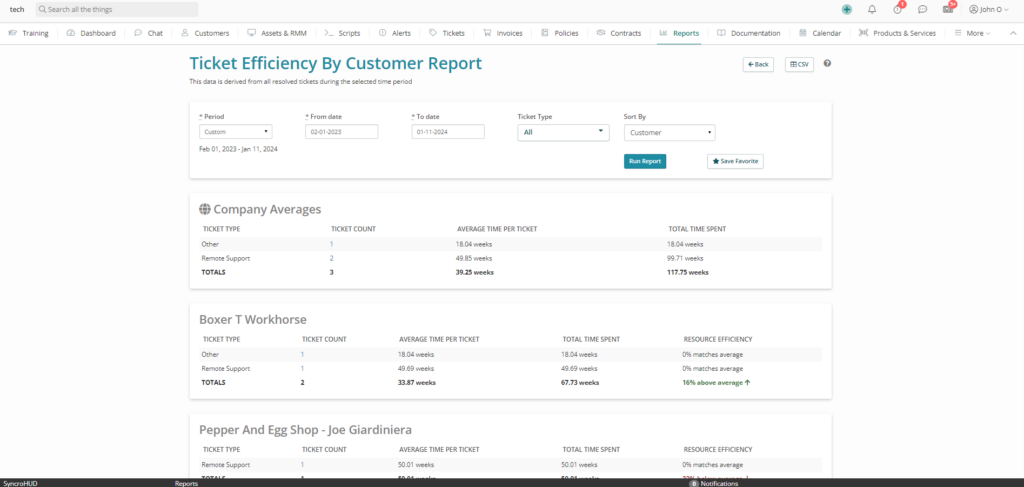
Syncro replaces that fragmented stack with a single platform. When a ticket comes in, the technician can see the device’s health, run a script, launch a remote session, and resolve the ticket without leaving the ticket view. The 2026 release added Smart Ticket Management, which uses AI to classify tickets into 47+ categories and suggest resolution steps, and AI Ticket Summarization, which generates resolution summaries automatically when tickets close.
Best for: IT teams managing 50-500 endpoints who want ticketing and endpoint management unified, and who want AI-assisted ticket workflows without paying enterprise pricing.
Pricing: $129 per user per month (Core plan), $179 per user per month (Team plan, which adds Network Discovery, Advanced Ticket Automations, Guided Ticket Resolution, Entra ID Sync, and Security Assessments). Per-user pricing means unlimited endpoints, which materially changes the math for endpoint-heavy teams.
G2 rating: 4.5/5 — View on G2
User perspective: G2 reviewers consistently praise Syncro’s ease of use, the integrated ticketing + RMM workflow, and the per-user pricing model. As one reviewer put it, the per-technician pricing made it possible to put an agent on every machine without the per-endpoint cost spiral. Some users note the reporting module could use more visual depth and the mobile app is functional but not as polished as the desktop experience.
3. Atera — Best for Small IT Teams and Consultants
Atera is an all-in-one IT management platform that pairs ticketing with RMM and AI-powered features. It targets a similar audience to Syncro, with strong appeal to smaller IT teams and consultants. Atera’s per-technician pricing model and AI Copilot for technician workflows have made it a frequent contender in 2026 evaluations.
Best for: Solo IT consultants and small IT teams that want all-in-one functionality with strong AI assistance.
Pricing: Per-technician, quote-based. Public-facing plans for IT departments start around $149/month per technician.
G2 rating: 4.6/5 — View on G2
User perspective: G2 users highlight Atera’s intuitive interface, fast setup, and AI Copilot capabilities. Some users at larger organizations report that per-technician pricing compounds faster than expected once team size grows past 10 technicians.
4. Freshservice — Best for Mid-Market ITSM
Freshservice is Freshworks’ ITSM platform, built specifically for internal IT departments. It offers a clean, modular interface and a strong reputation for ease of implementation compared to enterprise alternatives like ServiceNow. Freshservice supports incident, problem, change, and release management, plus asset management and a service catalog.
Best for: Mid-market IT teams that need ITIL-aligned processes without enterprise-grade complexity or pricing.
Pricing: Starter at $19/agent/month, Growth at $49/agent/month, Pro at $99/agent/month, Enterprise custom (all billed annually). AI features (Freddy AI Copilot) are an add-on at roughly $29/agent/month.
G2 rating: 4.6/5 — View on G2
User perspective: G2 reviewers praise the modern interface, configurability, and strong integration ecosystem. Common feedback notes that advanced features like analytics and AI sit behind higher tiers, and that the jump from Growth to Pro is significant.
5. Jira Service Management — Best for Engineering-Led IT Departments
Jira Service Management (JSM) is Atlassian’s ITSM platform, built on the Jira platform and tightly integrated with Jira Software and Confluence. For IT departments adjacent to engineering teams or already invested in the Atlassian ecosystem, JSM offers strong continuity between development and operations workflows.
Best for: IT departments in engineering-heavy organizations or those already running on Atlassian tooling.
Pricing: Free for up to 3 agents. Standard at $20/agent/month, Premium at $48/agent/month (annual billing). Enterprise pricing on request.
G2 rating: 4.2/5 — View on G2
User perspective: G2 reviewers appreciate the deep integration with Jira and Confluence, the strong automation capabilities, and the AI features (Rovo) bundled into Premium. Common drawbacks include a steeper learning curve and significant cost jumps between tiers.
6. Zendesk — Best for Cross-Team Service Desks
Zendesk is a cloud-based service desk platform used widely across IT, customer support, and shared services teams. For internal IT departments, Zendesk provides flexible ticketing that supports incident management, service requests, automation, and reporting at scale. Organizations with multiple support teams (IT, HR, Facilities) often use Zendesk as a centralized service desk.
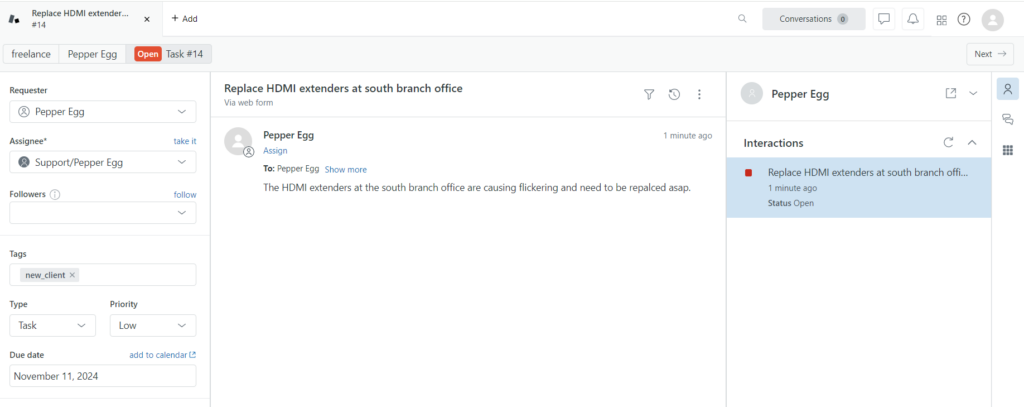
Best for: Organizations running multiple support teams who want a single platform across IT, HR, and other internal services.
Pricing: Support plans start at $19/agent/month (annual). ITSM-relevant Suite plans start at $55/agent/month.
G2 rating: 4.3/5 — View on G2
User perspective: Reviewers highlight Zendesk’s flexibility, integration ecosystem, and strong knowledge base capabilities. Some IT teams note that because Zendesk wasn’t built exclusively for ITSM, configuring ITIL workflows takes more effort than purpose-built tools.
7. SysAid — Best for Internal IT with On-Prem Requirements
SysAid is a mature IT service management platform built for internal IT departments. It supports incident management, service requests, asset management, change workflows, and self-service, with both cloud and on-premises deployment options. SysAid emphasizes automation and self-service to reduce ticket volume.
Best for: Internal IT departments formalizing ITSM practices, especially those with on-prem requirements.
Pricing: Custom, quote-based.
G2 rating: 4.5/5 — View on G2
User perspective: G2 users value SysAid’s automation depth, asset management integration, and flexible deployment options. Some reviewers note that the interface feels more traditional than newer cloud-native alternatives.
8. ConnectWise PSA — Best for IT Teams with MSP Overlap
ConnectWise PSA (formerly ConnectWise Manage) is a professional services automation and service management platform with comprehensive ticketing and service desk capabilities. While it’s most often associated with managed service providers, many internal IT teams use ConnectWise PSA to manage service requests, incidents, and changes across complex environments. Its depth is an advantage for larger IT departments with mature ITSM processes, though smaller teams may find it more complex to implement.
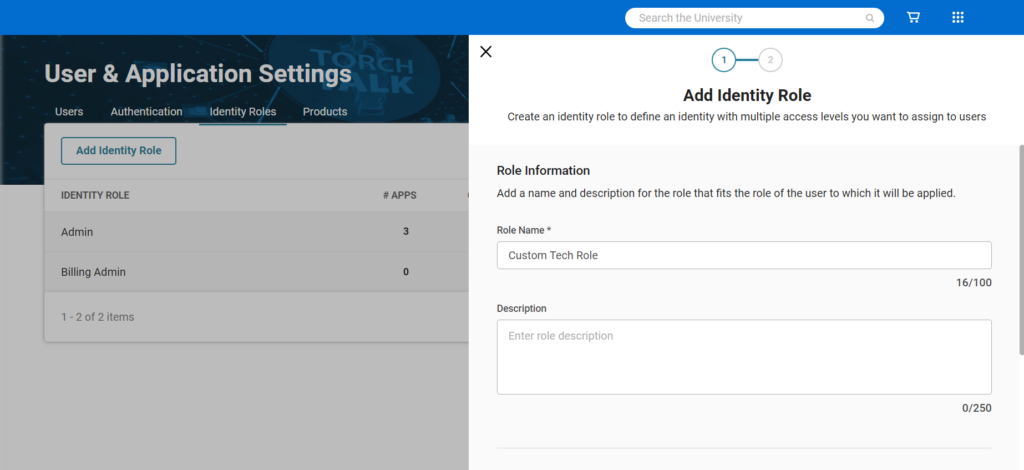
Best for: Larger IT departments with mature ITSM processes or hybrid IT/MSP operations.
Pricing: Custom, quote-based, with multi-year contracts common.
G2 rating: 4.0/5 — View on G2
User perspective: Reviewers cite ConnectWise PSA’s depth of functionality and integration ecosystem as standout strengths. Common feedback notes a steep learning curve, significant administrative overhead, and pricing that requires negotiation.
9. Zoho Desk — Best for Budget-Conscious Teams in the Zoho Ecosystem
Zoho Desk is a cloud-based help desk platform focused on usability and fast deployment. For IT departments, Zoho Desk provides ticketing, SLA management, automation, and reporting features that support everyday service desk operations without heavy configuration. It integrates tightly with the broader Zoho ecosystem.
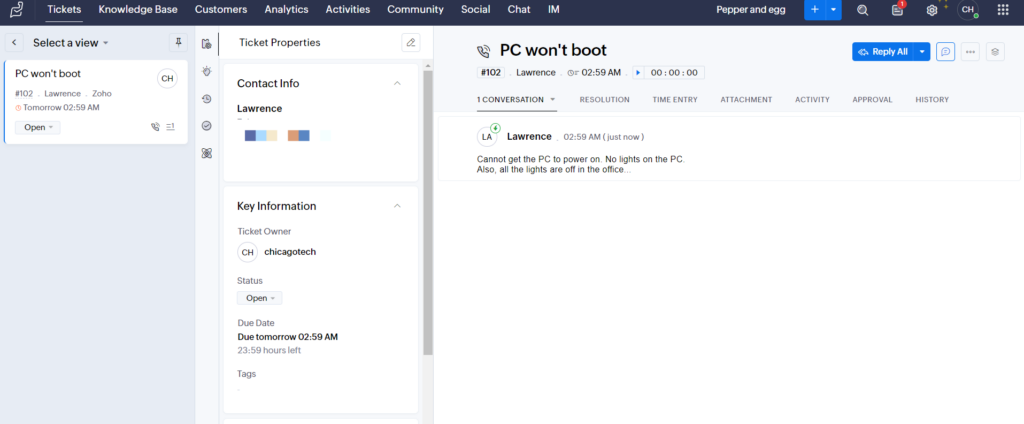
Best for: Small to mid-sized IT teams that want a cost-effective ticketing platform, particularly those already in the Zoho ecosystem.
Pricing: Standard at $14/agent/month, Professional at $23/agent/month, Enterprise at $40/agent/month (annual billing).
G2 rating: 4.4/5 — View on G2
User perspective: G2 users praise Zoho Desk’s affordability, ease of setup, and strong integration with other Zoho products. Some users note that more advanced ITSM workflows are limited compared to purpose-built ITSM platforms.
10. ServiceNow — Best for Enterprise Cross-Functional ITSM
ServiceNow is the enterprise standard for ITSM, with the deepest ITIL capabilities, the most extensive customization options, and the broadest cross-functional reach across IT, HR, facilities, and customer service. For organizations with 5,000+ employees and complex multi-domain service management needs, ServiceNow is the platform most likely to fit the operating model.
Best for: Large enterprises (5,000+ employees) needing a single platform across IT, HR, and other service functions.
Pricing: Custom, quote-based. Independent analysts report typical ITSM Pro+ pricing in the $130-$180 per fulfiller per month range, with significant implementation costs on top.
G2 rating: 4.4/5 — View on G2
User perspective: Reviewers value ServiceNow’s enterprise depth, customization, and AI capabilities. Common feedback points to implementation complexity (often 9-18 months), high TCO, and the need for dedicated administrators.
How to Choose the Right IT Ticketing System
Pick the wrong platform and you’ll spend the next two years working around it. Use these questions to narrow the field before you run any demos.
1. Does your team need ticketing alone, or ticketing plus endpoint management? If you’re already running an RMM separately, a pure ticketing platform like Freshservice or Jira Service Management may fit. If you’re consolidating tools, a unified platform like Syncro or NinjaOne will eliminate context-switching and give technicians device data inside every ticket.
2. How does your pricing model match your growth pattern? Per-agent pricing scales linearly with team size; per-endpoint pricing scales with device fleet. If your endpoint count is growing faster than your technician count, per-user platforms like Syncro tend to win on TCO. If your endpoint count is flat but you’re hiring agents, per-agent platforms scale more predictably.
3. How important is ITIL alignment to your operating model? If your organization needs formal incident, problem, change, and release management workflows for compliance or audit reasons, purpose-built ITSM platforms (Freshservice, Jira Service Management, ServiceNow) will be a better fit than general-purpose help desks.
4. What’s your appetite for implementation time? Cloud-native platforms like Freshservice and Syncro typically reach production in weeks. Enterprise platforms like ServiceNow can take 9-18 months. Build implementation timeline into your evaluation, not just feature comparisons.
5. Where does AI fit in your roadmap? AI ticket classification, summarization, and resolution suggestions are now expected, not optional. Verify which AI features are included in the base price and which are add-ons before you commit. Pricing add-ons for AI can raise your effective cost per agent by 30% or more.
How We Evaluated These Tools
We built this list by combining four data sources: vendor documentation, G2 and Capterra reviews (especially the 2025-2026 windows), pricing pages and third-party pricing analyses, and Gartner / Forrester analyst commentary where available.
For each tool, we scored on five dimensions:
- Ticketing feature depth — lifecycle management, automation, multi-channel intake, SLA tracking
- AI capabilities — classification, summarization, resolution assistance, and where AI sits in the pricing model
- Integration breadth — endpoint management, identity, monitoring, communication tools
- Pricing model fit — per-agent vs per-endpoint, transparency, and total cost predictability
- ICP fit for the IT department audience — usability for IT managers, technician workflow design, reporting suited to IT leadership
We applied the same criteria to every tool, including Syncro.
Disclosure: Syncro is our platform. We’ve included it on this list because we believe it genuinely fits the use cases covered here. We’ve applied the same evaluation criteria to Syncro as to every other tool, and we’ve named Syncro’s limitations the same way we’ve named every other platform’s. The label “Our Pick” reflects our editorial position, not paid placement.
Frequently Asked Questions About IT Ticketing Systems
IT ticketing software is a system used to capture, route, prioritize, and track service requests and incidents within an organization. Beyond basic issue tracking, modern ticketing platforms centralize communication between users and IT teams, maintain historical context for recurring problems, and create a single source of truth for service activity. This improves accountability, reporting accuracy, and service consistency across the organization.
The best IT ticketing system depends on what your team needs the platform to do. For IT teams that want ticketing and endpoint management unified in one console, Syncro is the strongest fit. For ITIL-aligned ITSM at mid-market scale, Freshservice and Jira Service Management lead. For enterprise cross-functional service management, ServiceNow is the standard. Match the platform to your pricing model, ITSM maturity, and the rest of your IT operations stack.
AI capabilities in 2026 ticketing platforms include automated ticket classification (categorizing incoming tickets by type and urgency), guided resolution (suggesting next steps for technicians), automated summarization (generating ticket history and resolution summaries), and intelligent routing. When implemented well, AI workflows can cut mean time to resolution by 20-40% by reducing manual triage and surfacing context faster.
Automation reduces manual triage, improves SLA adherence, and ensures consistent escalation and prioritization workflows. By automating repetitive actions such as routing, prioritization, and notifications, IT teams can reduce response times and minimize human error. Automation also lets technicians focus on higher-value work instead of administrative tasks, improving both operational efficiency and technician satisfaction.
Ticketing systems enable structured incident, problem, and change management workflows aligned with ITIL best practices. They provide standardized processes for intake, categorization, escalation, and resolution, helping IT teams operate in a more predictable and auditable way. Over time, this structure supports continuous improvement by making it easier to analyze trends, identify root causes, and optimize service delivery.
Migration typically involves four phases: data export and cleanup from the legacy system, mapping ticket categories and workflows to the new platform, configuring automation rules and SLAs, and running a parallel period before full cutover. Realistic timelines range from 4 to 8 weeks for mid-market platforms like Syncro or Freshservice, up to 6 to 12 months for enterprise platforms like ServiceNow. Plan for a 10-15% productivity dip during the first month post-migration as your team adapts.
Essential features include ticket lifecycle management, automation, SLA tracking, multi-channel intake, reporting, and integration capabilities. Organizations should also consider usability for both technicians and end users, self-service and knowledge base functionality, and support for role-based permissions. The right feature set helps ensure the platform fits operational workflows today while remaining flexible enough to scale as IT service demands grow.
Syncro enables policy-based automation, AI-assisted ticket classification, automated ticket summarization, and customizable workflows that route, prioritize, and escalate tickets consistently across distributed environments. By standardizing how requests enter the system and move through resolution stages, IT departments reduce variability in service delivery. This consistency improves SLA compliance, reporting accuracy, and overall service reliability across teams and locations.
Yes. Syncro connects ticket workflows with endpoint visibility and monitoring data, helping IT departments resolve issues with full system context. When tickets are linked to devices, users, and alerts, technicians can troubleshoot faster and make more informed decisions. This tighter integration reduces context switching and shortens mean time to resolution for endpoint-related issues.
Structured ticket workflows strengthen accountability, documentation, and response consistency, all critical components of secure IT management. Ticketing systems create an auditable record of incidents, changes, and service actions, which supports compliance and internal governance requirements. Clear workflows also help enforce security policies by ensuring sensitive issues follow approved escalation paths and resolution procedures.

Share
Related Resources