
Table of contents
- Key takeaways
- What is AIOps and why does it matter for IT teams?
- Top AIOps use cases for IT operations
- How AIOps compares to traditional IT operations
- How to start using AIOps in your IT department
- What IT teams gain from adopting AIOps
- Stop firefighting and start getting ahead of problems
- Frequently Asked Questions About AI Ops
AIOps use cases range from automated alert correlation and predictive maintenance to intelligent ticket routing and endpoint monitoring.
For IT teams managing growing device fleets and rising ticket volumes, these use cases represent the difference between reacting to problems after they cause downtime and catching them before anyone notices.
AIOps applies machine learning and automation to IT operations data so your team spends less time on manual triage and more time on work that actually moves the business forward. Traditional monitoring tools generate alerts and leave the rest to humans. AIOps platforms go further by analyzing patterns across logs, metrics, and events to surface root causes, reduce noise, and trigger automated responses.Below, we break down the most impactful AIOps use cases for IT departments, how AI-driven operations compare to traditional approaches, and practical steps to start applying AIOps principles within your existing workflows and IT management platform.
Key takeaways
- AIOps applies machine learning to IT operations data, automating alert correlation, ticket classification, root cause analysis, and remediation.
- The most common AIOps use cases include incident detection, predictive maintenance, intelligent ticket routing, automated patching, and capacity planning.
- Peer-reviewed research found that AIOps reduces mean time to resolution (MTTR) by 40%, increases incident detection speed by 35%, and improves problem-solving accuracy by 25%.
- You don’t need an enterprise budget to get started. Platforms with built-in AI ticket classification and automated remediation workflows bring AIOps principles to teams of any size.
What is AIOps and why does it matter for IT teams?
AIOps, which stands for Artificial Intelligence for IT Operations, is the practice of using machine learning, data analytics, and automation to manage and improve IT operations at scale. It combines big data ingestion with pattern recognition to handle the operational tasks that eat up most of an IT team’s day: Correlating alerts, diagnosing issues, routing tickets, and remediating known problems.
The “why” is simple math.
Modern IT environments generate more telemetry data than any human team can process manually. A mid-size organization might produce thousands of alerts per week across endpoints, servers, network devices, and cloud services. Without AIOps, your team is sorting through that noise by hand, trying to figure out which alerts actually need attention and which are symptoms of a single root cause.
The goal of AIOps is to shift IT from reactive incident response to proactive, automated operations. AIOps platforms ingest data from monitoring tools, log aggregators, and ticketing systems, then use machine learning to identify patterns, predict failures, and trigger automated responses. For IT departments, that translates to fewer fire drills, faster resolution times, and a team that can focus on improvements instead of just keeping things running.
Top AIOps use cases for IT operations
Automated incident detection and alert correlation
Automated incident detection is one of the highest-value AIOps use cases because it directly addresses alert fatigue, which remains one of the biggest productivity killers in IT operations. When monitoring tools fire off hundreds of alerts for what turns out to be a single network issue, your team wastes hours chasing duplicates.
With AIOps, machine learning correlates related events across your infrastructure and groups them into a single actionable incident. Instead of seeing 50 separate “server unreachable” alerts, your team sees one correlated incident pointing to the upstream switch that went down. The AI learns what normal behavior looks like for your environment and flags deviations in real time, often before users report anything.
Real-world impact: Organizations using AI-driven event correlation typically report reducing alert noise by up to 90% and cutting mean time to detect (MTTD) from hours to minutes. That kind of time savings adds up fast across a week of operations.
Predictive maintenance and proactive issue resolution
Predictive maintenance in AIOps uses historical performance data and machine learning models to forecast when infrastructure components are likely to fail, so IT teams can intervene before an outage occurs. Rather than waiting for a disk to fail or a service to crash, AIOps analyzes trends in CPU usage, memory consumption, disk I/O, and application response times to identify the patterns that typically precede failures.
* How it works in practice
If AIOps detects that a server’s memory usage has been climbing steadily for two weeks, and historically that pattern leads to a crash, it can trigger an automated remediation workflow. That might mean restarting a service, reallocating resources, or creating a ticket for your team to investigate during a planned maintenance window.
Predictive insights only matter if you can act on them automatically.
A platform with built-in automation and scripting capabilities lets you trigger scripts, restart services, and execute remediation steps without waiting for a technician to pick up the ticket. That turns a forecast into a fix.
Intelligent ticket classification and routing
AI-powered ticket classification is the AIOps use case that delivers the fastest time to value for most IT departments. Manual ticket triage is tedious and inconsistent. One technician categorizes a printer issue as “hardware.” Another calls it “peripheral support.” A third forgets to categorize it at all. That inconsistency makes it harder to track recurring issues, measure resolution times, and route tickets to the right person.
AIOps-driven ticket classification reads the content of incoming tickets and automatically assigns a category, priority, and suggested assignee based on the issue type. When a ticket comes in describing a VPN connection failure, the system recognizes the pattern and routes it to the networking specialist on your team, attaches relevant documentation, and suggests resolution steps based on similar past tickets.
Why this matters for lean teams
If you’re running a small IT department, every minute spent on manual triage is a minute not spent fixing things. AI-driven classification through a unified ticketing system eliminates that bottleneck and helps less experienced technicians resolve issues faster by pulling up relevant context automatically.
Automated patch management and endpoint monitoring
Automated patch management is a core AIOps use case for any IT team responsible for maintaining security and compliance across a distributed device fleet. Between Windows updates, third-party application patches, and security hotfixes, the volume of updates is constant. Miss a critical patch and you’re exposed. Deploy a bad patch without testing and you break production.
AIOps enhances automated patch management by combining scheduled deployments with intelligent monitoring. When an endpoint reports unusual behavior after a patch, the system can automatically roll back the update or alert your team. When a new vulnerability is published, AI-driven prioritization helps you focus on the patches that actually reduce your risk profile rather than treating every update with equal urgency.
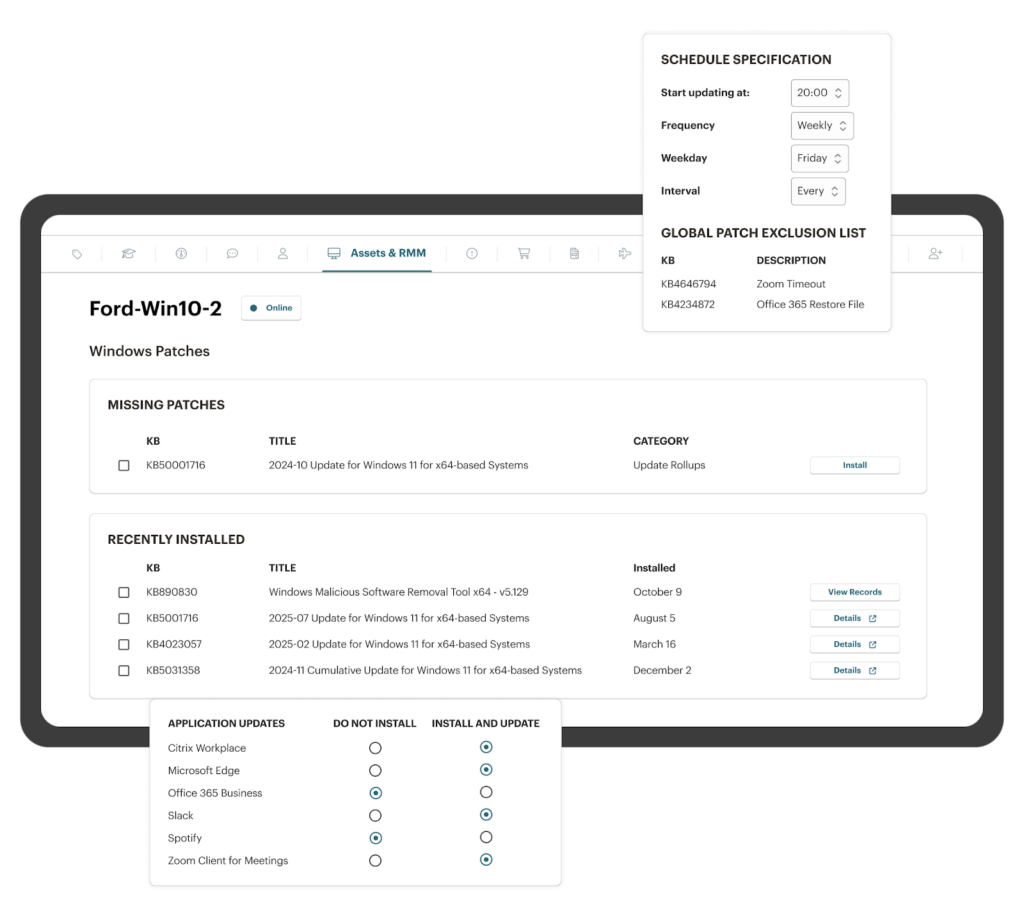
The automation connection: Patch management works best when it’s tied to your broader endpoint monitoring and alerting system. Platforms that combine RMM, ticketing, and automation in a single interface let you build workflows where a failed patch triggers a ticket, assigns it to the right technician, and attaches the relevant error logs, all without anyone lifting a finger.
Capacity planning and resource optimization
Capacity planning through AIOps uses machine learning to analyze usage patterns across infrastructure and forecast when additional resources will be needed or where existing resources are being wasted. Over-provisioning wastes money. Under-provisioning causes outages. AIOps gives you the data to avoid both.
For IT departments managing a mix of on-premise servers and cloud resources, this means better budget decisions backed by actual data instead of guesswork. AIOps can identify that your file server consistently maxes out storage in Q4, or that your cloud instances are over-provisioned by 40% on weekends, and recommend adjustments before either situation becomes a problem.
How AIOps compares to traditional IT operations
The differences between AIOps and traditional IT operations come down to speed, scale, and whether your team is reacting to problems or getting ahead of them. Here’s how the two approaches compare across the areas that affect daily IT work the most.
| Capability | Traditional IT ops | AIOps-driven IT ops |
| Incident detection | Threshold-based alerts; reactive | ML-driven anomaly detection; proactive |
| Alert management | Manual review of every alert | Automated correlation; up to 90% noise reduction |
| Root cause analysis | Manual log review across systems | Automated cross-system correlation |
| Ticket routing | Manual triage and assignment | AI classification with auto-routing |
| Patch management | Scheduled deployments; manual prioritization | Risk-based prioritization with automated rollback |
| Capacity planning | Periodic manual review | Continuous ML-based forecasting |
| Resolution speed | Hours to days (MTTR) | Minutes to hours (MTTR) |
How to start using AIOps in your IT department
You don’t need to overhaul your entire tech stack to benefit from AIOps. Pick a single use case that addresses your biggest operational pain point and build from there.
- Start with ticket classification: If your team spends hours each week triaging and routing tickets manually, AI-powered ticket classification delivers immediate, measurable time savings. Look for a platform that classifies tickets automatically based on content and context, then uses those classifications to trigger routing rules and automation.
- Layer in automated remediation: Once classification is working, connect it to automated workflows. A ticket classified as a password reset can trigger an automated process. A ticket flagged as a potential security incident can escalate immediately with documentation attached. The efficiency gains compound fast.
- Expand to endpoint monitoring and patching: With your ticketing and automation foundation in place, extend AIOps principles to your endpoint management. Automated patching, proactive device health monitoring, and script-based remediation cover the operational tasks that consume the most technician hours across most IT teams.
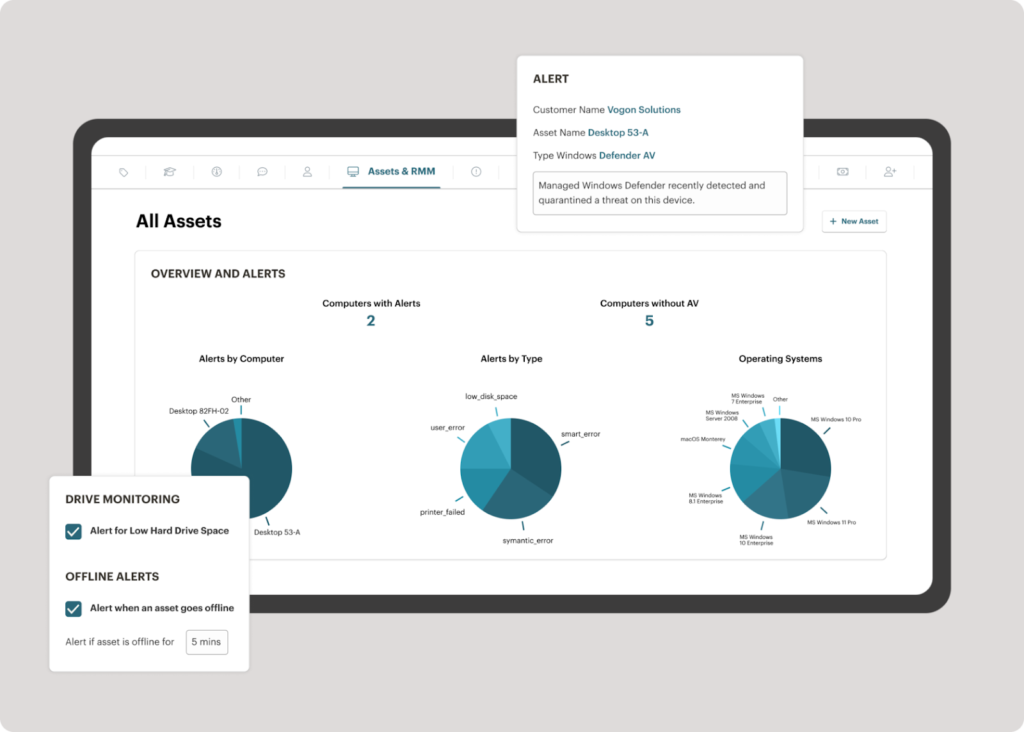
What makes the biggest difference is whether these capabilities are native to your platform or bolted on as disconnected point solutions. When your endpoint, ticketing, and automation live in the same system, every data point feeds the AI models that make your operations smarter over time.
What IT teams gain from adopting AIOps
IT teams that implement even one AIOps use case typically see measurable improvements within the first month: Reduced mean time to resolution, lower operational costs, fewer missed incidents, and better use of existing staff. The gains are operational, not theoretical.
AIOps also improves consistency across your operations. Automated ticket classification assigns the same categories and priorities every time, regardless of which technician is on shift. Automated remediation follows the same steps in the same order, reducing the human error that creeps in during high-pressure incidents. And predictive monitoring catches the slow-building problems that slip through the cracks when your team is focused on the urgent ones.
In an IT department, these gains stack on top of each other. Faster ticket routing means faster resolution. Faster resolution means fewer escalations. Fewer escalations mean your senior staff spend less time firefighting and more time on the infrastructure improvements that prevent incidents in the first place.
Stop firefighting and start getting ahead of problems
Every hour your team spends manually sorting alerts, routing tickets, and chasing down root causes is an hour that could go toward improving infrastructure, rolling out new services, or reducing technical debt. AIOps use cases aren’t theoretical anymore. They’re the operational standard for IT teams that want to do more with the resources they have.
Syncro brings AI-powered ticket classification, automated remediation, endpoint monitoring, and patch management together in a single platform built specifically for IT teams. No bolt-on AI tools. No complex integrations. Just a unified system where automation and intelligence are built into every workflow.
Start a free trial and see how much time your team gets back when AI handles the repetitive work.
Frequently Asked Questions About AI Ops
A common example is AI-driven alert correlation. When a network switch fails, traditional monitoring generates dozens of separate “server unreachable” alerts across your stack. An AIOps platform correlates those events into a single incident, identifies the root cause, and notifies your team with a full picture instead of a wall of noise.
Traditional monitoring is threshold-based and reactive: it fires an alert when something crosses a limit and waits for a human to respond. AIOps is pattern-based and proactive. It learns what normal looks like for your environment, flags anomalies before they become incidents, and can trigger automated responses without waiting for a technician.
No. The core AIOps use cases — AI ticket classification, automated remediation, and endpoint monitoring — are available in platforms built for IT teams of any size. You don’t need a dedicated data science team or a custom ML stack. The value comes from choosing a platform where automation and intelligence are built into the workflow natively.
Automation executes predefined workflows. AIOps adds intelligence on top: it decides which workflow to trigger, based on patterns learned from your environment. An automated script can restart a service. AIOps knows when and why to restart it, based on the signals it’s seeing across your infrastructure.
AIOps-enhanced patch management adds risk-based prioritization and intelligent monitoring to scheduled deployments. Instead of treating every update with equal urgency, the system evaluates the severity of vulnerabilities against your specific environment. It can also detect unusual endpoint behavior after a patch and trigger an automatic rollback before the issue spreads.
Yes. Predictive monitoring and automated remediation address the root causes of tickets before users submit them. If AIOps detects and resolves a memory leak before it causes an application crash, that incident never becomes a ticket. Teams that adopt proactive remediation alongside classification typically see both ticket volume and resolution time decrease.
Look for native integration between your RMM, ticketing, and automation capabilities. Platforms where these live in the same system produce better AI outputs because every data point feeds the same models. Bolt-on AI tools layered over disconnected systems lose context and require more manual configuration to produce useful results.
Teams that start with AI ticket classification typically see measurable time savings within the first few weeks. Automated remediation workflows deliver results as soon as they’re configured. Predictive maintenance takes longer to calibrate because it needs historical data to establish baselines, but even early alerts provide value before the models fully mature.

Share
Related Resources