Table of contents
- Key Takeaways
- Intro
- Quick Picks: Which Patch Management Tool Fits Your Scenario?
- What Makes Patch Management Software Effective?
- Selection Methodology
- The Six Patch Management Tools to Evaluate in 2026
- Patch Management Software Comparison Table
- Choosing the Right Patch Management Software
- Frequently Asked Questions About Patch Management Tools
Key Takeaways
- Unpatched software accounted for 32% of ransomware attacks and 20% of data breaches in the most recent full-year data (2025), making automated patch management non-negotiable for both MSPs and internal IT.
- Six platforms make the 2026 evaluation list: NinjaOne, Syncro, Action1, ManageEngine Patch Manager Plus, Atera, and Ivanti Neurons. Each was selected by verified G2 or Gartner rating, OS coverage, third-party app breadth, and compliance reporting depth.
- Syncro is our pick for MSPs and IT teams who want patch management unified with endpoint monitoring, ticketing, and Microsoft 365 security in a single platform — not bolted onto a stack of point solutions.
- The biggest practical differentiator across the field is third-party application coverage, which ranges from 80+ to 850+ supported apps. This is where most patching gaps live: Chrome, Zoom, Adobe, Slack.
- Pricing models split cleanly into per-endpoint (NinjaOne, Action1, ManageEngine, Ivanti) and per-technician with unlimited endpoints (Syncro, Atera). The per-tech model usually wins for MSPs growing their managed device count.
Intro
Unpatched software accounted for 32% of ransomware attacks and 20% of data breaches in the most recent full-year data (2025).
A single missed patch turns firewalls, EDR, and SIEM investments into expensive suggestions. The vulnerability exists, the exploit ships, and the attacker walks through the front door.
For MSPs managing client environments and IT teams managing distributed endpoints across Windows, macOS, and Linux, manual patching at scale is not a real option. Spreadsheets break down. WSUS gets ignored. Technicians burn hours chasing machines that should have been updated weeks ago.
The right patch management software automates vulnerability identification, schedules deployments without disrupting end users, and generates the compliance reporting that auditors demand. The wrong one creates a false sense of security while critical patches sit in limbo.
This guide breaks down six patch management platforms worth evaluating in 2026, with verified G2 and Gartner ratings, current pricing, and honest assessments of where each tool fits.
Quick Picks: Which Patch Management Tool Fits Your Scenario?
- Best for MSPs running unified RMM + PSA + patch: Syncro. Patching is part of endpoint management, ticketing, and M365 security in one console.
- Best for MSPs scaling endpoint counts on per-tech pricing: Atera. Unlimited endpoints per technician seat.
- Best for MSPs needing best-in-class endpoint visibility: NinjaOne. G2’s #1 in Patch Management every quarter of 2025.
- Best for IT teams testing patch automation on a budget: Action1. 200 endpoints permanently free with full features.
- Best for IT teams running 850+ business apps: ManageEngine Patch Manager Plus. Widest third-party library in the category.
- Best for enterprise IT with risk-based patching needs: Ivanti Neurons. AI-driven prioritization for 1,000+ endpoint environments.
What Makes Patch Management Software Effective?
Before comparing platforms, the evaluation criteria matter. Effective patch management software should deliver on five core capabilities aligned with the NIST SP 800-40 patch management framework:
- Automated vulnerability detection and deployment identifies missing patches across all managed endpoints and pushes updates on a defined schedule without manual intervention.
- Cross-platform support covers Windows, macOS, and Linux from a single console, because most environments — whether MSP-managed or internal IT — run a mix of operating systems.
- Third-party application patching addresses the software that lives outside the OS layer. Chrome, Zoom, Slack, Adobe, and hundreds of other business-critical apps carry their own vulnerabilities.
- Compliance reporting provides audit-ready documentation that proves patch status across every endpoint, supporting frameworks like SOC 2, HIPAA, and CIS benchmarks.
- Centralized visibility gives technicians a single pane of glass to see which machines are current, which are behind, and which need immediate attention.
Selection Methodology
The goal is a list of patch management platforms that have established credibility and demonstrate functional maturity. To ensure the final list is reliable and actionable, the following selection criteria apply:
- Verified Rating Requirement: Inclusion required every platform to have a current, verified rating on a recognized third-party review site, specifically G2 or Gartner, to strengthen credibility and ensure market validation.
- Evaluation Criteria: Platforms were assessed against the five core capabilities above. These include automated vulnerability detection, cross-platform support, robust third-party application coverage, compliance reporting (SOC 2, HIPAA, CIS), and centralized visibility.
- Product Fit and Focus: Tools were analyzed for their primary use case — MSP-focused, enterprise-grade, budget-friendly, or unified-platform — to ensure the list provides options best suited for different operational needs.
Disclosure: Syncro is our platform. We’ve included it on this list because we believe it genuinely fits the use cases covered here. The same evaluation criteria apply to Syncro as to every other tool. We encourage you to use this guide as a starting point and conduct your own independent evaluation of all platforms to find the best fit for your needs.
The Six Patch Management Tools to Evaluate in 2026
1. NinjaOne — Best for Endpoint Visibility at Scale
G2 Rating: 4.7/5 (3,700+ reviews) | #1 in Patch Management, G2 Fall 2025
Overview
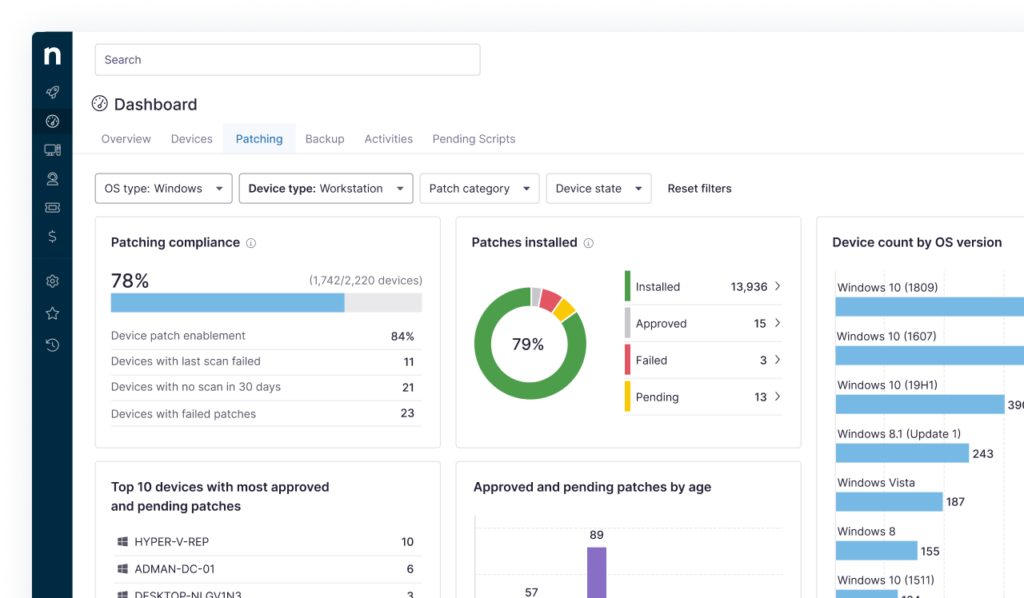
NinjaOne is a cloud-native endpoint management platform that combines RMM, patch management, and remote access into a unified console. The platform earned G2’s top ranking in Patch Management for every quarterly report in 2025, with a satisfaction score of 99 out of 100 in the category.
Key Features
NinjaOne automates OS and third-party patching across Windows, macOS, and Linux endpoints from one dashboard. The platform supports automated patching for over 200 third-party applications and delivers real-time visibility into patch compliance across the entire device fleet. Cloud-native architecture means endpoints receive updates without VPN connections, which is critical for distributed workforces and multi-tenant MSP environments. Detailed patch status reports allow technicians to monitor compliance at any time.
What we like: Best-in-class endpoint visibility at scale, intuitive UI that reduces onboarding time for new technicians, and a deep feature set across the broader RMM workflow.
What we don’t like: Per-endpoint pricing scales costs aggressively as device counts grow. MSPs adding clients quickly can find pricing predictability harder than per-technician models, and pricing is quote-based rather than transparent.
- Best for: MSPs and IT departments managing 500+ distributed endpoints where unified visibility matters more than absolute lowest cost.
- G2 rating: 4.7/5 with 3,700+ reviews
- Pricing: Per endpoint, quote-based
- Free trial: Yes (14-day)
- User perspective: G2 reviewers consistently call out automated patching as a standout, with the platform applying critical patches across hundreds of endpoints without manual effort. OS and software coverage is described as reliable.
2. Syncro (Our Pick) Best for Unified, Secure IT Management
G2 Rating: 4.5/5 (460+ reviews) | Unified Secure IT Management Platform
Overview
Syncro is a unified MSP and IT management platform that combines patch management, endpoint management, service desk automation, and Microsoft 365 security into a single system. Where most patch management tools handle one piece of the operational puzzle, Syncro was purpose-built to eliminate the tool silos that create security gaps for MSPs and internal IT alike.
The platform’s approach to secure IT management treats patching as one critical layer within a broader security and operations strategy. Rather than bolting patch management onto a disconnected stack of point solutions, Syncro connects patching directly to endpoint monitoring, alerting, ticketing, scripting, and compliance reporting.
Key Features
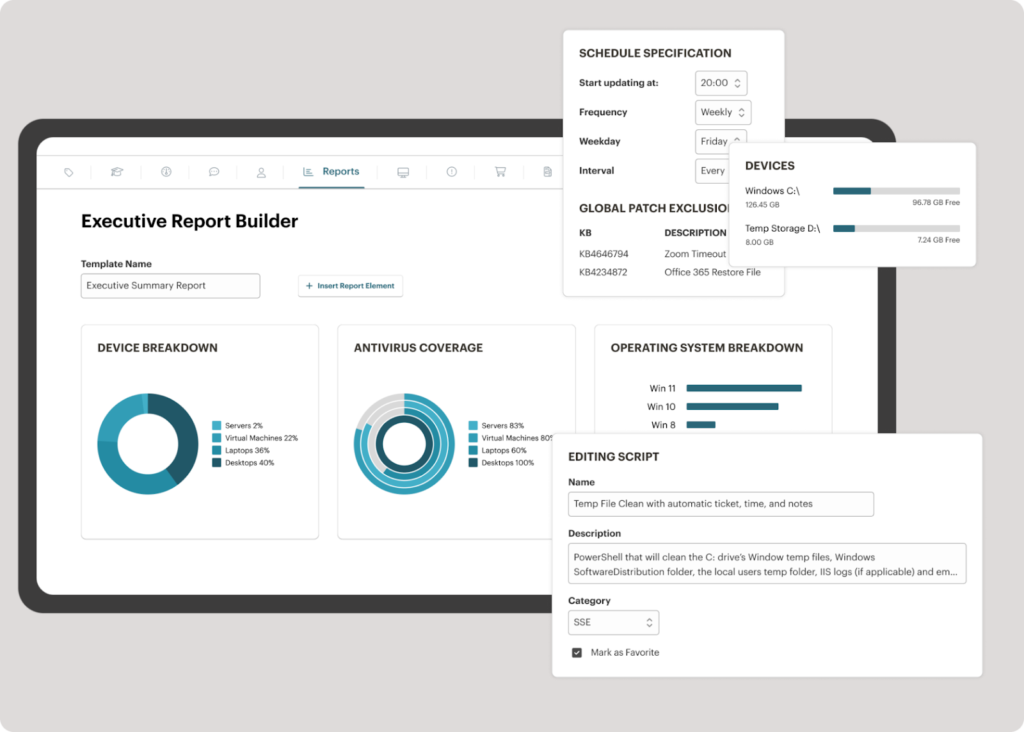
Syncro automates Windows and macOS patching alongside third-party application updates from a centralized dashboard. Policy-based patching groups devices by department, risk level, or client tenant and runs on defined schedules, keeping endpoints current without manual intervention. The third-party patch management module covers 80+ commonly deployed business applications (Chrome, Zoom, Slack, Adobe, and others), and custom patching through PowerShell scripting extends coverage to virtually any software environment.
Patch status visibility spans the entire managed endpoint fleet from a single view, making it simple to identify outdated systems and push critical fixes without disrupting end-user productivity. Reboot scheduling, quiet hours, and user deferral options put technicians in control of the patching experience.
For zero-day response, Syncro’s ad-hoc patching and scripting tools push emergency updates to every managed device globally within minutes. Compliance reporting generates documentation that maps patch status across entire environments, supporting SOC 2, HIPAA, and CIS-aligned security standards, and the platform’s security assessments module ties patch posture to broader vulnerability scoring.
The platform’s secure IT management framework goes beyond patching alone. Microsoft 365 security benchmarking against CIS best practices, endpoint monitoring, automated remediation workflows, and integrated service desk operations all operate within the same console. This unified approach means security posture improvements compound across every operational layer, not just the patch management function.
- What we like: Patching is wired directly into the broader ops stack (tickets, monitoring, scripting, M365 security baselines), so there are fewer dashboards, fewer integration headaches. Per-technician pricing with unlimited endpoints keeps costs predictable as MSPs and IT teams grow.
- What we don’t like: The 80+ third-party app library is solid for most business environments but smaller than ManageEngine (850+) or Action1 (630+). Custom PowerShell scripting fills most gaps, but if breadth of out-of-the-box third-party app coverage is the primary driver, those alternatives lead on raw count.
- Best for: MSPs running unified RMM + PSA + patching from one console, and IT departments that want to consolidate point tools without sacrificing depth.
- G2 rating: 4.5/5 with 460+ reviews Pricing: $129 per user / per month (Core Plan, annual) with unlimited endpoints and no contracts. Team Plan at $179 per user / per month adds M365 security baselines, advanced ticket automation, and network discovery. Free trial: Yes (14-day, full feature access on Team Plan)
- User perspective: From a verified G2 reviewer: “An all-in-one experience that actually works. Unlimited endpoints for simple billing, good integrations with other products, excellent scripting, and efficient patch management.”
3. Action1 — Best for Growing IT Teams on a Budget
G2 Rating: 4.9/5 (1,000+ reviews) | G2 Leader in Patch Management, Winter 2026
Overview
Action1 is a cloud-native autonomous endpoint management platform that earned recognition as the fastest-growing private software company in America on the Inc. 5000 list in 2025. The platform carries the highest G2 rating of any patch management solution at 4.9 out of 5 and holds G2 Leader status in both Patch Management and Endpoint Management categories.
Key Features
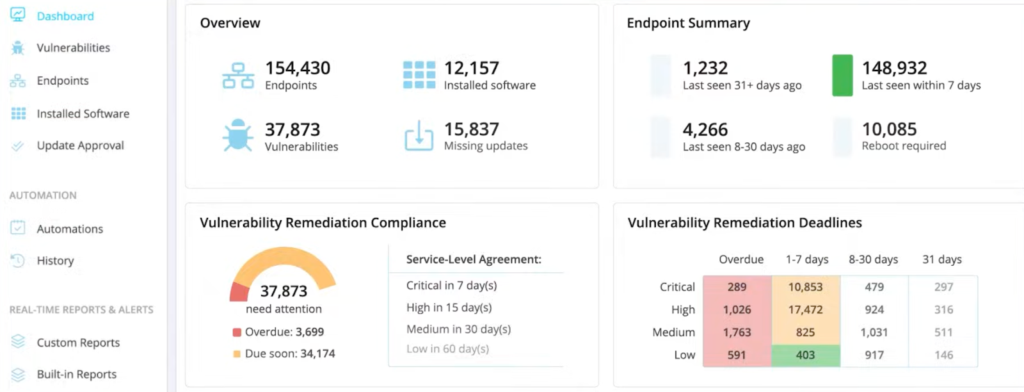
Action1 automates the full patching lifecycle from vulnerability identification through risk-based prioritization, testing, deployment, and reporting. Peer-to-peer patch distribution reduces bandwidth consumption during large-scale rollouts. The platform supports Windows, macOS, and Linux patching alongside 630+ third-party applications. A free tier covering 200 endpoints with no functional limitations makes the platform accessible to MSPs onboarding new clients or IT teams piloting automated patching. SOC 2 Type II and ISO 27001 certifications back the security posture.
What we like: Highest G2 rating in the category, generous free tier (200 endpoints with full features), and peer-to-peer distribution that handles bandwidth-constrained networks well.
What we don’t like: Less robust as a full RMM/PSA stack. Action1 is purpose-built for patching and endpoint management, so MSPs needing ticketing, billing, or M365 management will pair it with other tools. Some reviewers note the remote access feature is still maturing.
- Best for: Growing MSPs and IT teams needing enterprise-grade patching without enterprise-grade costs, especially at the early scale stages.
- G2 rating: 4.9/5 with 1,000+ reviews
- Pricing: Per endpoint with free tier for 200 endpoints (no time limit)
- Free trial: 200 endpoints permanently free
- User perspective: G2 reviewers praise ease of use and quick setup, with an intuitive interface that simplifies patch management and endpoint monitoring.
4. ManageEngine Patch Manager Plus — Best for Cross-Platform Application Coverage
G2 Rating: 4.5/5 | Supports 850+ Third-Party Applications
Overview
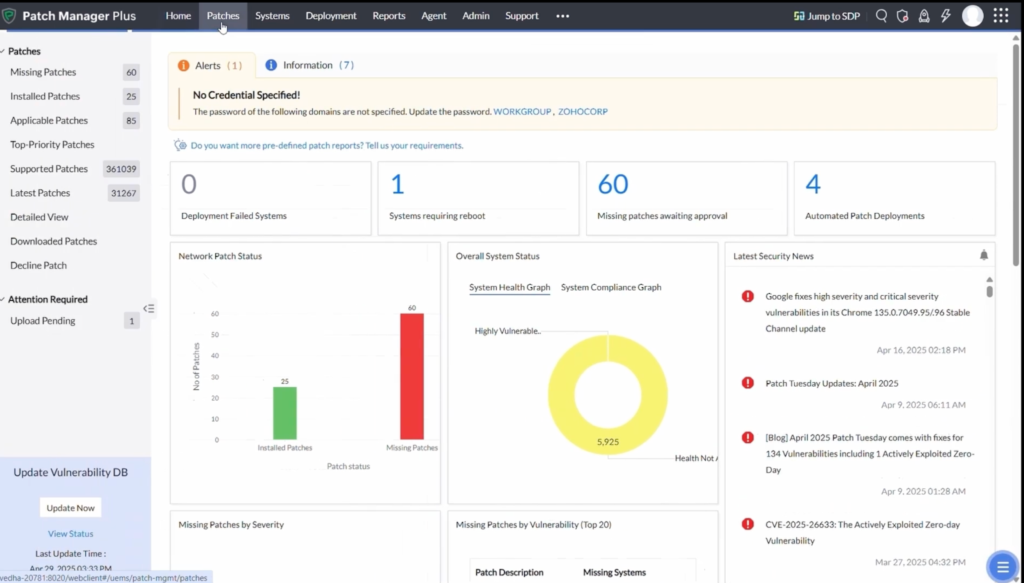
ManageEngine Patch Manager Plus is a dedicated patch management solution that supports Windows, macOS, and Linux endpoints from a single interface. The platform stands apart with one of the widest third-party application libraries in the category, covering over 850 applications out of the box. A free edition for up to 20 endpoints makes it accessible for small environments.
Key Features
ManageEngine Patch Manager Plus centralizes OS and third-party patch management with automated scanning, testing, approval workflows, and deployment scheduling. The platform supports both cloud-hosted and on-premises deployment models, giving IT teams flexibility based on infrastructure preferences. Patch testing environments allow administrators to validate updates before pushing them to production endpoints. Built-in compliance reporting maps patch status against regulatory frameworks.
What we like: Industry-leading third-party app coverage (850+), flexible cloud or on-prem deployment, and a free edition for smaller environments.
What we don’t like: UI feels dated next to cloud-native competitors, and the broader ManageEngine product stack can require more configuration overhead than purpose-built unified platforms.
- Best for: IT teams running a wide variety of business applications who prioritize raw third-party patching breadth over consolidated operational tooling.
- G2 rating: 4.5/5
- Pricing: Starts at $245/year with per-endpoint or per-server licensing
- Free trial: 30-day trial plus a free edition covering 20 endpoints with no time limit
- User perspective: Reviewers note the platform’s deep feature set and broad app library, with some calling out a learning curve when first deploying enterprise-scale environments.
5. Atera — Best for All-in-One MSP and IT Operations
G2 Rating: 4.6/5 (1,000+ reviews) | Winner, G2 Best AIOps Tool 2025
Overview
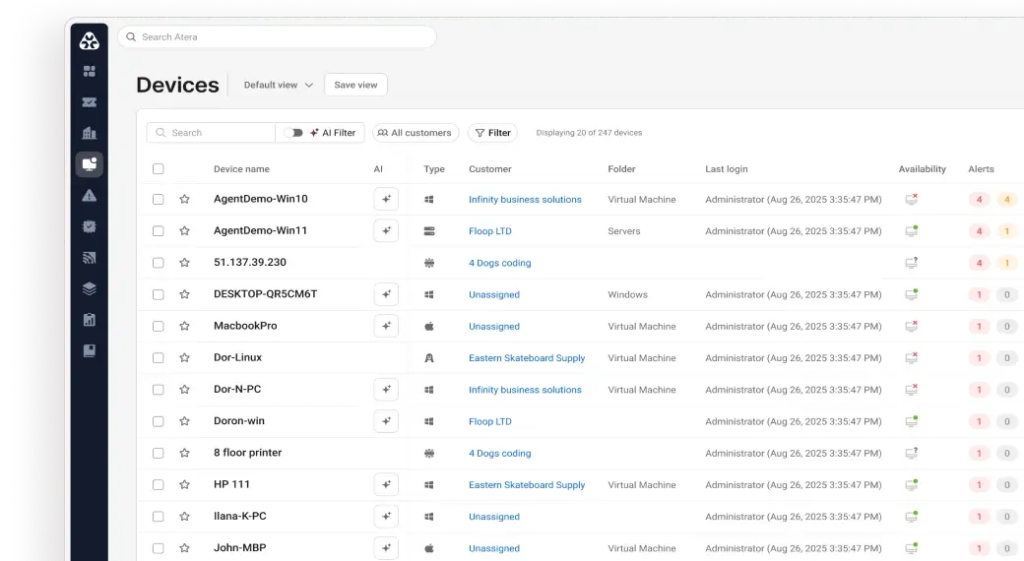
Atera packages RMM, PSA, remote access, help desk ticketing, and patch management into a single platform sold on a per-technician pricing model. The platform earned a 4.6/5 rating on G2 with over 1,000 reviews, and G2 recognized Atera as the best AIOps tool in 2025 for its AI-driven automation capabilities.
Key Features
Atera integrates patch management directly into its RMM and help desk workflows, which means patching happens alongside monitoring, ticketing, and billing without switching between tools. Automated scheduling handles OS and software patches across Windows, Mac, and Linux. The AI Copilot feature assists technicians by summarizing tickets, suggesting resolutions, and generating scripts. Per-technician pricing supports unlimited endpoints, keeping costs predictable as device counts grow.
What we like: Per-technician pricing with unlimited endpoints, integrated AI assistance for ticket triage, and a unified RMM + PSA stack that mirrors the platform-consolidation trend across the category.
What we don’t like: Reporting and analytics depth lags larger enterprise RMM platforms. Customizable dashboards are functional but limited, and some advanced enterprise features feel less mature than in dedicated platforms.
- Best for: MSPs and lean IT teams that need an all-in-one platform with predictable per-tech pricing.
- G2 rating: 4.6/5 with 1,000+ reviews
- Pricing: $129–$209 per technician/month (MSP tiers: Pro, Growth, Power); separate IT department pricing tier
- Free trial: 30-day
- User perspective: Reviewers highlight the per-technician pricing model and unified RMM + ticketing experience as the top reasons for switching, with some noting deeper reporting capabilities are still maturing.
6. Ivanti Neurons for Patch Management — Best for Enterprise Risk-Based Patching
Gartner: Leader in Endpoint Management | Featured in Gartner Market Guide for Endpoint Management Tools
Overview
Ivanti Neurons for Patch Management is an enterprise-grade platform recognized as a Gartner Leader that takes a risk-based approach to patching. Rather than treating all patches equally, the platform prioritizes updates based on active threat intelligence, vulnerability severity, and business context. This approach suits large enterprises with complex IT environments where patching everything simultaneously is impractical.
Key Features
Ivanti Neurons uses AI-driven vulnerability prioritization to rank patches by actual risk rather than CVSS score alone. The platform supports Windows and Linux patching with extensive third-party coverage, and offers both cloud and on-premises deployment models. Integration with Ivanti’s broader endpoint management suite allows organizations to connect patching with asset discovery, configuration management, and security workflows. Compliance dashboards map patch status against industry frameworks.
What we like: Risk-based prioritization that uses real threat intelligence, deep Gartner recognition, and enterprise-grade integration depth across the Ivanti suite.
What we don’t like: Quote-based enterprise pricing puts it out of reach for MSPs serving SMB clients or IT departments under 1,000 endpoints. Historical security incidents tied to Ivanti products are well-documented and warrant evaluation of current security posture during procurement.
- Best for: Large enterprises with complex compliance requirements and the budget for intelligent, risk-prioritized patching.
- Gartner status: Leader in Endpoint Management
- Pricing: Quote-based enterprise; typically suited for 1,000+ endpoints
- Free trial: Demo by request
- User perspective: Enterprise reviewers point to the risk-based scoring model and Ivanti suite integration as the primary differentiators. Setup and configuration complexity are commonly cited.
Patch Management Software Comparison Table
| Platform | G2 / Gartner Rating | OS Support | 3rd-Party Apps | Pricing Model | Free Trial | Best For |
|---|---|---|---|---|---|---|
| NinjaOne | G2: 4.7/5 (3,700+) | Windows, macOS, Linux | 200+ | Per endpoint (quote-based) | 14-day | Large distributed endpoint fleets |
| Syncro — Our Pick | G2: 4.5/5 (460+) | Windows, macOS | 80+ via policy engine + PowerShell scripting | $129 / user / mo (annual), unlimited endpoints | 14-day, full features | MSPs and IT teams needing unified ops + patch |
| Action1 | G2: 4.9/5 (1,000+) | Windows, macOS, Linux | 630+ | Per endpoint (200 free) | 200 endpoints free permanently | Growing MSPs and IT teams on a budget |
| ManageEngine Patch Manager Plus | G2: 4.5/5 | Windows, macOS, Linux | 850+ | Per endpoint or per server (from $245/yr) | 30-day + free for 20 endpoints | Widest third-party app coverage |
| Atera | G2: 4.6/5 (1,000+) | Windows, macOS, Linux | Integrated via RMM | $129–$209 / tech / mo, unlimited endpoints | 30-day | All-in-one MSP and IT operations |
| Ivanti Neurons | Gartner Leader | Windows, Linux | Extensive | Quote-based enterprise | Demo by request | Enterprise risk-based patching |
Choosing the Right Patch Management Software
Every platform on this list solves the patching problem differently. NinjaOne dominates at scale with best-in-class endpoint visibility. Action1 delivers enterprise-grade automation at startup-friendly pricing. ManageEngine covers the widest third-party application library. Atera bundles patching into a full operational stack. Ivanti brings AI-driven risk prioritization to complex enterprise environments.
But the persistent challenge for most MSPs and IT departments is not just patching. The real operational drain comes from managing patches in one tool, tickets in another, endpoints in a third, and security policies in a fourth. That fragmentation creates the gaps that attackers exploit and the inefficiencies that keep technicians stuck in reactive mode.
Syncro was built to close those gaps. By unifying patch management, endpoint monitoring, service desk automation, and Microsoft 365 security into a single platform, Syncro turns secure IT management from a collection of disconnected tasks into a cohesive operational strategy. Patching becomes part of a larger security posture, not an isolated checkbox. Compliance reporting pulls from every layer of the environment, not just the patch console. And per-technician pricing with unlimited endpoints means growing the device fleet does not mean growing the software budget.
Want to stop firefighting and start governing your IT environment from a single, secure platform?
Start a free trial and see the difference unified IT management makes in just one week.
Frequently Asked Questions About Patch Management Tools
The best patch management tool for an MSP depends on operating system mix, client count, and whether the MSP wants patching unified with ticketing and billing. Unified platforms like Syncro and Atera offer per-technician pricing with unlimited endpoints, while purpose-built patch tools like NinjaOne and Action1 offer best-of-breed feature depth on per-endpoint pricing.
For internal IT teams, the best patch management tool aligns with the existing operating system mix and compliance requirements. Look for platforms that support Windows, macOS, and Linux from a single console, automate third-party app updates (Chrome, Zoom, Adobe), and generate audit-ready reporting for SOC 2, HIPAA, or CIS frameworks.
Automation reduces human error, shortens vulnerability remediation time, and ensures consistent policy enforcement across endpoints. Manual patching at scale is the leading reason critical updates sit in limbo. Automated patch management closes the window between vulnerability disclosure and remediation.
Core features should include automated vulnerability detection, scheduled deployment, third-party application coverage, reboot scheduling, compliance reporting against SOC 2 / HIPAA / CIS frameworks, risk prioritization, and centralized visibility across all managed endpoints.
Consistent patching reduces exposure to known vulnerabilities, strengthens system stability, and improves compliance readiness. All are core components of secure IT management. Patch posture is a foundational input to broader security frameworks and works alongside endpoint detection, identity management, and configuration monitoring.
Yes. Cloud-native patch management platforms allow centralized control across distributed endpoints without requiring on-site access or VPN connectivity. This matters most for MSPs supporting client environments across geographies and IT teams managing remote employee laptops.
Most modern patch management platforms support ad-hoc patching workflows that let technicians push emergency updates to every managed device within minutes. Scripting engines extend this to custom remediations when an official patch is not yet available, a common need during active zero-day windows.
Patch management focuses on identifying, distributing, and applying updates to software and operating systems. Vulnerability management is a broader discipline that includes vulnerability scanning, risk prioritization, remediation tracking, and reporting. Patch management is one tactical layer within a complete vulnerability management program.

Share
Related Resources