
ConnectWise vs Kaseya is the comparison most IT teams land on when evaluating their next RMM-PSA platform. The core difference: ConnectWise offers deeper customization and a more mature PSA, while Kaseya offers broader product coverage with native backup and documentation tools. This breaks down what you’re actually getting with each, what it’ll actually cost you, and where a third option fits for teams that don’t want the complexity or cost surprises of either.
TL;DR: ConnectWise is the deeper, more customizable platform that rewards teams willing to invest months in configuration. Kaseya offers a broader product portfolio under one vendor but carries integration debt from years of acquisitions. ConnectWise wins on PSA depth. Kaseya wins on breadth and backup integration. Neither publishes transparent pricing. For IT teams that want a unified platform without the complexity of either, Syncro is a third option starting at $129/user/month (billed annually) with unlimited endpoints, or $139/month for a flexible, no-contract plan.
Key Takeaways
- ConnectWise Manage is the most mature PSA on the market, but implementation takes 3–6 months and often requires paid consultants
- Kaseya’s product portfolio is broad, but individual products were built by different companies and bolted together post-acquisition
- Both use opaque, per-endpoint or per-user pricing with annual contracts that are difficult to exit
- Syncro combines RMM, PSA, and Microsoft 365 management in a single natively built platform starting at $129/user/month (billed annually) with unlimited endpoints
What are ConnectWise and Kaseya?
ConnectWise (founded 1982, owned by Thoma Bravo) offers two core products: ConnectWise Manage (PSA) and ConnectWise Automate (RMM), plus ScreenConnect for remote access. Targets mid-to-large teams with the staff and budget to manage a complex platform.
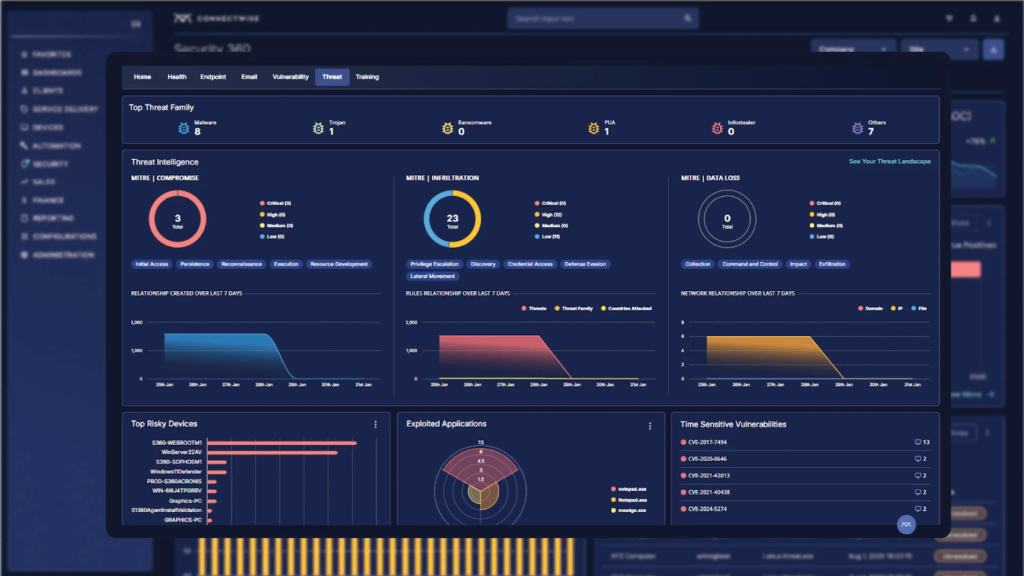
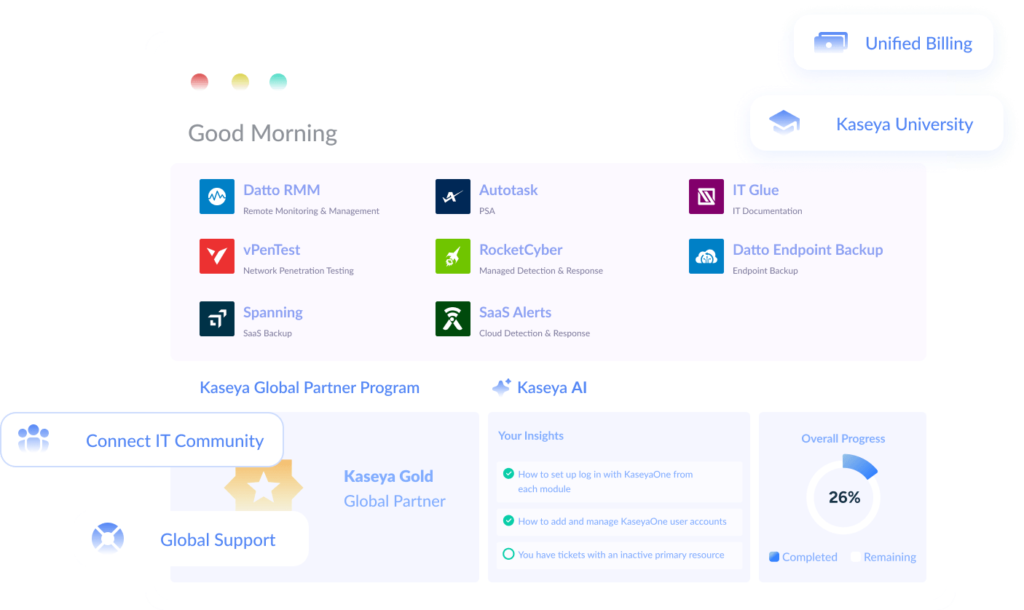
Kaseya (backed by Insight Partners) has been built through acquisition since 2000. Kaseya’s product portfolio as of 2026 includes VSA (RMM), Autotask (PSA), IT Glue (documentation), Datto BCDR and Unitrends (backup), Spanning (SaaS backup), and Graphus (email security). The portfolio pitches one vendor for everything, but the integration debt from stitching together products that were never designed to work as one is real.
Quick comparison
| Factor | ConnectWise | Kaseya | Winner |
| Best for | Mid-to-large teams needing deep customization | Teams wanting broad coverage under one vendor | Depends on your size |
| RMM depth | Automate: powerful scripting, granular policies | VSA: solid monitoring, cleaner UI | ConnectWise |
| PSA depth | Manage: most mature PSA on the market | Autotask: solid ticketing, less billing depth | ConnectWise |
| Pricing | Opaque, per-user, varies by product | Opaque, per-endpoint + per-user | Neither |
| Ease of setup | 3–6 months, often requires consultants | Weeks to months depending on product count | Kaseya |
| Product breadth | RMM + PSA + remote access + add-ons | RMM + PSA + backup + docs + security + more | Kaseya |
| Integrations | 300+ third-party | Growing first-party portfolio, fewer third-party | ConnectWise |
| Contracts | Annual, difficult to exit | Annual, bundled deals | Neither |
| Backup/BCDR | Third-party | Datto BCDR, Unitrends (native) | Kaseya |
| M365 management | Third-party required | Partial coverage | Neither |
Platform architecture
ConnectWise Manage and Automate are two separate products that integrate with each other, not a single unified platform. They share data through native integration: an alert in Automate can generate a ticket in Manage, and asset data flows between systems. The seams show up in daily work:
- Ticket context from Automate doesn’t always carry full device history into Manage without configuration
- Reporting means combining data from two different engines
- ScreenConnect (remote access) requires separate licensing
Kaseya’s portfolio is the result of over a dozen acquisitions. Each product was built by a different company with a different architecture, UI, and data model. What that looks like day to day:
- Technicians switching between VSA and Autotask hit different navigation, terminology, and workflows that occasionally require manual data entry to bridge gaps
- IT Glue documentation doesn’t auto-populate from VSA asset scans
- Each product has its own login, learning curve, and update cadence
Architecture winner: ConnectWise (tighter core integration). Neither is truly unified, where alert, ticket, time entry, and invoice share a single data model. For teams that want that, Syncro’s single-platform approach avoids the integration overhead both require.
RMM: ConnectWise Automate vs Kaseya VSA
ConnectWise Automate is the more powerful RMM for teams that invest the time to learn it, while Kaseya VSA is easier to pick up but less capable at advanced automation. The scripting engine supports conditional logic, variables, loops, and error handling. Self-healing workflows handle 30–40% of routine alerts without technician intervention in well-configured environments. Policy management is granular down to individual endpoints. The tradeoff: the interface feels dated and new technicians typically need 2–4 weeks before they’re productive.
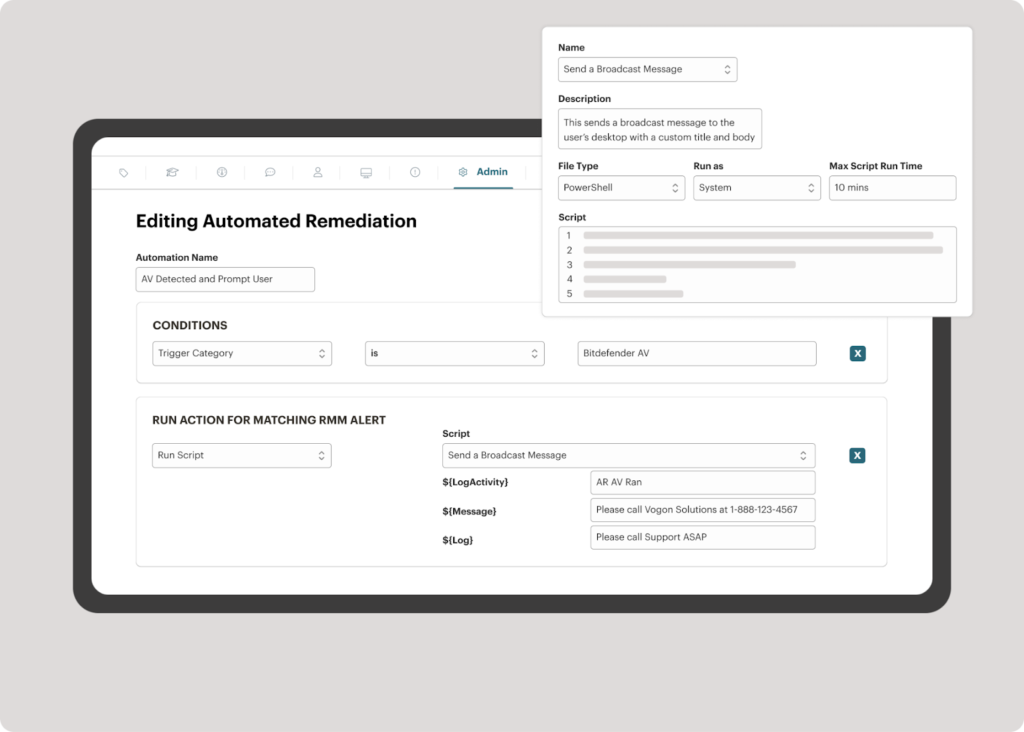
Kaseya VSA has a cleaner interface and faster onboarding. Monitoring basics are well-covered. The scripting engine handles standard automation but lacks Automate’s conditional depth. Where VSA pulls ahead is Datto backup integration: alert-to-backup-verification workflows run natively instead of through third-party connectors.
| RMM Feature | ConnectWise Automate | Kaseya VSA |
| Scripting | Advanced: conditional logic, loops, large community library | Standard: covers basics, smaller library |
| Self-healing automation | Full conditional remediation | Basic automated remediation |
| Remote access | ScreenConnect (separate license) | Built-in |
| Policy management | Highly granular, per-client/per-device | Solid, less granular |
| UI/UX | Dated, steep learning curve | Cleaner, faster onboarding |
| Backup integration | Third-party (Veeam, Acronis) | Native Datto BCDR |
| Patch management | Windows + third-party, compliance reporting | Windows + third-party |
RMM winner: ConnectWise Automate (for power users). At 100–200 endpoints per tech, either tool works. At 300+, the automation depth of your RMM determines whether your team keeps up. For a third option, look at Syncro’s RMM.
PSA: ConnectWise Manage vs Autotask
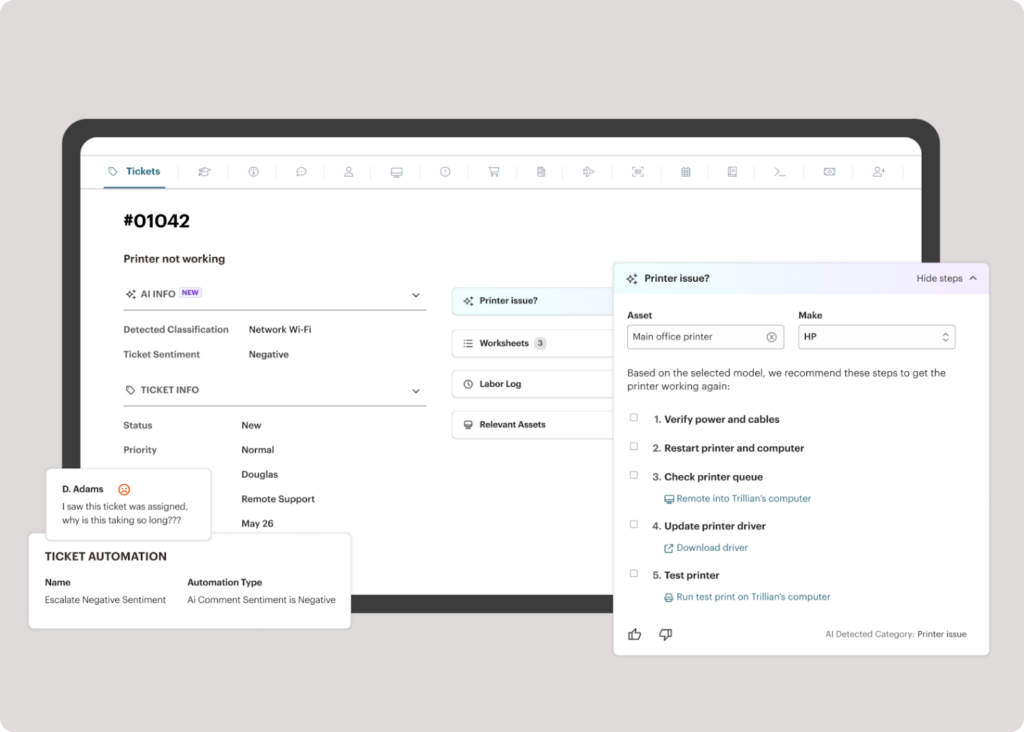
ConnectWise Manage is the most feature-complete PSA on the market, with deeper billing automation and workflow customization than Autotask, though it takes significantly longer to implement. Ticketing workflows can match virtually any service delivery model. Billing automation handles recurring contracts, time-and-materials, and hybrid models with precise control. That depth costs you complexity: teams regularly report 3–6 month implementation timelines, often spending $6,000–25,000+ on consultants.
Autotask (Kaseya) covers the fundamentals well, with a more approachable interface and faster implementation (weeks, not months). The limits show up in complex billing scenarios like blended rates across technician tiers or hybrid contracts with out-of-scope overages. Since the Datto acquisition, Autotask users report slower feature development as Kaseya integrates the portfolio.
PSA winner: ConnectWise Manage (on depth). Both carry a cost that doesn’t show up on the invoice: revenue leakage from misconfigured billing. One documented example from the community: a team discovered $15,000+ in missed annual revenue from a single client due to time entries that weren’t flowing to invoices. Syncro’s PSA connects alert, ticket, time entry, and invoice in a single workflow without those configuration gaps.
Pricing
Neither ConnectWise nor Kaseya publishes transparent pricing. Based on community-reported data, ConnectWise typically costs $200–400+ per user per month and Kaseya costs $150–350+ per user per month, though actual costs depend on negotiation and product selection. Both require sales conversations and custom quotes.
ConnectWise charges per-user for Manage ($80–150+/user/month), per-endpoint for Automate ($6–10+/endpoint/month), and separately for ScreenConnect ($30–50+/user/month). Combined: $200–400+/user/month. Annual contracts standard. Add $6,000–25,000+ for implementation consulting.
Kaseya charges per-endpoint for VSA ($4–8+/endpoint/month), per-user for Autotask ($60–120+/user/month), and separately for IT Glue ($29–39+/user/month) and Datto BCDR (varies). Combined: $150–350+/user/month. Kaseya now heavily pushes its bundled Kaseya 365 subscription, which offers discounts for combining endpoint, user, and ops tools, but locks you into multi-year commitments.
Both ConnectWise and Kaseya charge per-endpoint for RMM, meaning software costs increase as the number of managed devices grows. A team adding a manufacturing client with 150 endpoints at $6/endpoint/month absorbs $900/month in RMM costs before earning a dollar of margin. With flat per-technician pricing, adding that client costs nothing in additional software.
| ConnectWise (est.) | Kaseya (est.) | Syncro | |
| Monthly cost (10 techs, 1,500 endpoints) | $10,000–18,000+ | $7,000–14,000+ | $1,290 |
| Pricing model | Per-user + per-endpoint + add-ons | Per-user + per-endpoint + bundle | $129/user, unlimited endpoints |
| Contracts | Annual, auto-renew | Annual, bundle commitments | Month-to-month, cancel anytime |
| Setup time | 3–6 months | 2–8 weeks | Hours |
| M365 management | Third-party required | Partial portfolio coverage | Built-in |
Ecosystem, reputation, and M365 gaps
ConnectWise has the larger third-party integration ecosystem (300+). Most software vendors build ConnectWise integrations first. Kaseya’s strategy is build or acquire instead of integrate: IT Glue for docs, Datto BCDR for backup, Graphus for email security. Fewer vendor relationships, tighter first-party control, but also vendor lock-in.
Both carry reputation baggage. ConnectWise faces criticism for pricing increases at renewal, auto-renewal contract terms, and product complexity that creates dependence on consultants. Kaseya faces trust issues from the July 2021 VSA supply chain attack and complaints about high-pressure sales practices with bundle commitments that are hard to unwind. Read recent reviews on G2, Capterra, and r/msp before deciding.
Neither ConnectWise nor Kaseya offers strong native Microsoft 365 management as of 2026. ConnectWise users typically add third-party tools like SkyKick or CoreView. Kaseya’s IT Complete portfolio offers partial coverage but comprehensive multi-tenant governance usually requires additional tools. Syncro’s built-in M365 management handles multi-tenant administration from the same dashboard used for RMM and ticketing, without adding another tool to the stack.
The verdict
Choose ConnectWise if: you’re a mid-to-large team (15–50+ technicians) needing deep PSA customisation, have the budget for a 3–6 month implementation, and value a large third-party integration ecosystem.
Choose Kaseya if: you want broad product coverage under one vendor, native Datto BCDR integration, and bundle pricing that works in your favor across multi-year terms.
The gap in both. With ConnectWise, your team spends 3–6 months configuring a platform before it matches your workflows, then pays per-endpoint costs that climb with every new client. Kaseya asks your technicians to work across acquired products that still don’t share data cleanly, then makes it expensive to leave through bundle contracts. With either platform, you end up spending real time managing the integration layer between your RMM and PSA instead of managing the endpoints themselves. And neither gives you one place to check whether a client environment is healthy without opening multiple tabs.
Syncro takes a different approach.
RMM, PSA, and M365 management run on the same data model in the same interface. When a monitoring alert fires, it creates a ticket with full asset history. Time tracking starts automatically. The resolved ticket flows to the invoice. One dashboard, one login, flat per-technician pricing regardless of how many endpoints you manage. M365 governance is native to the platform.
Pricing starts at $129/month per user (billed annually) with unlimited endpoints, or $139/month on a flexible, no-contract plan. Check the pricing and feature breakdown here.
Frequently Asked Questions
Depends on your team’s size and tolerance for complexity. ConnectWise offers deeper PSA customization and a larger integration ecosystem, making it stronger for mid-to-large teams with complex billing models. Kaseya offers broader product coverage with faster initial setup.
Yes, but plan for 4–8 weeks of data migration and parallel running. Factor migration costs ($5,000–20,000+) into your total cost comparison. The biggest risk isn’t data loss. It’s losing custom billing configurations and automation workflows that can’t be exported cleanly.
Neither publishes pricing. Community reports put ConnectWise at $200–400+/user/month (Manage + Automate + ScreenConnect) and Kaseya at $150–350+/user/month depending on product selection and bundle deals. Both use annual contracts. Both have per-endpoint RMM pricing that increases as your managed device count grows.
In July 2021, attackers exploited a vulnerability in Kaseya VSA’s update mechanism to deploy REvil ransomware to MSP clients through the platform itself. The attack affected fewer than 60 Kaseya customers directly, but those were MSPs, so the downstream impact reached an estimated 800 to 1,500 businesses. Kaseya has since implemented mandatory MFA, third-party security audits, and a dedicated security team.

Share
Related Resources