
MSPs who have outgrown their current platform often face the same set of problems: broken billing integrations, unresponsive support, and limited customization. This webinar features two MSPs who migrated from Atera to Syncro, sharing what drove the decision, how the migration went, and what capabilities they gained on the other side.
Key Topics Covered
- Why MSPs initially chose Atera and what specific issues drove them to leave
- Atera billing integration failures with QuickBooks and the time cost of manual invoice corrections
- Atera agent deployment reliability issues and support response during free trials
- How MSPs evaluated Syncro against competitors including Datto, NinjaOne, and ConnectWise
- The Syncro migration process, timeline, and the one data limitation to plan for
- How Syncro’s invoicing reduced monthly billing time from hours to minutes
- Automation and scripting capabilities that expand MSP capacity without adding headcount
- The Splashtop integration and customer portal as unexpected value drivers
- Asset management as a new revenue-generating service line enabled by Syncro
- Customer success team engagement as an ongoing strategic resource, not just onboarding support
Why MSPs Initially Chose Atera
Both MSPs selected Atera for practical, defensible reasons. True Alliance IT, based in Mesa, Arizona, was attracted to Atera’s per-technician billing model rather than per-device pricing. They were migrating from Autotask and wanted a platform that would not penalize growth by charging more as they added endpoints. Atera’s scripting was also more intuitive than Autotask’s, and patch management was easier to manage.
Liftoff IT, a two-person MSP launched in May 2024 in Liverpool, UK, chose Atera because the co-founder had used it for three years at a previous employer. Familiarity with the platform meant they could hit the ground running without spending time learning a new tool during the critical early months of the business.
What Broke: Billing, Agent Reliability, and Support
For True Alliance, the breaking point was invoicing. Their invoices would not sync correctly from Atera to QuickBooks. Line items came through wrong, and the owner spent 2 to 3 hours every month manually correcting them. They escalated to their success manager and to support, and neither team showed interest in investigating the issue. After 6 to 8 months, the compounding frustration of manual billing workarounds drove them to reopen their platform search.
For Liftoff IT, the issue appeared on day one. They deployed agents to a client’s 32 devices, and only 17 showed up in the Atera management console. Since they billed per device per month, half their billable endpoints were invisible. When they contacted Atera support, they were told the team would not investigate the issue until they converted from the free trial to a paid subscription. That response destroyed their confidence in the platform, and they began researching alternatives within 14 days of launching their MSP.
Evaluating Syncro Against Competitors
Both MSPs looked at multiple platforms before selecting Syncro. True Alliance had previously evaluated NinjaOne and ConnectWise Automate (Enable) during their initial move from Autotask to Atera. When they reopened the search, they added Syncro based on a recommendation from another MSP they work with. Syncro quickly rose to the top of their shortlist.
Liftoff IT evaluated Datto but found the pricing was hidden behind a “request pricing” wall with no free trial available. For a brand-new MSP that needed to get operational quickly and understand exact costs upfront, that was a non-starter. Syncro’s website listed pricing, features, and what was included clearly, with no hidden fees and no per-technician charges. Both MSPs emphasized that pricing transparency was a significant factor in their decision.
Migration: What Went Well and What to Plan For
The physical migration was straightforward for both MSPs. Syncro provides migration tools that transferred customer data, billing data, and historical tickets without major issues.
The one limitation both MSPs flagged: imported tickets all carry the migration date rather than their original creation dates. The ticket content is preserved and can be viewed individually, but search results and reporting treat all imported tickets as having been created on the migration date. This means historical reporting is unreliable until enough new ticket data accumulates, typically one full quarter.
True Alliance ran a thorough proof of concept before committing. They tested the billing integration with QuickBooks, gave every technician (including their offshore team in the Philippines) an account to evaluate the platform, and collected feedback on whether the out-of-box experience was workable. The feedback was positive across the board, and they were writing scripts and building automations within the first month.
Billing Transformation: Hours to Minutes
The most dramatic improvement both MSPs reported was in billing and invoicing.
True Alliance’s owner reduced monthly invoicing from 2 to 3 hours to approximately 10 minutes. Initially, they synced invoices from Syncro to QuickBooks and continued using QuickBooks as the primary invoicing system. They have since switched to using Syncro as the primary invoicing system, with data still syncing to QuickBooks for accounting purposes. The process is so streamlined that the owner was able to train his son on the system, and his son’s reaction was that it was dramatically easier than the previous workflow.
Liftoff IT joined Syncro after Atera, so they did not experience the broken billing firsthand, but they benefit from Syncro’s automatic invoicing tied to asset counts. Their invoicing process is almost entirely automatic. They review invoices once a month before they go out, and Syncro handles the rest, syncing into Xero for their accounting.
Syncro also opened up billing options that neither MSP had access to before: per-device billing, block hours, automatic add-on product charges through the App Center, and trip charges that can be applied automatically rather than manually added to each invoice.
Scaling Capacity Through Automation
Liftoff IT provided the most striking example of what automation unlocks. When they launched, they set an initial target of 15 clients, estimating capacity for 180 to 250 endpoints between two technicians. Seven months later, they manage 27 clients, over 650 devices, and 750 users, and estimate they are at roughly 60% capacity. They project reaching 1,000 endpoints before needing to hire.
The key automation: a customized agent onboarding policy. When a new device gets the Syncro agent installed, the system automatically creates a local admin account, creates user accounts, installs Bitdefender, sets the company desktop background, and registers the device in the management portal. The entire process takes no manual follow-up. Ryan Fairfield noted that he has enough confidence in the automation that he does not check whether devices appeared in the portal after deployment, a stark contrast to the Atera experience where half the agents failed to register.
They also built automations linking custom asset fields to billing. For example, a script retrieves BitLocker recovery keys from devices and stores them in a custom field on the asset. That custom field links to a billing item, so encrypted devices are automatically invoiced for the encryption management service. The chain runs from asset data to invoice with no manual steps.
Unexpected Features: Splashtop, Asset Management, and the Customer Portal
When asked what features they found on Syncro that they were not looking for but now cannot live without, three capabilities stood out:
Splashtop integration saved True Alliance over $2,000 per year by eliminating a direct Splashtop subscription. The built-in remote access through Syncro’s Splashtop partnership covers their daily remote support needs. Syncro also recently released a mobile app update allowing Splashtop sessions to be launched from the mobile app.
The customer portal with optional Splashtop work-from-home licenses (approximately $5 per month per user) lets MSPs offer remote access directly to client IT coordinators. Liftoff IT uses this to let on-site coordinators do first-line troubleshooting before escalating to the MSP, effectively extending their support capacity without adding headcount.
Asset management tools at Syncro opened a new revenue stream for True Alliance. They discovered the asset management capabilities through a conversation with their customer success manager and are now building an additional service practice around in-depth asset management for clients. The reporting capabilities, including Windows 11 compatibility reports, also allow both MSPs to proactively identify hardware refresh opportunities and present them to clients with data.
Advice for MSPs Considering a Switch
Bill Williams (True Alliance): Leverage the sales team, migration team, and customer success team at every stage. Test the core functions you need most, especially billing, during a proof of concept before committing. After migration, continue engaging the customer success team to discover platform capabilities you did not know existed. The people are the biggest differentiator.
Ryan Fairfield (Liftoff IT): The customization is what sets Syncro apart. Every MSP can configure the platform to match how they want to run their business, which was not possible on Atera. Customer support remains consistently strong well beyond the sales process, with fast response times and screen-share sessions for any question.
Trent Caskey (True Alliance): Syncro does not constantly try to sell you additional products, which was a persistent frustration with both Atera and Autotask. The platform earns loyalty through responsiveness, not sales pressure. When you submit feedback or feature requests, the team takes it seriously and involves developers in the conversation.
Product Features Covered in This Webinar
- Scheduled automated reporting to clients
- QuickBooks and Xero billing integrations with automatic invoice syncing
- Per-device, per-technician, and block hour billing options
- Automated agent onboarding policies (scripted endpoint configuration on first check-in)
- Splashtop remote access integration (built-in, eliminates separate licensing)
- Splashtop work-from-home add-on licenses via customer portal
- Asset management and reporting (including Windows 11 compatibility)
- Custom fields linked to billing for automated service charges
- App Center with third-party integrations (Pax8, Bitdefender, Proofpoint)
- Ticket templates and ticket worksheets with customizable checklists
- Lead management tools for sales pipeline tracking
- Mobile app with Splashtop session launch capability
- Scripting and automation engine (Systrack)
- Customer portal for client-facing asset visibility and ticket submission
Andy Cormier: Well, hey, everybody, we’re just letting people trickle in here. So we’re going to get started in about one to two minutes. For folks just hopping in, we’re going to get started in about one more minute.
Alright. Well, hey, everybody, my name is Andy Cormier, and I’m the Channel Chief here at Syncro. Today we’re going to talk about MSPs outgrowing Atera. You’ll hear from some MSPs that have made the switch from Atera over to Syncro.
Now, I have exited a successful MSP myself, and I am a firm believer that one of the most pivotal decisions you can make as an MSP are the tools you decide to put into place to run and grow your business. And of course, none of these tools are more important than your RMM and your PSA. Taking that a step further, I’m also a big believer in platform flexibility, particularly when it comes to how I decide to run my business. Can I run it like I want to run it, or do I have to run it within the confines of how an RMM and PSA platform tell me I have to run it.
No one should ever stand between an MSP and their ability to generate revenue, especially the platform they opt to run their business on. So today we brought on folks from two MSPs who have made the transition from Atera to Syncro. We’re going to drill into what led them to make that decision, how that decision has ultimately impacted each of their businesses, and any advice they have for MSPs finding themselves in a similar position. And toward the end of the webinar we’ll open it up for a Q&A session for folks to ask their own questions here as well.
So first up, let me welcome Trent Caskey and Bill Williams from True Alliance. They’re an MSP out of Mesa, Arizona. Guys, it’s great to have you both here. Why don’t you take a minute or two and tell us a little bit about your business?
Bill Williams: Yeah, so I’ll go ahead and take it. Trent is the owner of True Alliance, but I’ve been working with them for the last year, year and a half or so. And True Alliance is an MSP in the Phoenix area. We work with mostly small, some medium sized businesses, and in the last 18 months or so we’ve been transitioning to more of a structured IT management solution rather than mostly break-fix type monthly contracts that we had before. And so we needed tools to help us kind of make that transition and sort of modernize and transform our business a little bit.
Andy Cormier: Well, thank you both for being here. Anyways, sorry about the technical issues. Thanks both for being here. Next up we have Ryan Fairfield from Liftoff IT. They’re a two-tech MSP out of Liverpool in the UK. Great to have you here as well, Ryan. Why don’t you tell us a little bit about Liftoff IT.
Ryan Fairfield: Yeah, cheers Andy. So I am one of the directors at Liftoff IT and I focus more on the IT support side. So we’re an MSP, relatively new. We created in May 2024. So it’s mainly my business partner, who’s also called Ryan, so nice and simple. Two Ryans, easy to get the support going. And we provide a basically a wide range of IT services, VoIP, broadband, CCTV, but primarily we’re a managed support solutions provider. Our goal was to be proactive. So we needed basically an all-in-one platform to be able to be proactive. And that’s what we found with Syncro. Although we’ve only been going for about six, seven months as a company, we now have 27 clients, support over 650 devices and 750 users on a daily basis. So although new, we’re growing, and Syncro ultimately is allowing us to grow and have capacity, even though there’s only two of us at the moment.
Andy Cormier: That’s great. Congratulations on the growth, and that’s pretty good for six months in.
Ryan Fairfield: Thank you. Yeah.
Andy Cormier: Yeah, well, let’s dig right in, guys. The first thing I think I’d like to know is what ultimately led you to Atera in the first place. So we’ve got a lot of choices in this space. What made you say, you know what, I’m signing on with these guys, they’re the platform for me. Trent, Bill, why don’t you all start us off.
Bill Williams: Sure. So one of the first things that led us to Atera in the first place was their model about billing by technician rather than device. As I said earlier, we were planning on, and we have grown the business quite a bit. We wanted to leverage the toolset to help with a much broader set of customers, as well as more and more devices within customers as they were growing. And rather than, with our existing toolset that we had before Atera, it was billed by device. And so that puts a kibosh a little bit on growth and experimentation and things like that.
And so as I sort of joined up with Trent, and we were transforming a little bit, we were looking for a new tool. And as we looked out in the marketplace, Atera was attractive, not just from the billing perspective, but the ease of use in general. It was a good way to consolidate all of our information in one place. We were leaving Autotask. So that’s what we were migrating from. And scripting was much more intuitive, much easier to do. If anybody’s used Autotask or some of those other toolsets, they’re very advanced, but they’ve also been put together by acquisition. And so there’s not a lot of holistic approach on how everything’s working. And we also discovered in that process that managing updates was great in Atera compared to what we’d been doing. And so a combination of those things, the financials from a billing perspective, that’s what led us originally to Atera.
Andy Cormier: Yeah, okay. And Ryan, how about on your end? What made you say, hey, Atera is the platform for our new MSP.
Ryan Fairfield: Yeah. So I’ve used Atera previously in my previous job for about three years. So when we ultimately created our MSP, it was more the sort of the devil you know, I suppose. And it was just the easy switch to get it set up because we were familiar with the platform. It just made sense at the time. And because we were familiar and we knew how everything worked, and we were a new business, it just allowed us to hit the ground running. So we just didn’t really look down the market. We were just literally straight to Atera when we started our MSP.
Andy Cormier: Yeah, that’s a pretty interesting scenario, Ryan. So you already knew the ins and outs of Atera prior to signing up with them, at least on the technician side of things. I would normally think that would make you a fairly sticky MSP as far as the platform is concerned. But if you migrated away, especially after kind of having an advantage of hitting the ground running like you said, what happened there.
Ryan Fairfield: Yeah. So we initially signed up, as we were familiar with it. So we signed up for the free trial, and whilst we were onboarding my first clients, which was about 32 devices, we onboarded them, installed the agents on all the PCs, got back to the office, and about 17 out of 32 showed up in the actual management console. So for those we would only be able to provide support for about half of those devices, but ultimately because we billed on a per-device per-month model, we’d only be billing for half the actual clients we support.
Also, as we contacted support, they knew there was an issue, but because we were on the free trial at the time, they said they wouldn’t look at the issue until we signed up.
Andy Cormier: Really.
Ryan Fairfield: So we had no confidence in that support. And we were basically saying, well, we’re not going to sign up for something that isn’t working in the free trial. So that’s when we started to look elsewhere.
Andy Cormier: Yeah, very interesting. Okay. And what about you all, Trent and Bill? Was your experience with support or with the technical issues similar to Ryan’s? Or did you guys have your own set of issues that ultimately led you to look elsewhere?
Bill Williams: I’m going to let Trent handle this part because our biggest issue was billing. And that’s something that Trent had to deal with mostly.
Trent Caskey: So yeah, our biggest issue was billing and syncing with QuickBooks. We use QuickBooks for our invoicing. It’s funny, Ryan mentioned what he did, because with Atera we had issues with trying to get things fixed. So one of the issues we had with billing is our invoices wouldn’t sync over correctly. The line items weren’t right, and I would end up spending hours fixing invoices that were synced from Atera over to QuickBooks. And we brought this up to our success manager. We brought it up to support. And nobody seemed to be interested in even looking at it, to be honest.
And so it kind of fits right in with what Ryan experienced with his support. And we kind of lost faith in, well, these guys aren’t really interested in providing support for us as well as fixes for a situation we have. One of the things we really liked about Syncro is when we submit something or recommend something, I feel like you guys have done a great job of at least saying, oh, that’s really interesting, let’s look into it, let’s get our developers to look at it. And I felt a lot more confident with that. So that’s been the biggest issue for us.
Andy Cormier: And how long were you guys with Atera before you decided to make a switch.
Bill Williams: I think it was six to eight months. Something like that.
Trent Caskey: It just ended up getting more and more frustrating when we would do invoicing because I would sit there and spend hours doing it, and I’m like, there’s got to be an easier way, a better way to do this.
Andy Cormier: Yeah. And I suppose if you weren’t keeping up with it, it definitely had a compounding effect as well.
Trent Caskey: Yeah, very much.
Bill Williams: We would work with customer success over there. Maybe we’re trying to do this wrong, help walk us through how an MSP would do their invoicing. And it never really panned out to much help. We were never shown a way to do it where it would be seamless and work the way we wanted it to work. And so that ultimately drove us to start looking. Nobody wants to switch these tools at an MSP twice in a year. That’s not something on your business plan. But we were kind of driven to it out of pure necessity, and we’re glad we were.
Andy Cormier: Well, that kind of brings me to my next question. So we’re at a point now, we’re on Atera, we recognize that it’s not going to be a platform that you feel you can confidently run your businesses on, and you make a decision to look elsewhere. With so many options available, what made you guys say, hey, let’s investigate Syncro? Let’s see if Syncro can offer our business features that Atera couldn’t. And Ryan, let me start with you. I’m curious what led you to Syncro specifically, especially considering your circumstances where you’d all used Atera in the past, and I’m sure that when you first started your MSP, the last thing you thought you’d be doing in the first six months is researching another platform.
Ryan Fairfield: Yeah. We were probably 14 days into starting our MSP and having to look at an alternative solution. So it definitely wasn’t the most ideal thing. But yeah, alternatively, we researched a lot of other software. For example, Datto. But we found with Syncro, all the information on the website, a lot of other solutions have hidden fees, or you don’t actually know how much you’re going to be paying per technician. For example, Datto, it’s “request pricing” or “request price.” And we needed to get up and going quickly.
And our model is to be proactive, provide reporting for clients and patch management to make sure all the devices are secure. So that’s literally the first page on your website. That’s what you’re clear on providing. The prices are there. We know exactly how much we’re going to be spending. And it just wasn’t overpowering in terms of what it provided. It didn’t come across as a massive sales pitch. It just comes across as, okay, we’re here to help MSPs. And I think one of the quotes was, it was built by an MSP for MSPs. And you can definitely tell that within the actual customization of the software. You can tell an MSP has actually been an MSP before.
Andy Cormier: It’s funny you say that because one of the things I always talked about was, a lot of us were MSPs in the past. We want to run it like we expected it to be run when we were on the other side of the fence. And yeah, the hidden pricing thing, sometimes it almost felt like I had to give a fake phone number because I knew they were going to call me every week for the rest of my life. And so that’s one thing we worked really hard on to make sure that wasn’t part of our processes. And Trent, Bill, what about you guys? What made you decide to look at Syncro?
Bill Williams: Yeah, we heard about Syncro from another MSP that we work with sometimes. They’re kind of specialists. And so we decided to look into it. We were looking at a few other options as well when we figured out that Atera was not going to be feasible for us. And what kind of drew us in, I’m going to echo what Ryan was saying. It was an easy process to do the research and understand what was provided, what the costs were, and so on.
And so we reached out. Trent tasked me with researching it, so I reached out and started talking to the sales team. We did that with a couple of others as well. But I’ve told you guys this before, and I’ll say it again here more publicly. The sales process was one of the best I’ve ever seen. I came from 22 years at Microsoft, and 15, 16 of those years were in the sales organization there from a technical standpoint, and I have to say, the sales process and the sales team at Syncro is world class.
And not only was it a seamless experience to go through that, but it was seamless to start investigating how our transition and our migration would work. And then the cutover from sales to customer success was also seamless. And so it was almost an experience that just sort of happened with us. We did kind of finally make a decision, we had to prove a few things like the billing, and we had to make sure that our bases were covered. But once that happened, it was almost just natural to go straight into migration, and it was super easy. And the team, both on the sales side and the customer success side, were top notch and still are. And so it’s one of the reasons that we’re super happy we made the switch.
Andy Cormier: Yeah, that’s great to hear. Let’s talk a little bit more about physically making the switch. I’m a huge believer that as an MSP owner, if I can award myself even five additional minutes in any given day, I really need to be utilizing that time closing or expanding new business. That’s just how my mind works. If I’m not selling, I’m not growing. It’s that simple for me.
So to be honest, the notion of migrations can be very scary to somebody like me, and I’m sure it’s just very scary in general. All the unknowns, especially the time constraint being the biggest unknown. So I’m curious, Bill and Trent, how did the migration process go for you? It sounded like it was pretty seamless going from sales to success. But what about physically getting your data onto the platform? Were you able to hit the ground running pretty fast? Were you running into things where you’re like, oh, we didn’t account for this?
Bill Williams: Sure. Trent, you want to comment on the billing process? We did a big proof of concept on the billing side before we made the decision to move over. Do you want to comment on how that went?
Trent Caskey: Sure. Let me just say, too, that we did not take this decision lightly, because we had already done it from Autotask to Atera, and it can be a long, arduous process. The biggest issue I feel like we had with the migration process was, there really is no historical data. And what I mean by that is, all your old tickets come over just fine, but they all have the same date. So there’s no historical “this happened on such and such date.” They’re all the same date of when you do the import.
The actual import was super easy to do. Some of the things that were my favorite things were obviously the billing. I cut my time from two to three hours a month at the end of the month of billing to about ten minutes.
Andy Cormier: That’s awesome.
Trent Caskey: I save a ton of time. And we’ve even, when we originally did this, we did just sync the invoices over to QuickBooks, and I was still using QuickBooks as our invoicing system. Now I’m using Syncro as our invoicing system. It still synchronizes to QuickBooks, but our main invoicing system is Syncro, and it’s so much easier and faster.
As a matter of fact, I showed my son, who works for me. I’m trying to get him to understand how to do all this stuff in case something happens to me. And he’s like, oh yeah, this is way easier. Before, we’d have to export it out of Atera and then go into QuickBooks and change all the line items, and all these different things. The process is so much better. And so every month I’m like, I can’t believe this is so easy.
Andy Cormier: Now you’re going to break my heart if you tell me no, but you’re taking that extra free time and you’re selling more stuff, right.
Trent Caskey: Yeah, of course.
Bill Williams: I will add, and this was a happy surprise by moving to Syncro for billing. We’re now opening up, not that we’re using them yet, but we’ve got a bunch of additional options now for billing where we can automatically bill by device. I think Ryan’s already doing that. There’s just a whole bunch of options that have opened up to us on how we might change how we bill going forward. We haven’t taken advantage of any of that yet. We’re still cautious because changing billing is something that is stressful for customers. And so we haven’t done anything like that yet, but we see that there are opportunities opening up for us as we expand the business and grow it even into other markets.
Andy Cormier: Yeah, that’s a good point as well. And then, Ryan, I’m kind of curious because in your case you weren’t just migrating data, you were kind of having to create entirely new flows on the fly by the sound of it, with Atera just not keeping pace with your business there. So how was your experience?
Ryan Fairfield: Yeah. So our experience, we were literally pinching ourselves, really. Looking at each other, me and the other business partner, like, we can’t believe this is actually this good. And it just made life so much easier. The automation process, for example, the billing. I didn’t have the bad luck of having to do it in Atera. I suppose I’ve just come on board with the amazing Syncro billing side.
But yeah, invoicing is literally everything is automatic. We just look maybe once a month just before the invoices go out to make sure we haven’t missed anything. It’s all automatic. We use Syncro for invoicing, which just links into Xero. And so that’s what we use for invoicing.
But the actual, it’s the features that are available as a technician myself. So for example, when I’m onboarding clients, the agents, we’ve customized the agents so it creates our local admin, it creates the customer’s user accounts, it installs Bitdefender, and it sets a desktop background. And then it instantly shows up in the management portal. So the onboarding process, when we’re taking on new clients, whereas it may have been 15, 20 minutes per PC before, and then I wouldn’t feel confident it would be there when I get back to the office. I literally double-click the agent and away you go. I don’t even have to check it. I just have the confidence not to actually check it.
Andy Cormier: That says a lot. You’re that confident. Yeah, you don’t have to check it. So it sounds like you’ve got that baked into your policy. So the first time that endpoint checks in, it’s just going to go do all that stuff.
Ryan Fairfield: Exactly. Yeah. And it literally just does everything for us. It removes any existing software. So you can set it to, if you’re taking on a new client that has a previous IT company, you can set it to remove their software, remove their antivirus, and it automatically installs your own. So it’s literally double-click on an agent and that’s it. It’s that simple.
Andy Cormier: That’s great to hear. I think you guys kind of spoiled my next question because I was going to ask if Syncro solved your pain. But I think it’s clear, especially from a billing perspective, that it sounds like it has. So I’ll shift it up a little bit. Did it unlock anything for you guys? Like Bill, you were talking a little bit about all these new billing mechanics that you can add in that you haven’t done yet. Are there things in there that you know you’re going to benefit from that you weren’t able to do previously, even if you haven’t done it yet, that you think is going to help you grow or expand your business or take you down a new avenue that may have not been available before?
Bill Williams: Yeah. One that we’re already starting at the very beginning to take advantage of is, we have discovered that Syncro has a pretty robust asset management toolset. Now we’ve already uncovered things that could be way better. We’ve already given that feedback. But the toolset in general is fairly robust, and it’s allowing us to start an additional practice within our organization to offer more in-depth asset management for additional revenue. So we’re starting to pitch this to existing customers, and when we’re bringing on new customers, it’ll be part of our pitch as well.
Obviously, I’ve already mentioned this once. But one of the biggest things that we’ve discovered since moving over to Syncro is a great customer success team. And what I mean by that is that we’re able to bounce ideas off of our customer success team about, how would we do this? And that’s how we discovered the asset management toolset, by the way, is saying, how would we accomplish something like this? Oh, we’ve got this.
And it feels like we have a partner in the business that helps us sort of ideate and understand how we can do more. We’ve also noticed, and again, not taking advantage of this to the best of its ability yet, but we have started to, and that’s the in-depth options that we have around contracts and products. How easy it is to build products into our billing. We’ve never done that before, one because we’ve never wanted to be a product company, and two, we really haven’t had the ability to do that easily. But even add-on products like trip charges and things like this, this goes back to billing. We’re now able to do that automatically rather than manually, like we used to have to do. And so those have been happy accidents.
And then also lead management is one we’re not taking advantage of yet at all. But in the future we could see using that to help our sales cycle.
Andy Cormier: Okay, that’s cool. And from my perspective, when I was in business, it was always like, I never wanted to feel like I was at capacity with what I could do with the platform. So it’s cool to hear that you guys are just scratching the surface on some of those things. And then, Ryan, what about you? What has this unlocked for your business? Especially because time is the one real asset you have as an MSP. And especially when you’re starting off, that’s your only asset at that point.
Ryan Fairfield: Yeah. So with us, what we found is, when we set out in May, we set a target of, or basically a cap of, maybe 15 clients that we could take on. We’re looking now with Syncro, with its automation and how easy it is to onboard clients and how easy it is for them to log a ticket. It’s improved our capacity by a long shot. We’re not at full capacity yet. So it enables us to basically onboard new clients and get more profit into the company without having to limit what we’re doing.
And I’ll just say for one example, feedback from the customers that we’ve got is the Systrack, right? How they can log a ticket through Systrack and take a screenshot of the issue. And you can have Systrack with the logo as your company. So our customers like having a little widget as the company, how they can log a ticket.
But the important aspect as well, so we’ve got a few projects lined up, and with the end of life for Windows 10, just having simple reporting to say if a device or whatever asset is on the RMM system, if it’s Windows 11 capable. So we can quickly just run off a report and feed that back to the client, and then be proactive saying, this is how many devices you may need to replace over the next year. The clients appreciate that proactive sort of thing, which Syncro, the reporting that they actually have on the system. And the clients are actually happier. We just send them a report of their whole asset register every month, and they seem to like that as well.
Andy Cormier: You just schedule it, send it out. Yeah.
Ryan Fairfield: Exactly. Yeah. It’s nothing for us to do. It’s great.
Andy Cormier: So let me drill into something you said. When you said 15 customers, I have a hard time qualifying that because that could be, they’ve got two computers a piece or they have a hundred computers a piece. So how many endpoints would you say that is? When you said you set an initial target of being able to manage 15 clients, how many endpoints were you envisioning?
Ryan Fairfield: Yeah. So we would probably envision between 180 to 250.
Andy Cormier: Okay. And then what are you at now managing on Syncro.
Ryan Fairfield: So at the moment we have 610 assets. Yeah.
Andy Cormier: 610.
Ryan Fairfield: 610. Yeah.
Andy Cormier: Dude. You guys are more efficient than we were. How much further can you go before you feel like you have to bring on another tech?
Ryan Fairfield: Yeah. So that’s the discussions we’re having this December as operations on the business. And I would say we’re probably at 60%.
Andy Cormier: Wow!
Ryan Fairfield: 60. Yeah, so we could easily, I think we could probably easily reach a thousand endpoints. And then maybe the view of getting another staff member on board.
Andy Cormier: That’s awesome. I’m going to follow your guys’ success in the background. If you’re hitting 500 endpoints a tech, I definitely need to know more about that. And then a question for both you guys. One thing I kind of always love to ask folks that migrated from any platform. Beyond the move that ultimately impacted your business, what did you find on Syncro that you weren’t looking for initially, but you couldn’t live without now? I know we talked a lot about having your pain solved, especially from a billing perspective. But I’m more interested in what you found beyond that. After Syncro solved that pain for you, did any of you run across anything that would kind of fall into that bucket where it’s like, wow, I didn’t know I wanted this, but now that I have it, I’ll never leave this feature?
Trent Caskey: I’ve got one for you. Your integration with Splashtop. That’s saving me over two grand a year for licensing Splashtop and the ability to be able to remote in using that tool because we use that tool. And we really like that tool. Not all of them have that capability.
Andy Cormier: So you guys were buying it direct from Splashtop previously, and you were able to kick that. Okay, cool.
Trent Caskey: Yep, very correct.
Bill Williams: We weren’t able to get rid of the whole thing, but we were able to get rid of some.
Andy Cormier: Oh, same thing for you guys, Ryan.
Ryan Fairfield: Yeah, we have Splashtop as well. But it was the capability of, so you can allow, so one of our clients has an on-site IT coordinator. So there’s an add-on feature where you can allow them to see their assets through the customer portal, and they can buy an additional Splashtop license for a little. I think it’s roughly maybe five, ten dollars.
Andy Cormier: Five bucks for work from home. Yeah.
Ryan Fairfield: Yeah. And they can see all the endpoints and do maybe a quick first-line troubleshooting before it reaches us. So being able to offer that to our clients, that’s yeah, we’ve never had that before. That’s great.
Andy Cormier: Is that pretty standard, something you’re offering to clients? If they’re interested, you set them up with work from home?
Ryan Fairfield: Yeah, exactly. So it’s just a quick, if they don’t have maybe a VPN server and they just need quick access to log into their computer in the office, then we can just say, yeah, as a temporary, it’s no commitment to it. So you can just buy it for one month, and then if they don’t need it again.
Andy Cormier: And then, actually, sorry, this is a shameless plug. But since we’re talking about Splashtop, we actually just released a big mobile update this week. And now, I don’t know if you or your techs do anything from the mobile app, but you can launch Splashtop from the mobile app now as well. So I don’t know if you guys heard that yet. We’re talking about that tomorrow in our roadmap webinar.
Ryan Fairfield: Yeah, I noticed the assets pop into the app. So I was quite happy. That’s a nice little feature on the app, so you can see the assets. It’s cool.
Andy Cormier: Yeah, we were hoping that would be at launch. It wasn’t. But I’m really glad it came out now because it’s a big help. Okay, so one last question for me, guys, before we move on to the Q&A from the audience. And for folks in the audience, feel free to start queuing up your questions now. Use the Q&A section here in Zoom. And then if you want someone specific, like, if you’ve got a question for somebody specific here on the panel today, just please include that in your question as well.
But the question for me, guys, is, what advice would you give anybody finding themselves in a similar position to you all, who may feel like their business was a bit stuck in the mud with something like Atera, and are considering a move to Syncro? Trent, Bill, why don’t you all go first if you don’t mind.
Trent Caskey: You want to take that?
Bill Williams: Sure. Advice. I would say, leverage, I touched on everything I’m going to talk about here already, but I’ll reemphasize. Leverage the sales and the customer success team, the transition team. To make sure that the core parts of the platform that you just know you need to work, make sure they’re working. Leverage those teams because they will help you. They helped us get that analysis done within a month.
And not everything is going to be better in Syncro than it is on every other platform. But what we found is that overall, it’s providing more to us in a way that we can consume it and use it and help grow our business than anything else that we’ve used or tried or investigated.
The other advice would be, take advantage of the toolsets that they can provide you and help you with to migrate all of the data. Those worked seamlessly for us. As Trent mentioned, the only issue we ran into was that tickets always appeared from the migration date. Old tickets, you could go in and look at them manually, individually, to see when they were originally done. But as far as searching and reports and everything, everything appeared on that migration date. That’s the only issue we ran into migrating all of our customer data, billing data, everything. It was wonderful.
So take advantage of those tools. And then the other thing would be, once again, I’m going to plug this, take advantage of your customer success team after the migration, because you are going to find things that you didn’t even know were possible in the platform. And start to, whatever growth or additions to your business, to your MSP, that you were planning on, let them help you strategize on how the tools could help you get there, because they’ve been a wonderful platform for us to bounce ideas off of and help us with our growth and integration. So those would be my advice points, is really leverage the people.
Andy Cormier: Yeah, great point. And actually, Bill, really quick on that point. So you’re saying that as far as the success team goes, you’re having as much success with that team today as you did on day one.
Bill Williams: Absolutely. We find them indispensable. And as far as one of the best things we’ve found about Syncro since we onboarded, that’s one of them, is that we feel like we have an extended team member.
Andy Cormier: That’s great. And then, Ryan, for you especially, what advice would you have for folks that may just be starting up and they thought they picked their forever platform out of the gate, and then they kind of find maybe they made a wrong decision?
Ryan Fairfield: Yeah, again, I’d echo what Bill says, really. And what we found was the customer support was second to none, to be honest. And it’s still is now. It’s not just a quick, amazing journey through the sales experience, and then as soon as the free trial ends and you sign up, you never hear from them again. It’s literally, any support, share screen, any sort of issues you’re having. The response times on the support are amazing as well.
And again, it’s the customization that people really see the benefits of Syncro. And it’s not just a bit of software where it’s one solution fits all. And I’m sure Bill and Trent, their Syncro looks totally different than ours. It’s totally customizable. You can basically set it how you want to run your MSP. And that’s the one thing we didn’t find with Atera. It was basically a default application. There’s no customization.
Andy Cormier: And actually, I’m going to have one more question, because that made me think of something Ryan, that you had said from a customization perspective. Sometimes people get all the new capabilities and they’re like, oh my God, I can do all this new stuff, this is going to be great. And sometimes I almost feel like I have to pair it a little bit back, because the focus initially is, let’s make sure that all your stuff you’re doing today is happening here tomorrow, and then we can talk about all the new stuff. But I’m curious, how much time was that? So you’re migrating to Syncro. Now you’ve got your processes in place. How far along are you in terms of time before you’re like, cool, I’m good, now I’m going to start to utilize and investigate all the new stuff that we were talking about, excited about, but we really shouldn’t be touching just yet.
Ryan Fairfield: Yeah. But we’re still discovering features and customization in Syncro. So for example, we just created a script where we can get the BitLocker keys off the devices, and we can create a custom field within Syncro. So under the device it will put the recovery key for BitLocker in the asset field of the device. And then from that we can create another custom field which links to the invoicing, which tells if the laptop is encrypted, we can then charge for that encryption. So there’s so many options, and then it’s an asset counter. So it’s literally the invoice just goes from assets to invoicing. And it’s literally so simple.
Andy Cormier: It really sounds like you’re ripping through the automation. Yeah.
Ryan Fairfield: Yeah, I got carried away with the amount of stuff you can do.
Andy Cormier: That’s a good thing. What about you guys, Trent and Bill, how long were you on the platform before you felt confident that your core stuff was here, let’s investigate what else we have.
Bill Williams: Well, we started writing scripts and automating deployments. That wasn’t part of our initial plan, deployments of antivirus and things like that for our endpoints, after the first month. So we felt comfortable enough. Reporting was a little bit skewed when it came to tickets because we had all tickets on one date when we imported it. So it wasn’t until the next month, and then especially the next quarter, when our quarterly reports started really giving us and our customers insights. But other than the reporting aspect because of the migration, we were writing additional scripts and automations about a month in.
Andy Cormier: So it’s fair to say if somebody else was asking, for a team of your size, about 30 days would be a decent ramp period before you’re good to go.
Bill Williams: Yep.
Andy Cormier: Okay, cool. Well, listen, guys, this was great. I appreciate you all doing this. Is everybody still down to take some questions from the audience? Cool.
Bill Williams: On one condition. If Ryan sends us that script that he’s talking about.
Andy Cormier: Yeah, Ryan, I have a feeling we’re going to have you on. We need to make an automation seminar or something, because everybody’s going to want to know what Ryan’s doing here.
Okay. First question: how did the rest of your team handle the migration? Were they excited, or did you have to drag them kicking and screaming? Trent, Bill, I’ll use you guys for this one since your team is a little bit on the bigger side here.
Bill Williams: Yeah, so we have employees in the Philippines that run our help desk.
Andy Cormier: Oh, okay. Great.
Bill Williams: They work for us. We’re not using a third party or anything like that. So I thought it went pretty well. I have a philosophy on changing tools, and we use this with our customers as well, and you have to spend a little bit of time on change management, pointing out what’s going to be the big benefits for them to get them excited about it.
But we didn’t have to do a ton of that, because one of Trent’s superpowers is, in running his company, that he involves everybody in ideas and decisions and things like that. And so we involved the extended team and all of our technicians from the get-go. We let them know that we were investigating other solutions, with an apology, we know we just migrated seven months ago. But we’re looking at other things because of XYZ, and we want your input.
And so everybody was kind of involved, at least in the periphery. And when we did the test to make sure it was working, we had all of our technicians with an account. So they all had the ability to log in. And we had already migrated all of our old tickets at a point in time, so that they could give us feedback like, is this doable for you? We can customize some of this, but out of the box, is it workable? And the feedback was all pretty positive. And they understood the reasons we were doing it. And so we really didn’t get a lot of pushback. But part of that is because of the culture Trent has built within the company that we do things together.
Trent Caskey: As part of that, let me just add. Our guys, they’re super smart. And so they’re constantly trying to find ways to better the process. So they’re constantly looking at, hey, can we write a script to do this? Hey, can we write a script to do that? And making the ticket process better, making the onboarding process better for setting up new machines, things like that.
Andy Cormier: Have you guys always done the offshore team? Or is that something relatively new that you started doing.
Bill Williams: Last 18 months. Yeah, it’s relatively new.
Andy Cormier: And is it working out pretty well overall.
Trent Caskey: Amazing.
Bill Williams: Yeah, we have three offshore, and then we have, counting Trent, I think we have five on-site technicians, local. And yeah, it’s working out great. But you have to find the right people. And that’s what Trent did, is he found the right people.
Trent Caskey: Yeah, honestly, part of that is getting your customer to have confidence in calling the number and educating your customer. Hey, because I still get texts and emails all the time. And what I was trying to do is, okay, there’s a better process. Go through these guys. They’re really good at resetting passwords, really good at troubleshooting security issues with Office 365. They’re really good at basic troubleshooting. Get to them first.
So I’m constantly. As a matter of fact, Bill and I, we were driving up to an appointment, he’s like, here, let’s set up an automatic response for these guys that basically says, thanks for calling, call our number, call our support guys. And it’s been really good, saving me a ton of time and a lot of stress.
Andy Cormier: I need to set up time with you guys to talk about this offline. I want to know more about that. Very interesting. That’s super cool. Let me pick up another question here.
Okay, this is good. Did you evaluate any other platforms before landing on Syncro? If so, would you mind sharing which ones? Ryan, why don’t you take this one first, just because I assume you probably wanted to get it right the second time. So you might have done a lot of diligence there.
Ryan Fairfield: Yeah. So we went through the free trial on Atera, even though we were on it for three years prior. And then we did look at Datto as well. But being a new MSP, we had to look at costs. And we needed to know exactly what we were paying. We didn’t want any sort of hidden fees, and we needed to get the most out of the software. And so we looked at Datto, but it was too expensive for us at that time, and you can’t get a free trial of the software as well. So you can request a demo, but you can’t actually get hands on the actual software. And so that was no good for us. And so yeah, that’s why we went with Syncro. We literally knew exactly what we were getting, exactly the price we were paying.
And then an additional thing is the App Center, which I forgot to mention before. We’re able to provide a lot more services through our MSP because it links into, for example, Pax 8, and Bitdefender, and Proofpoint. So you can resell that, and it automatically goes into your invoicing.
Andy Cormier: Yeah, very cool. And Bill, Trent, what about you guys? Did you do, it sounded like you did a lot of diligence too. How many did you run through before making a decision?
Bill Williams: Well, we had done that evaluation before, just months before. We ended up doing the evaluation again. And so we had looked at NinjaOne, we had looked at Enable, we had looked at several of them out there, and we whittled them down to just a couple when we chose Atera. So when we reopened the investigation, it started with Syncro, because we had learned about Syncro just recently from another company. And so we added that to the mix. And we kind of went back to some of the others we had already evaluated and then added Syncro into that. And Syncro quickly rose to the top.
Trent Caskey: Keep in mind, I used Autotask for several years before I moved to Atera.
Andy Cormier: Yeah, that one is a good product. It’s just a complex product.
Bill Williams: Complex, and it’s very expensive.
Andy Cormier: Yeah, well, that too. Let me answer a couple of questions here myself, just because you guys covered a lot of billing and ticketing questions just about the product itself. So I’m just going to rapid-fire answer some of these. Yes, we do have block hour billing, so that will let you assign a block of hours to a customer. If they run through it in any given month, it’ll bill them at an hourly rate. Ticket checklists, we have something called ticket worksheets, which will allow you to add a customized worksheet to a ticket, so you can just check things off and see what a tech is completing and what tasks. People are asking about ticket templates. We do have that too, where you can create a custom template, and you can say this is this type of ticket, and you’ll have those fields associated with it. Yes, you can also set default labor hours for your technicians and roll that kind of stuff into reporting as well. I think we had quite a few questions about block hours specifically, so I think that was most of the generic questions.
Let me try to find another one specific for one of you all. Yeah, actually, Trent, Bill, this is for you guys specifically. They’re saying that they have a team that’s similar in size to yours. They’re currently on a platform that shall not be named, and they were promised stellar support and have received anything but. So I know you talked a lot about the success team, but they’re asking if you’ve thoroughly vetted Syncro support. And if so, is this something you can honestly recommend to other MSPs.
Bill Williams: Absolutely. We have leveraged support and the customer success team at Syncro. And we’ve got more that we could do to leverage. And we’ve never been disappointed because they’re very open, straightforward with us, fast to handle tickets. And when there’s a problem, they’re quick to say, hey, this is a bug, and they’re working on it, and we’re hoping to get it in the next release. Or here’s a workaround, or whatever it is.
And so both on the support side as well as, and I keep harping on it, but as well as the customer success side, that is a valuable tool, and we recommend it wholeheartedly. We had a very different experience. Nice people at Atera, no problem with the people. It was not as effective. We were not getting the same amount of engagement, and we were not getting the same level of support.
Trent Caskey: Can I add something to that. Just to add, our success manager that we use, she’s amazing. And we use her as a tech support person sometimes. If it’s not urgent or anything like that, I’ll shoot off an email, and she’ll be like, hey, I’ve got some times available. She’ll schedule a call with us for 15, 20 minutes or 30 minutes, we’ll talk about it, she’ll show us how to do what we asked her to do.
Bill Williams: She’ll bring somebody on from her team.
Trent Caskey: Or she’ll bring somebody on. And the other thing I love about it too is, the only time I ever heard from anybody at Atera or Autotask was when they wanted to sell me something different. And I hate that. And I love that Syncro is not constantly trying to sell me something.
Andy Cormier: I think I know who you’re talking about. Does her name start with a C.
Bill Williams: Yes.
Trent Caskey: Yep.
Andy Cormier: Okay. I’ll make sure she’s well aware of all the nice things you guys said about her.
Trent Caskey: You tell her we love her. She’s amazing.
Andy Cormier: She’s awesome. And Ryan, same question to you. I know your perspective is a little bit different, because you’re relatively new in this space as an owner. Do you feel like Syncro support is meeting your expectations here as well.
Ryan Fairfield: Yeah, exactly, really. It’s even just general questions, again regarding the invoices and the billing, because we weren’t familiar with doing that. So that was the main sort of questions we would ask them. Because we’re both techies, we try and have a delve into the system ourselves before reaching out for support.
And the invoicing, the billing, our success manager, and even just the onboarding of the actual software. I think ours was Yuan. And he was brilliant. And so it was any sort of questions, hopped on Zoom meetings, email. And there was no sort of question he couldn’t answer, really. And we had, that was probably one of the main reasons why we actually joined Syncro, was the customer experience and the customer relations. It was perfect.
And if he doesn’t know the answer, he goes away maybe and he’ll come back to you in the next hour, or they’ll pass it on to someone who knows the answer to the question. So you’re never left with an unanswered question.
Andy Cormier: That’s great to hear, guys. Well, listen, we’re coming up on time. I just want to say thank you all for the great discussion. I think this is really going to help a lot of MSPs who are looking to potentially make a change and are finding themselves in a similar position to what you guys were.
For the audience on the call that aren’t real familiar with Syncro, I just wanted to quickly reiterate some of our key differentiators. First, we are a combined RMM, PSA, and remote access platform under one roof, so that includes things like asset management, scripting, alerting, ticketing, invoicing, payments, reporting, you name it. We have everything you need to effectively run and grow your business, and that includes over 50 third-party integrations in our App Center that Ryan was talking about.
Most importantly, the Syncro platform was built by MSPs for MSPs. Which means not only do we build what we wanted to see when we were in business, but we also ensure we treat customers the way we would expect to be treated as well. And it definitely flows over into our sales process that we were talking about too. We don’t want to call anybody every week, and that’s not what we’re about. That’s just the way that we are. That’s in our DNA here at Syncro.
And when you are built by MSPs for MSPs, we understand the business of being an MSP, not simply the business of being a technician. We understand how you bill, why you bill, and that flexibility cannot and should not translate into excessive complexity. Everything we do is purpose-built for running an effective MSP, your way. That’s what Syncro is all about.
So if you’re interested in seeing what we’ve recently released here at Syncro, or what we’re working on next, you can check out our public roadmap. It’s right on our website. And lastly, we’re also running an end-of-year promotion right now, so you can sign up. If you’ve got three or more users, you get up to four months free. There should be a link that Caitlin dropped in the chat there for anybody looking to take advantage of that promotion.
So thanks again, everybody, for joining. Thank you three very much for hanging out with me today. I’ll definitely be in touch with both of you. I definitely want to learn about both your companies that I didn’t know about before. So thanks again, guys. Really appreciate you being here. Take care, everybody.

See How Syncro Powers Your Business
Schedule a one-on-one walkthrough with a product expert to see the Syncro platform in action. No fluff — just a personalized look at how to unify endpoint management, service operations, and M365 workflows.
Frequently Asked Questions
The most common reasons cited by MSPs who switched include broken billing integrations with QuickBooks, unresponsive technical support, and limited platform customization. In this webinar, one MSP described spending 2 to 3 hours per month fixing invoice line items that did not sync correctly from Atera to QuickBooks, while another found that only half of deployed agents appeared in the Atera management console. Both MSPs reported that Atera support was unwilling to investigate their issues, which ultimately drove the decision to migrate.
The MSPs in this webinar reported that the data migration itself was straightforward using Syncro’s migration tools. Customer data, billing data, and old tickets all transferred successfully. The one caveat noted was that imported tickets all receive the migration date rather than their original dates, which affects historical reporting and search until new ticket data accumulates. One MSP felt comfortable writing scripts and building automations within the first month on Syncro, suggesting a roughly 30-day ramp period for a small team.
MSPs in this webinar reported dramatically better billing experiences on Syncro. One owner reduced monthly invoicing from 2 to 3 hours down to approximately 10 minutes after switching. Syncro supports direct invoice syncing to QuickBooks, and several MSPs now use Syncro as their primary invoicing system rather than QuickBooks. Syncro also offers flexible billing options including per-device billing, block hour billing, automatic add-on product charges, and trip charges that can be applied automatically rather than manually.
Yes. In this webinar, a two-person MSP based in the UK reported managing over 650 devices and 750 users across 27 clients. They estimated operating at roughly 60% capacity and projected they could reach 1,000 endpoints before needing to hire a third technician. They attributed this efficiency to Syncro’s automation capabilities, particularly automated agent onboarding policies that install antivirus, create local admin accounts, set desktop backgrounds, and configure endpoints without manual intervention.
The customer success team functions as an extended strategic partner, not just reactive support. MSPs in this webinar described bouncing business ideas off their success managers, getting help discovering platform capabilities they did not know existed (such as the asset management toolset), and receiving scheduled screen-share sessions to walk through configuration questions. One MSP specifically noted that unlike Atera, Syncro’s success team engagement remained consistent long after the initial sales process, and that the team was never used as an upselling channel.
Several unexpected features were highlighted. The built-in Splashtop remote access integration saved one MSP over $2,000 per year in licensing by eliminating a direct Splashtop subscription. The customer portal with optional Splashtop work-from-home add-on licenses (approximately $5 per month) allowed MSPs to offer remote access to client IT coordinators. The asset management toolset enabled one MSP to launch an entirely new service offering. Automation and scripting capabilities, including custom fields linked to billing, allowed another MSP to automate BitLocker key retrieval and tie encryption status directly to invoicing.
One MSP in this webinar operates with a distributed team including three offshore employees in the Philippines running the help desk, alongside five local technicians. They reported that the Syncro platform works well for this model, and involved the entire team (including offshore staff) in the evaluation and migration process. Each technician had an account during the proof-of-concept period to provide feedback, and the team was writing scripts and building automations within the first month.
MSPs in this webinar specifically praised Syncro’s pricing transparency as a key factor in their decision. One MSP noted that Syncro’s website clearly lists what is included and how much it costs, with no hidden fees and no requirement to request pricing through a sales call. This was contrasted directly with competitors like Datto, where pricing required a demo request, and Atera, where the full cost structure was not clear upfront. Syncro does not charge per technician, which removes a common growth constraint for scaling MSPs.
Webinar Hosts

Andy Cormier
Channel Chief, Syncro
Andy Cormier is Channel Chief at Syncro, where he leads partner strategy and MSP engagement. A former MSP owner who successfully exited his own managed services business, Andy brings firsthand operational experience to every conversation about platform selection and business growth. In this webinar, Andy moderated the panel discussion and provided context on Syncro’s platform capabilities, billing mechanics, and recent product updates including the Splashtop mobile integration.

Bill Williams Operations Consultant, True Alliance IT
Bill Williams is an operations consultant at True Alliance IT, an MSP serving small and medium businesses in the Phoenix, Arizona metro area. With 22 years at Microsoft, including 15 to 16 years in the sales organization from a technical standpoint, Bill brings enterprise-grade process thinking to MSP operations. In this webinar, Bill shared how True Alliance evaluated and migrated from Atera to Syncro, with specific focus on the sales experience, customer success team, and asset management capabilities that opened new revenue opportunities.

Trent Caskey Owner, True Alliance IT
Trent Caskey is the owner of True Alliance IT, a managed services provider based in Mesa, Arizona that serves small and medium businesses. Trent has run his MSP across multiple platforms including Autotask and Atera before migrating to Syncro. In this webinar, Trent described the billing integration issues that drove him away from Atera, how Syncro reduced his monthly invoicing time from 2 to 3 hours down to approximately 10 minutes, and the value of the Splashtop integration for reducing licensing costs.
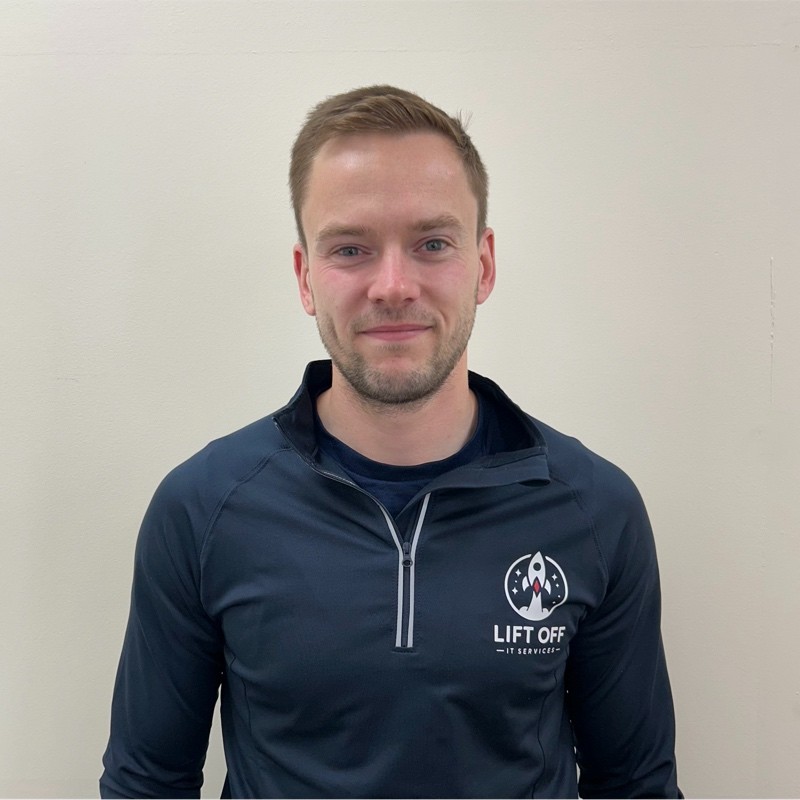
Ryan Fairfield Co-Director, Liftoff IT
Ryan Fairfield is co-director and co-founder of Liftoff IT, a managed services provider based in Liverpool, UK. Despite launching in May 2024, Liftoff IT has grown to 27 clients, over 650 devices, and 750 users with just two technicians. In this webinar, Ryan described how Atera’s agent deployment issues and unresponsive trial support pushed him to Syncro within 14 days of starting his MSP, and how Syncro’s automation and onboarding workflows have allowed him to scale to roughly 60% capacity with plans to reach 1,000 endpoints before hiring.
Share
Related Resources